
User Guide
Nefha is a non-profit volunteer project that brings prayer times, khatm tracking, a Qur’an reader and worship tracking together in a single app. Prayer times, the mushaf and all tracking records work offline; no personal data is sent to any server. The app carries no adverts and every religious feature is free.
Chapter 01
Prayer Times
With a connection, Nefha takes the times from the calendar the Turkish Directorate of Religious Affairs publishes for the district nearest to you. Without one it calculates the same times on the device, so it works anywhere, online or not.
Where the times come from
- With a connection — what you see is the very calendar Diyanet publishes for that district. It is fetched quietly in the background, and the city name turns the theme colour the moment it lands. Part of it is kept on the device, so it stays with you if the connection drops.
- Without a connection — the city name stays grey and times are calculated for the exact place you are in, following the measure Diyanet uses (Fajr 18°, Isha 17°). A minute may differ from the calendar; over a year that difference balances out, a minute early in one season and late in another.
- Where the calendar does not reach — Diyanet publishes for district centres. If you are far from one, the downloaded calendar is not used, because at that distance our own calculation is closer to where you actually are.
- A manual offset in minutes can be entered for each prayer; it applies in both cases and a single tap restores the default.
- Six times are shown: Fajr, Sunrise, Dhuhr, Asr, Maghrib and Isha. On festival days the Eid prayer time is added.
When praying with the congregation
- When the call to prayer is given in your neighbourhood the time has come; the minute on your phone does not change that. Nefha shows the time of the place you are in so that you know it when you pray alone, on the road, travelling, or somewhere no call can be heard.
- For the critical times — Fajr and Maghrib — it is advisable to be ready a few minutes early.
What you see on screen
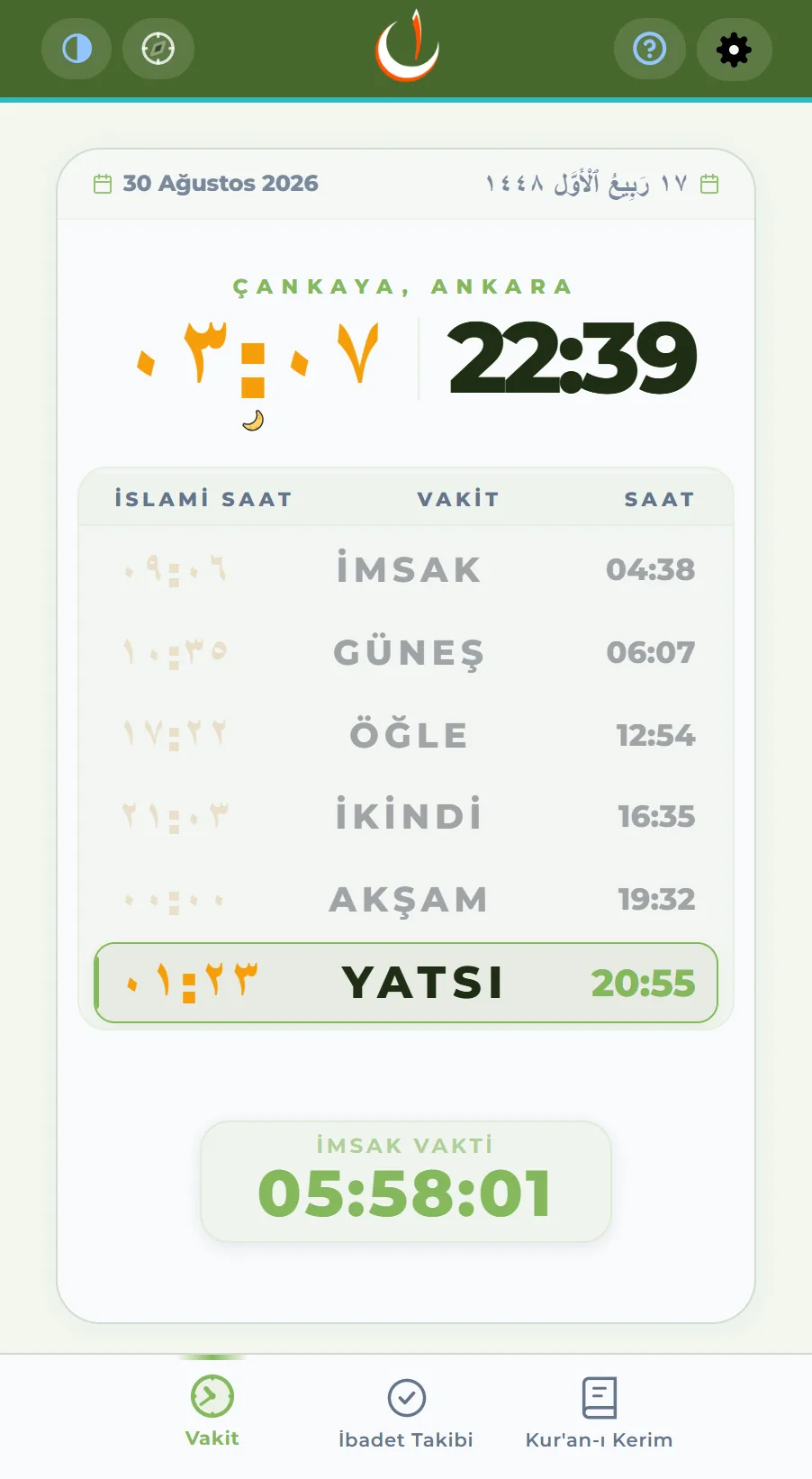
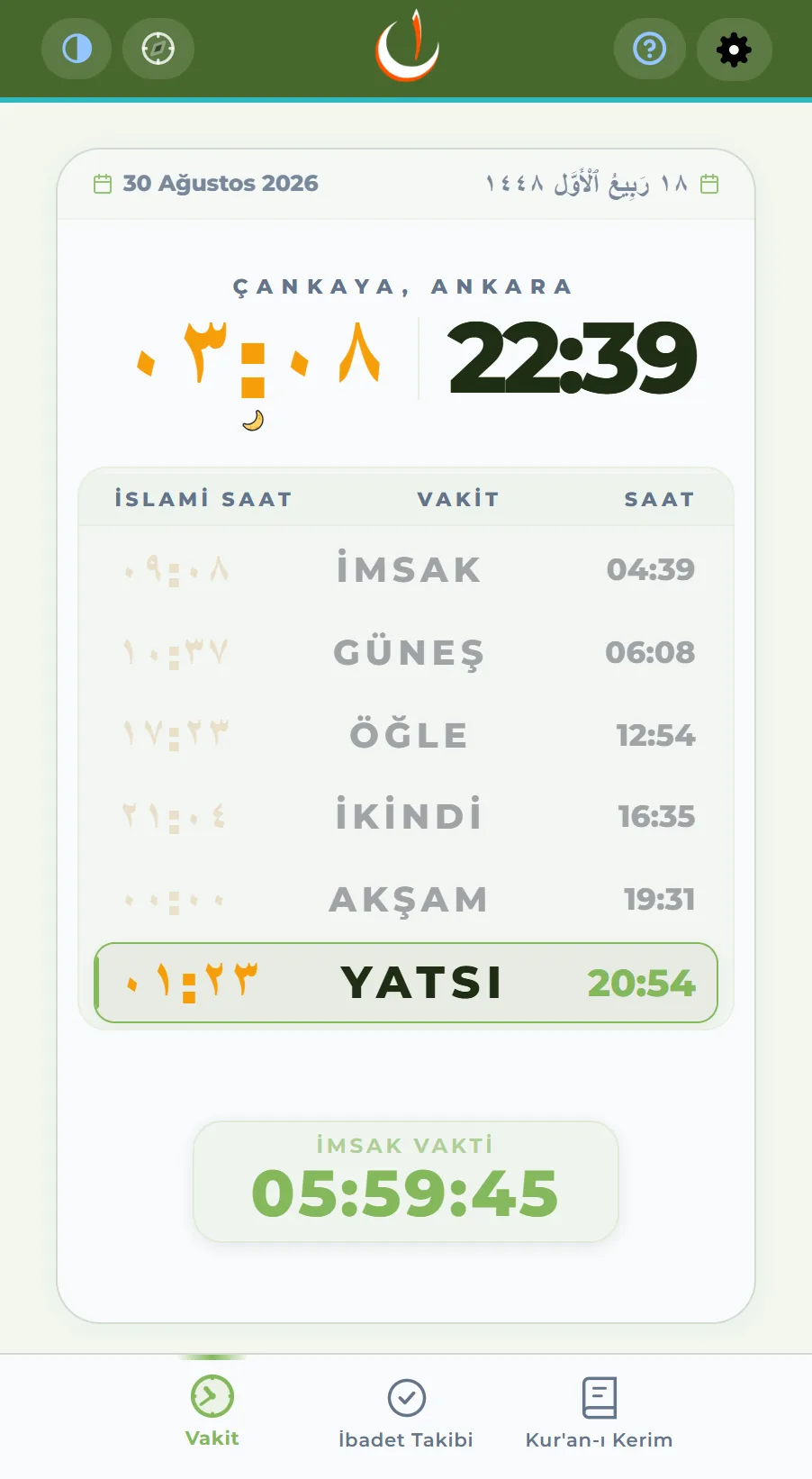
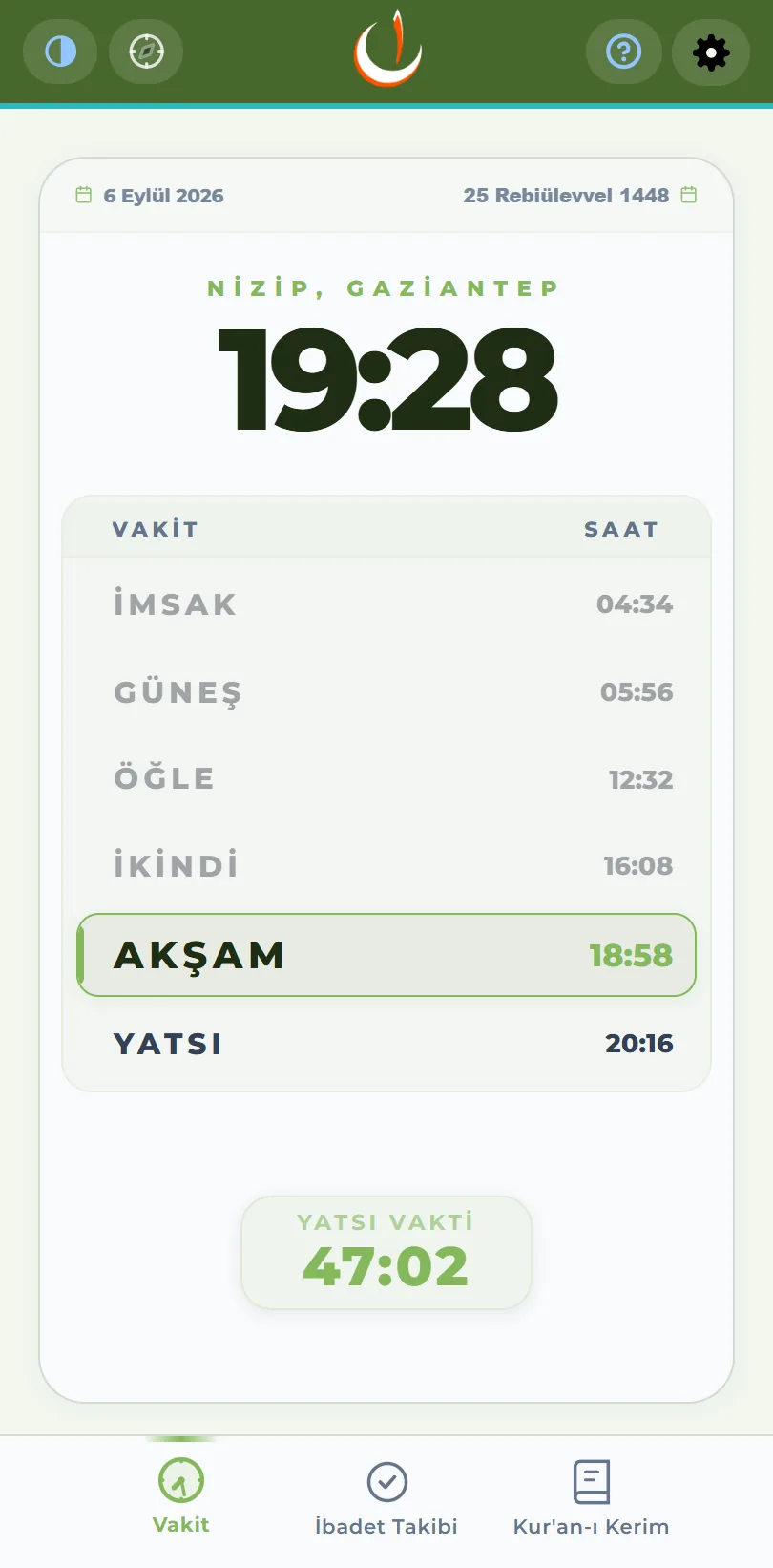
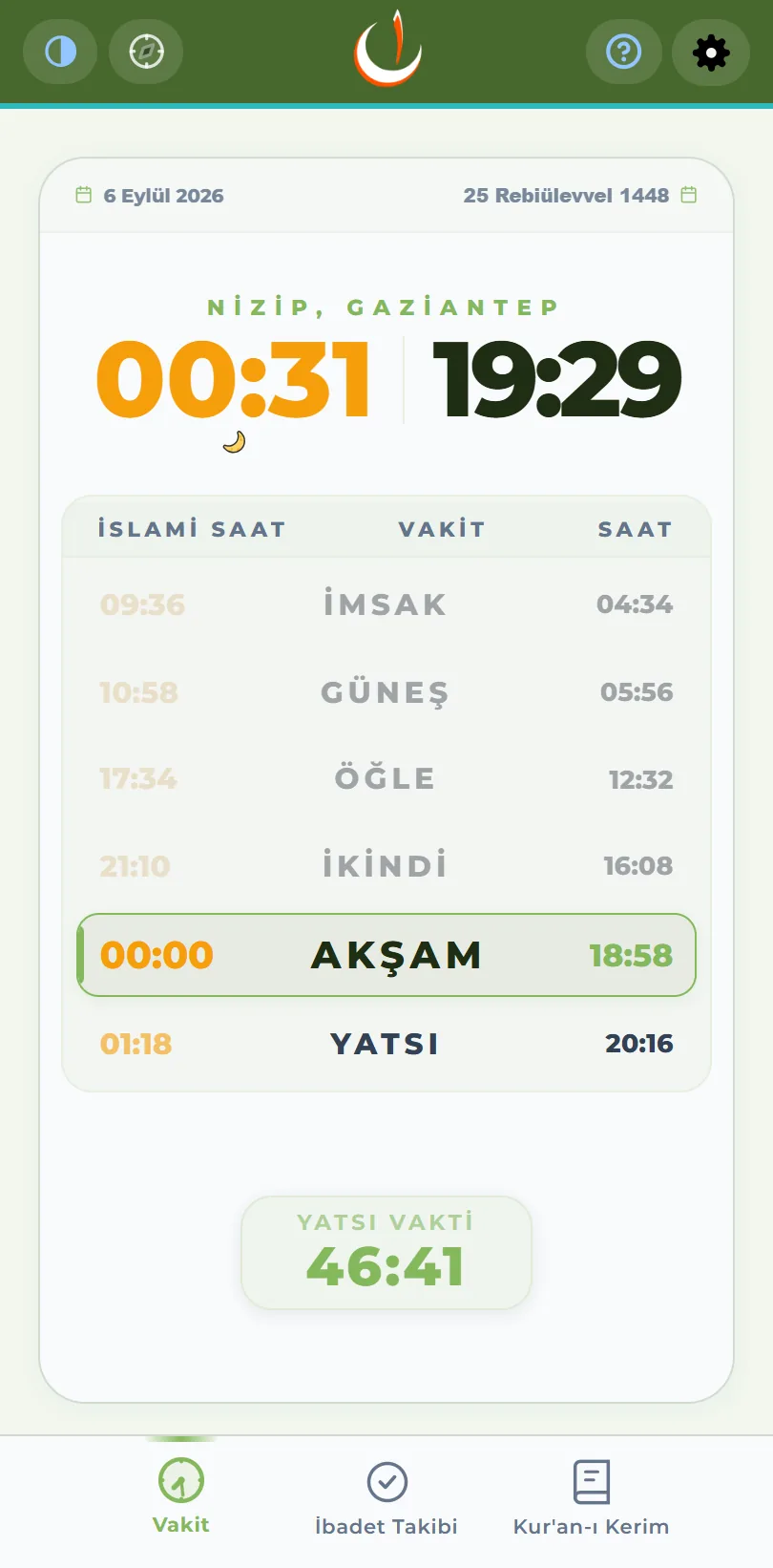
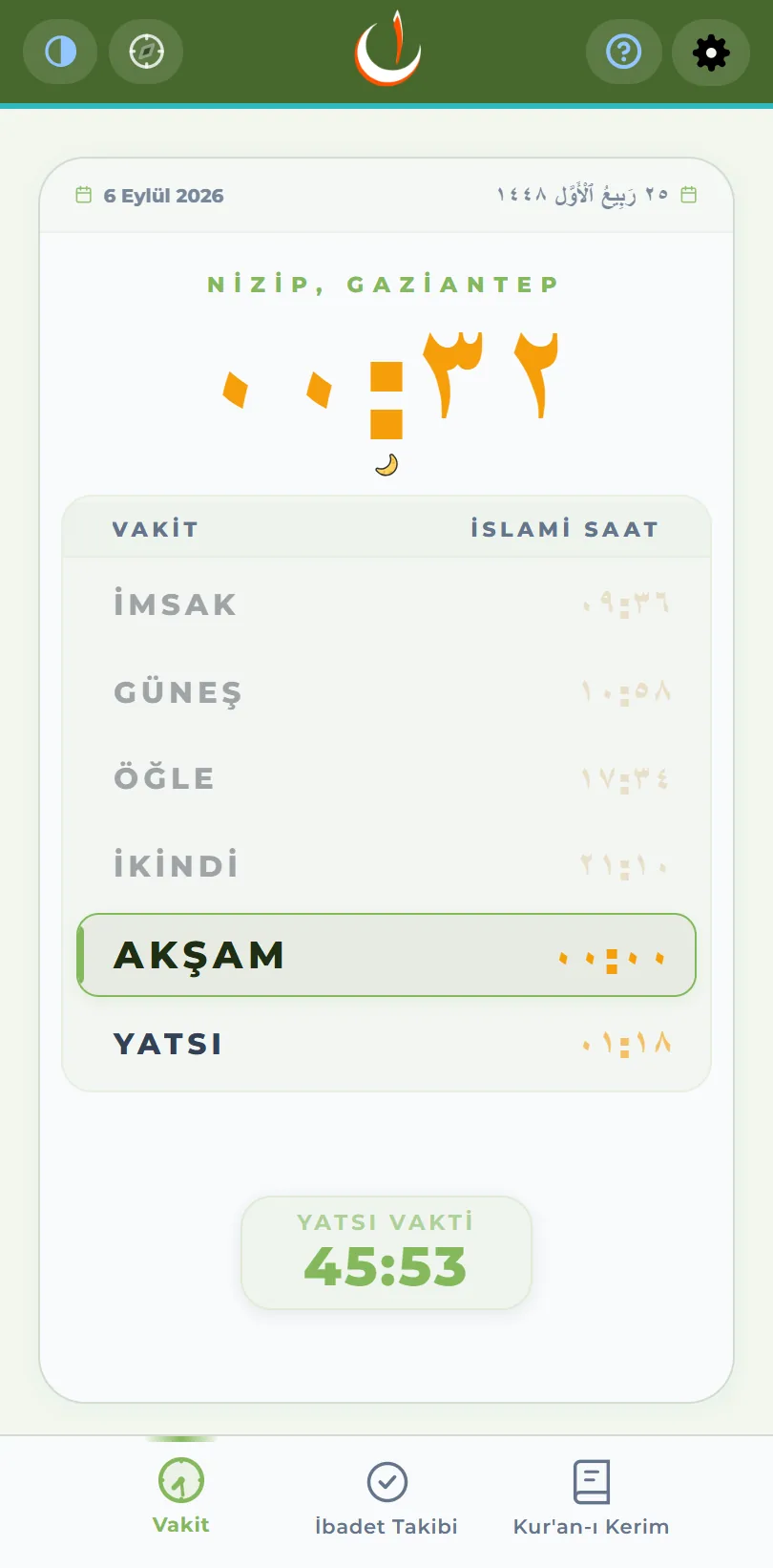
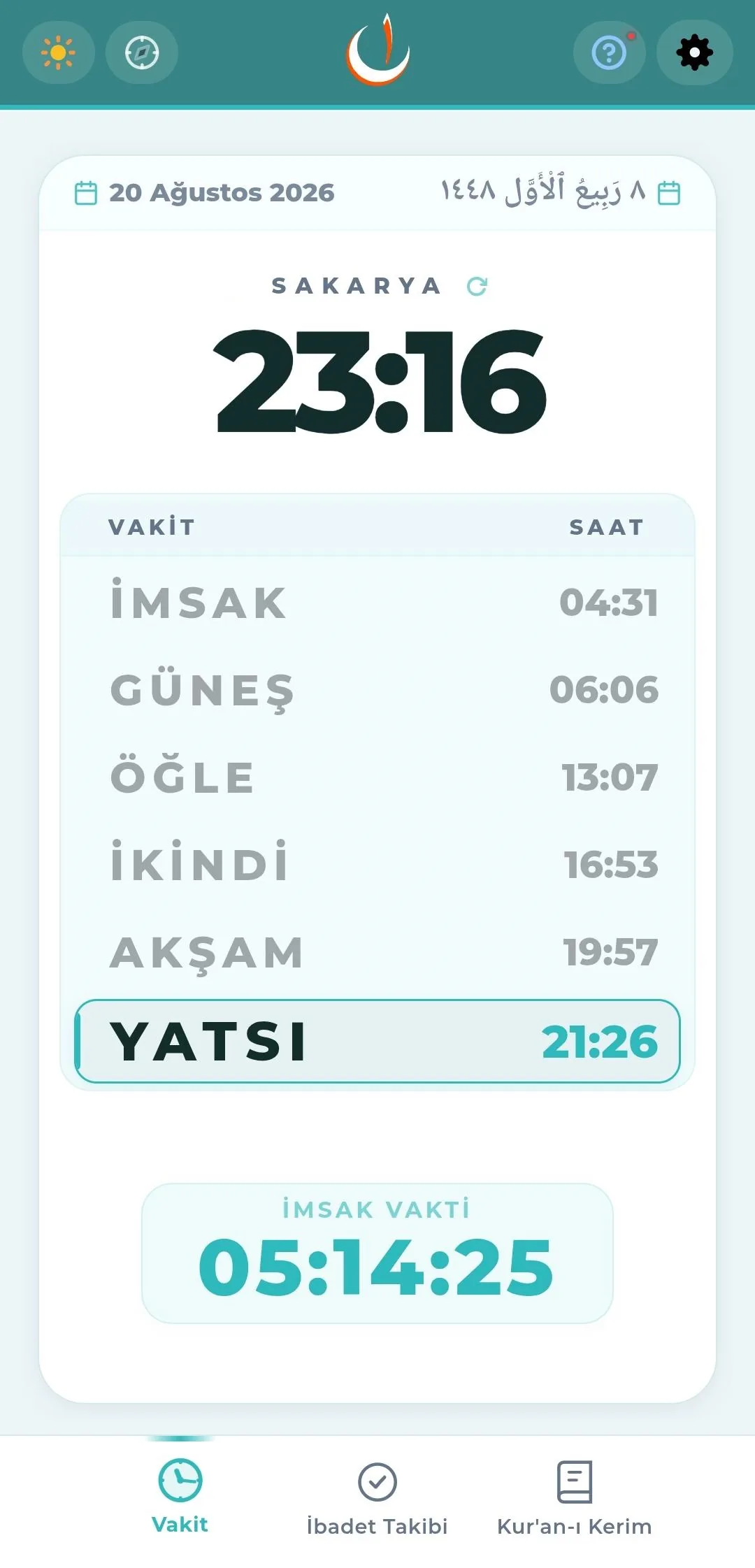
- The next prayer is highlighted; the countdown card beneath it shows the time remaining.
- The times are read on the Gregorian clock, the Adhani (Islamic) clock, or both together, as chosen.
- Asr kerahat countdown
- First it counts down to 45 minutes before Maghrib, then straight to Maghrib itself.
- Once the kerahat period begins, the countdown turns red; it serves as a warning not to delay the Asr prayer, which must be performed before sunset.
- It can be switched on and off in Settings.
- Full-screen prayer view: clock, countdown and the list of times together.
- Compact prayer card: on the main screen alongside the other modules.
- The text size on the Prayer tab can be adjusted.
- The order of the times can be set two ways
- Gregorian — the day starts at Fajr.
- Adhani — the day starts with the Maghrib adhan.
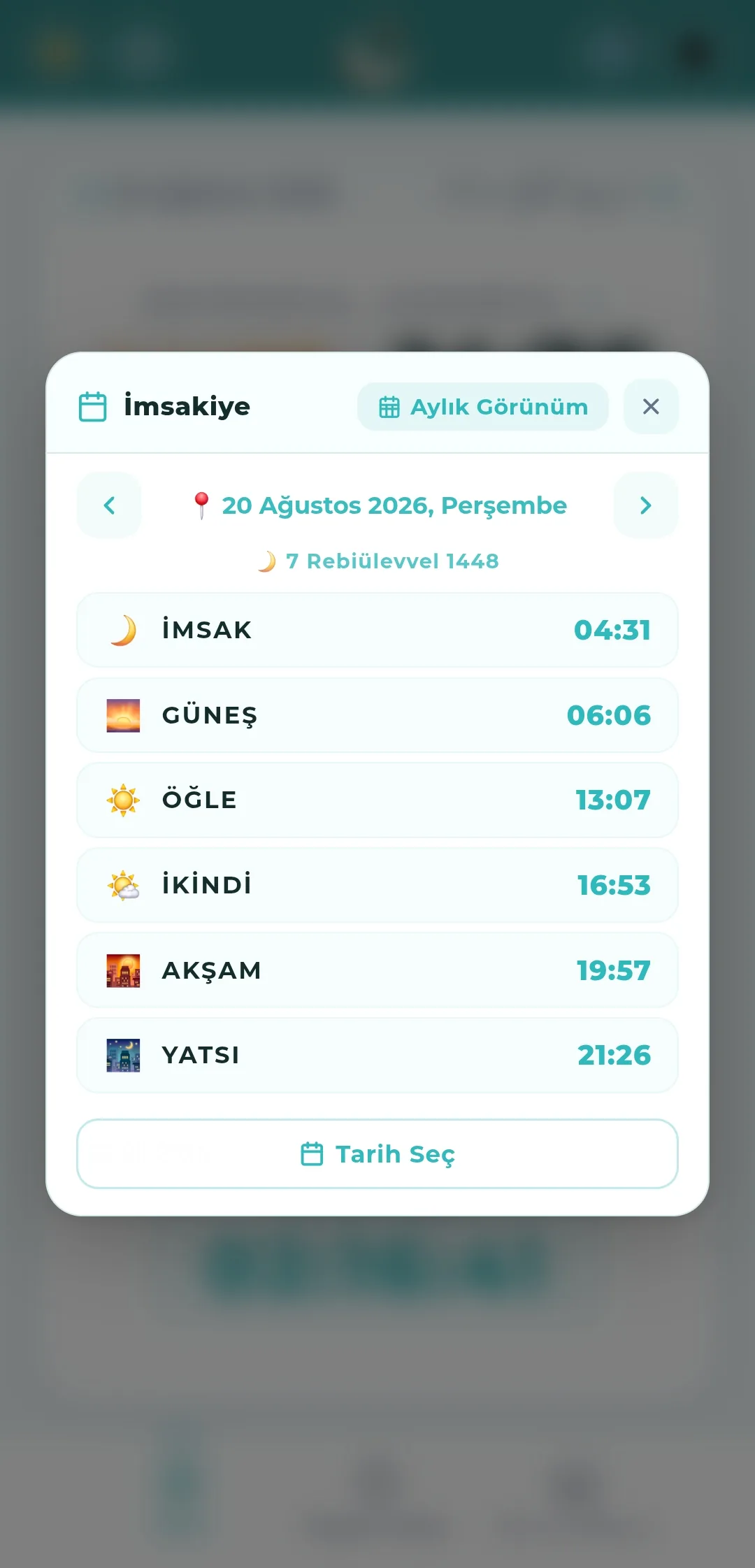
Date picker and the timetable
- Tapping the Gregorian date opens the daily timetable; "Pick a date" shows the times for any past or future day.
- The arrows move a day forward or back; the Hijri equivalent is given in the heading.
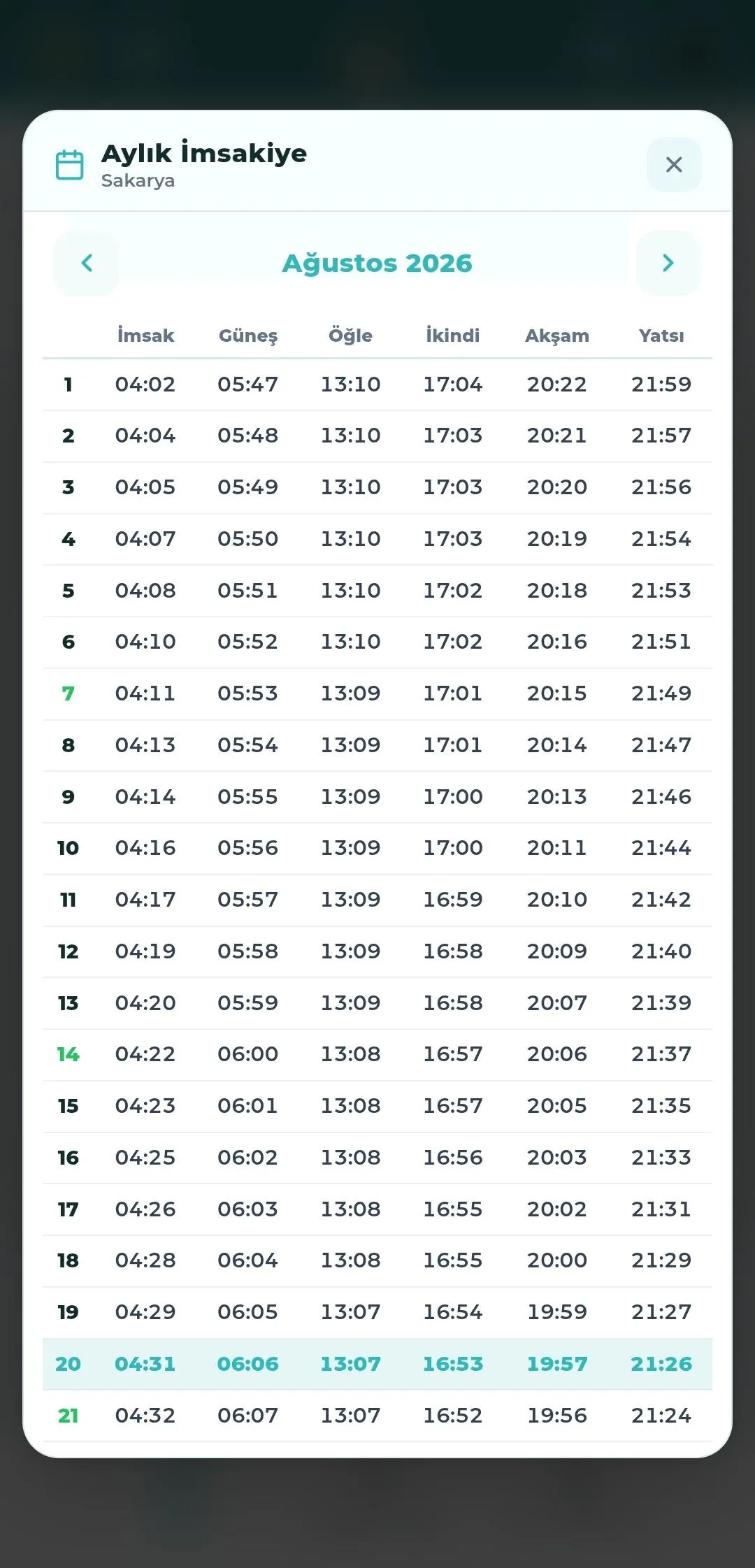
- "Monthly view" lists the times for every day of the selected month in a single table.
- In the monthly table today's row is highlighted and Fridays are shown in a separate colour.
Chapter 02
Location
Because prayer times are calculated from your location, location is the app's fundamental setting. It can be found automatically by GPS or chosen by hand from a list.
Automatic location by GPS
- Instant positioning using the device sensors.
- The refresh button next to the city name on the prayer card updates your location at once.
- Automatic updating
- Location is refreshed every time the app opens and at every prayer time transition.
- Nefha does not run in the background; location and prayer times are refreshed only when you open the app.
- This is a deliberate choice: no location tracking happens in the background and your battery is not drained for nothing. When your location changes — travelling between cities, for example — simply opening the app now and then is enough to keep the times current.
- The settings screen reminds you that frequent GPS use increases battery consumption.
- A 60-second guard prevents simultaneous queries from repeated taps.
- If your location cannot be obtained, you are guided to city selection.
Choosing a city by hand
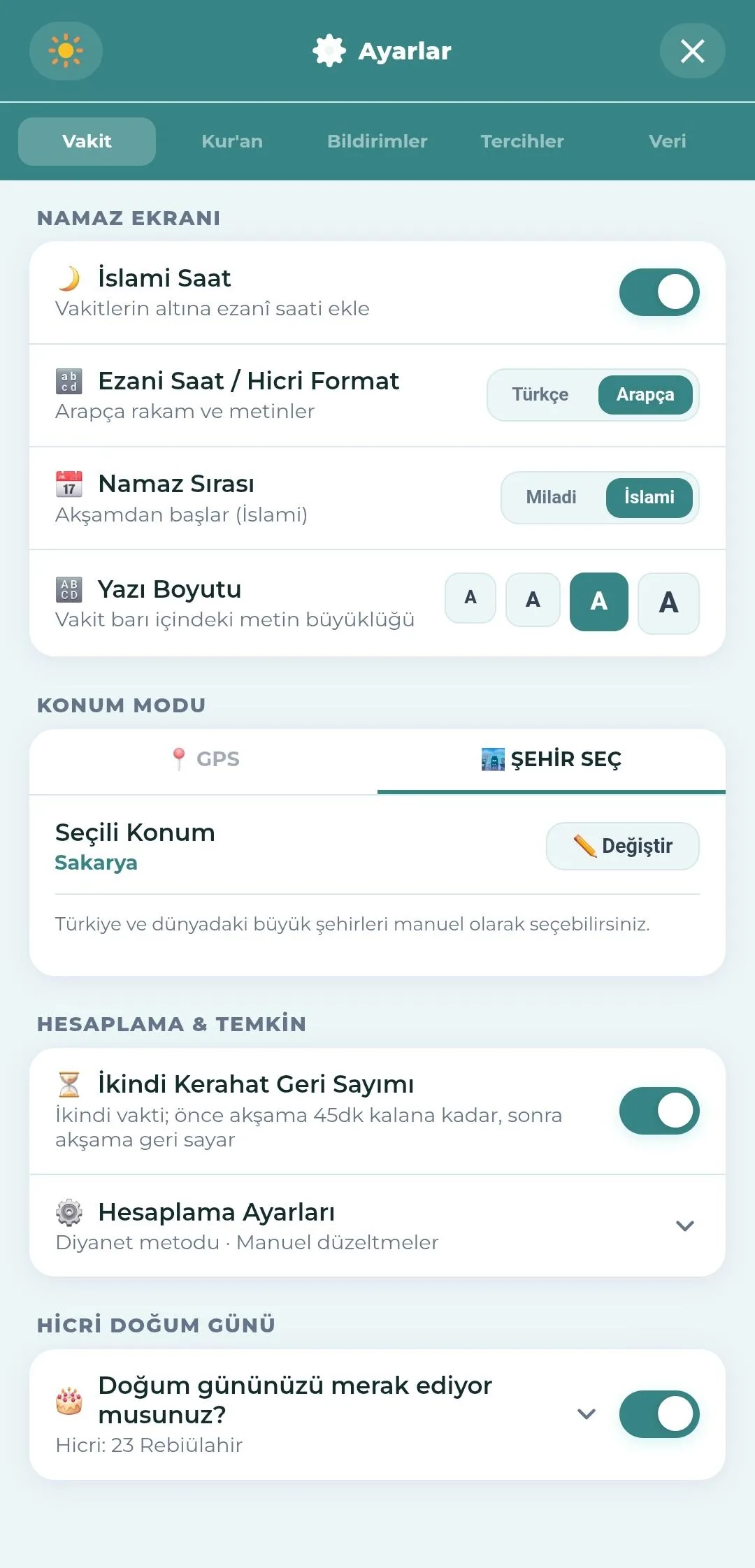
- Go to Settings → Prayer Times → Location Mode and switch to the "Pick a city" tab.
- "Change" opens a three-step picker: country → province → district.
- 462 registered locations from Turkey and around the world.
- A GPS coordinate is matched offline to the nearest registered city or district; no match is made beyond 100 km.
- The selected location is shown on screen; times are calculated for it.
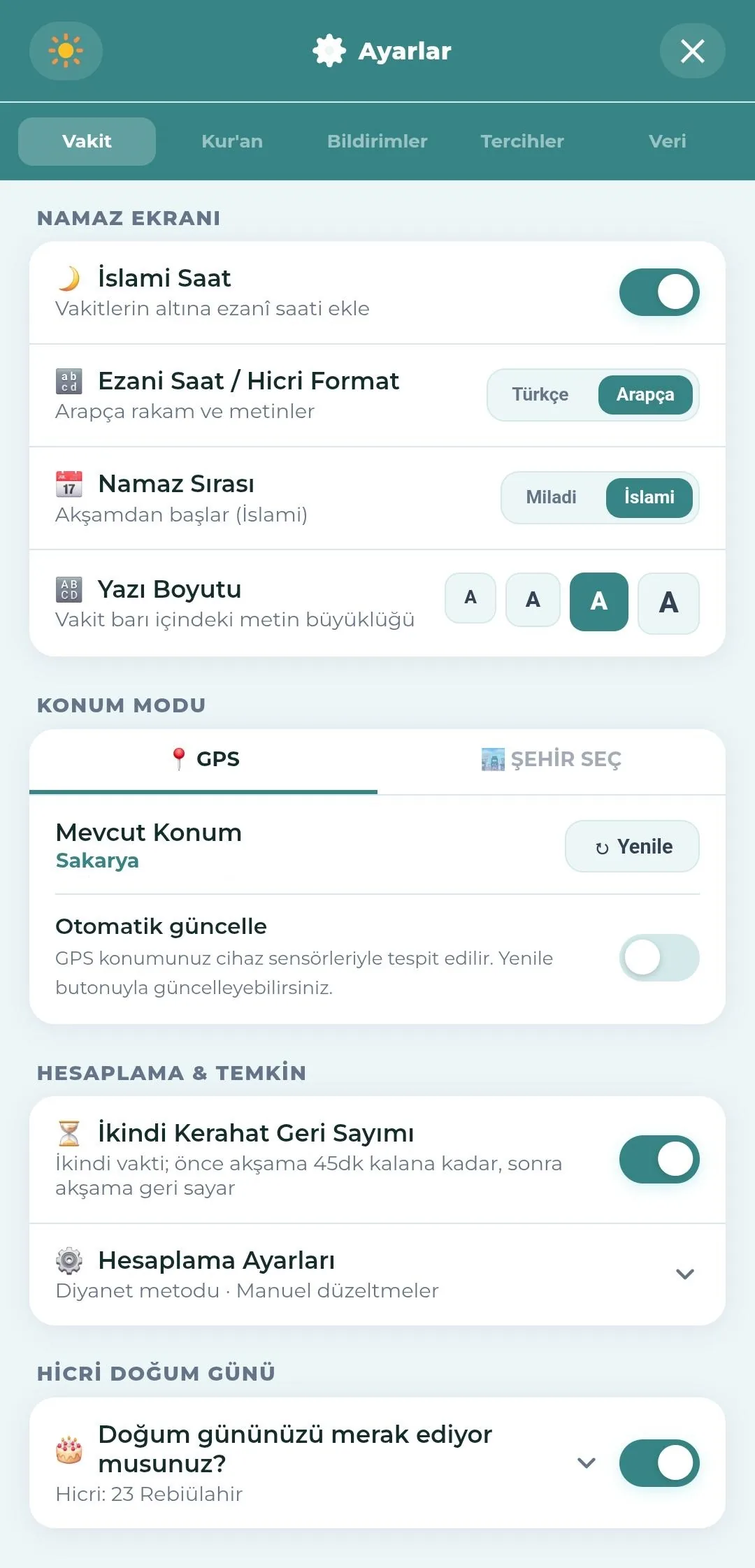
Other prayer settings on the same screen
The location setting sits together with the other prayer settings under Settings → Prayer Times.
- Prayer screen: times and clock display, numerals and date, time order and text size.
- Calculation and precaution: Asr kerahat countdown, calculation method and manual corrections.
- Hijri birthday setting.
Chapter 03
Date and Calendar
Nefha shows the Gregorian and Hijri dates together; the Hijri calendar can be viewed full screen with blessed days, personal days and hijama days.
Dates
- Gregorian date — day, month, year and weekday in the card heading.
- Hijri date — in the opposite corner, following the month beginnings of Diyanet's official calendar.
- Hijri calendar calibration: a ± day correction for regional differences.
- Numerals and date: Arabic numerals and script, or Latin numerals and text.
Adhani (Islamic) clock
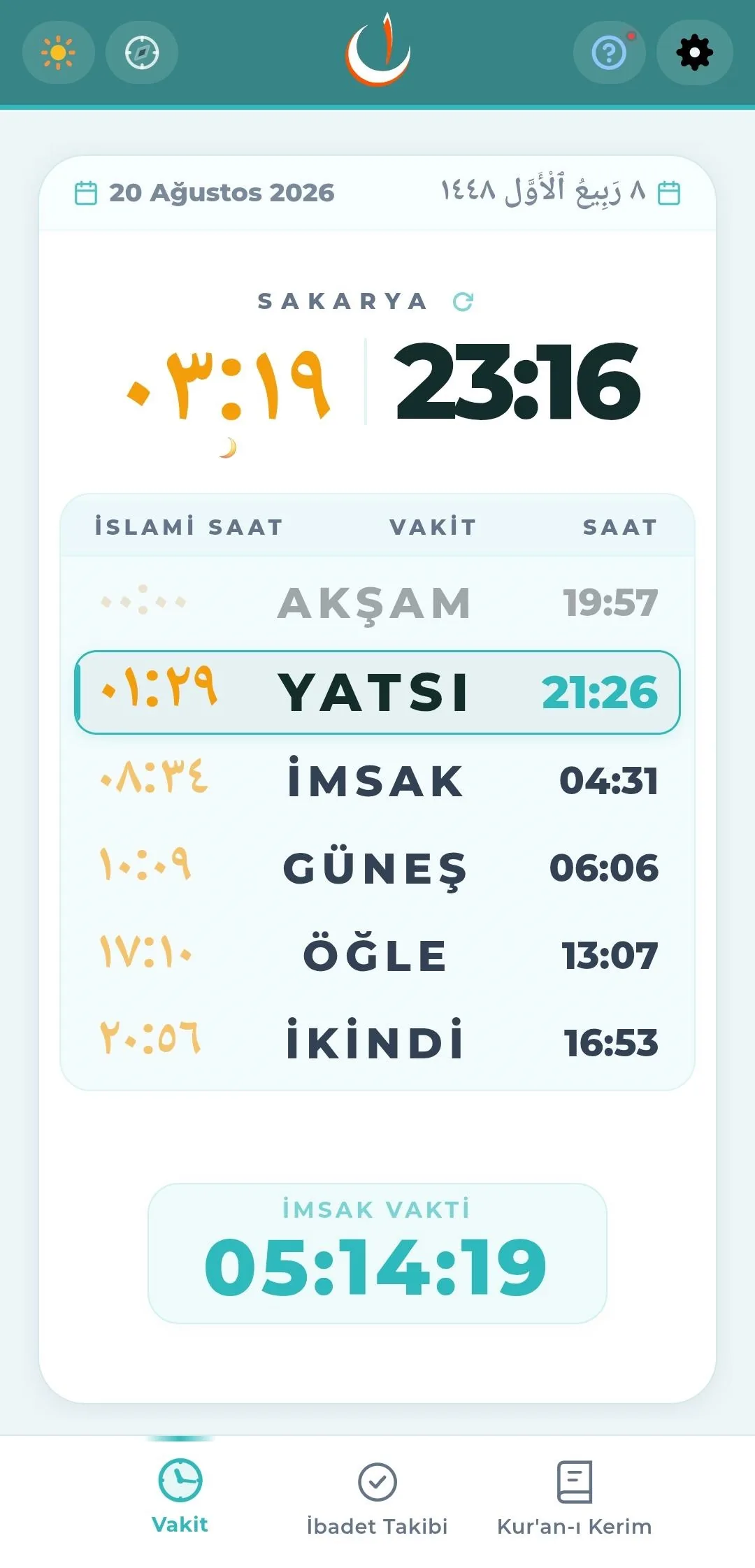
On the Adhani clock the day begins with the Maghrib adhan, and that moment counts as 00:00.
- When both are shown, each time keeps its Adhani equivalent in a column of its own; with Adhani only, that clock takes the place of the Gregorian one.
- The large clock in full-screen view follows the same choice: the two side by side, or one on its own.
- Settings → Prayer Times → "Times and Clock" offers three choices: Gregorian only, both together, or Adhani only. With Adhani only the Gregorian clock leaves the screen and the Adhani clock takes its place; the date line stays where it is.
- When the "Time Order" setting is set to Adhani, the list starts with the Maghrib adhan.
- Holy nights and Friday eve, which begin the evening before, are handled according to this system.
Hijri calendar
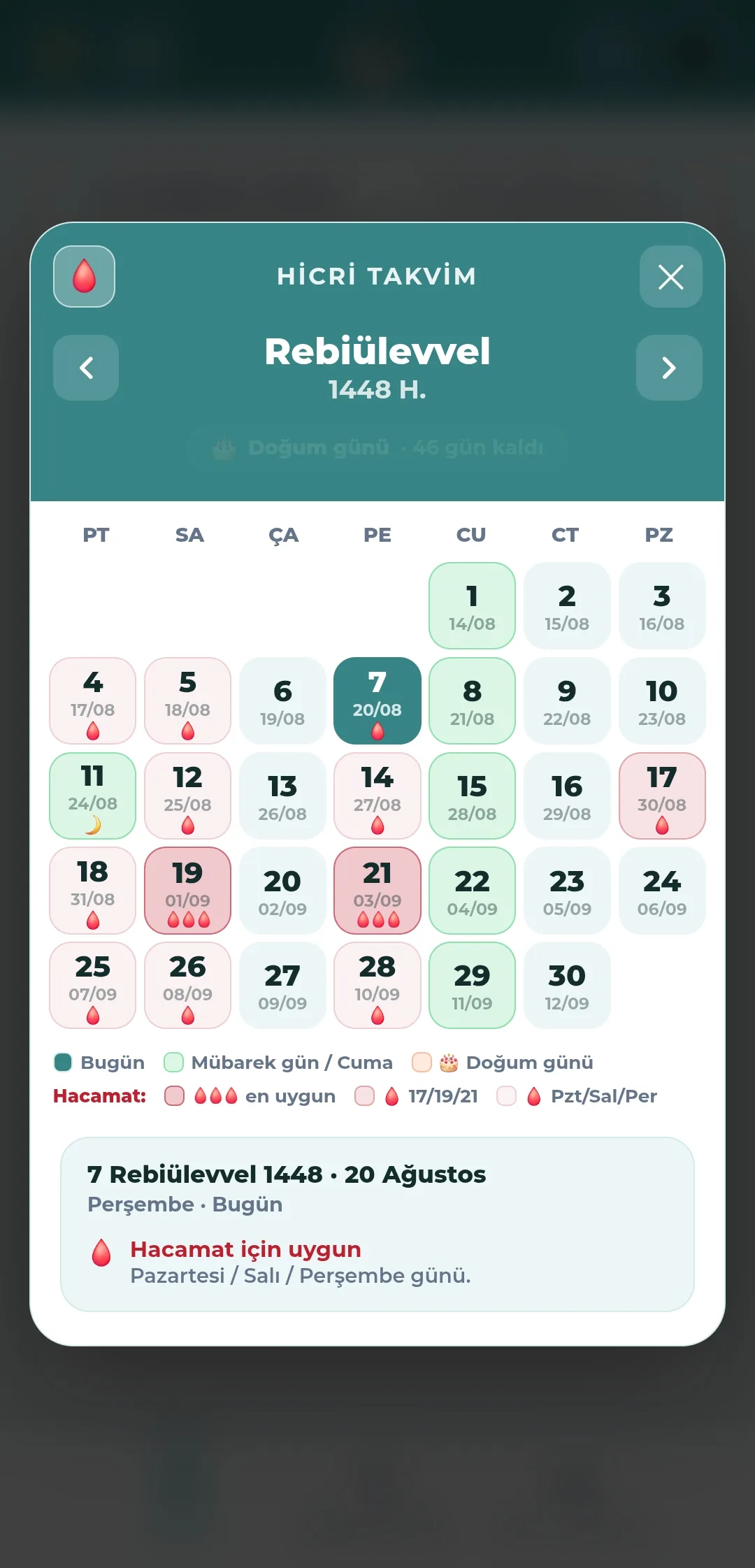
- A full-screen monthly grid with navigation between Hijri months; each cell shows the Hijri day and its Gregorian equivalent.
- Blessed days are marked
- The beginning of the Three Months (Rajab), and the nights of Raghaib, Mi'raj and Bara'ah.
- The start of Ramadan, Laylat al-Qadr, and the days of Arafah.
- Eid al-Fitr (3 days), Eid al-Adha (4 days).
- The Hijri new year, the day of Ashura, Mawlid.
- Fridays are highlighted separately; today is marked in a darker colour.
- A countdown for upcoming days: "X days left" / "tomorrow".
- Hijama (cupping) day layer — toggled with the drop icon at the top left
- Most suitable — when the 17th, 19th or 21st of the month falls on a Monday, Tuesday or Thursday (three drops).
- Suitable day — the 17th, 19th or 21st of the month.
- Suitable weekday — Monday, Tuesday, Thursday.
- Tapping a day opens its details in the card below.
Hijri birthday
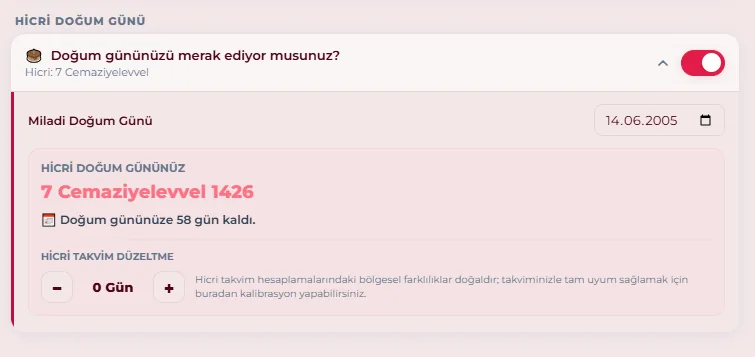
- You enter your Gregorian date of birth and the Hijri equivalent is calculated.
- The calendar heading shows how many days remain until your birthday.
- A full-screen celebration on the day itself, with separate messages for the Gregorian date, the Hijri date, and the "double birthday" when the two coincide.
Chapter 04
Qibla
The direction of the qibla is found with the device's compass sensor. Because magnetic interference is always possible, a second method over a satellite map is offered.
Compass
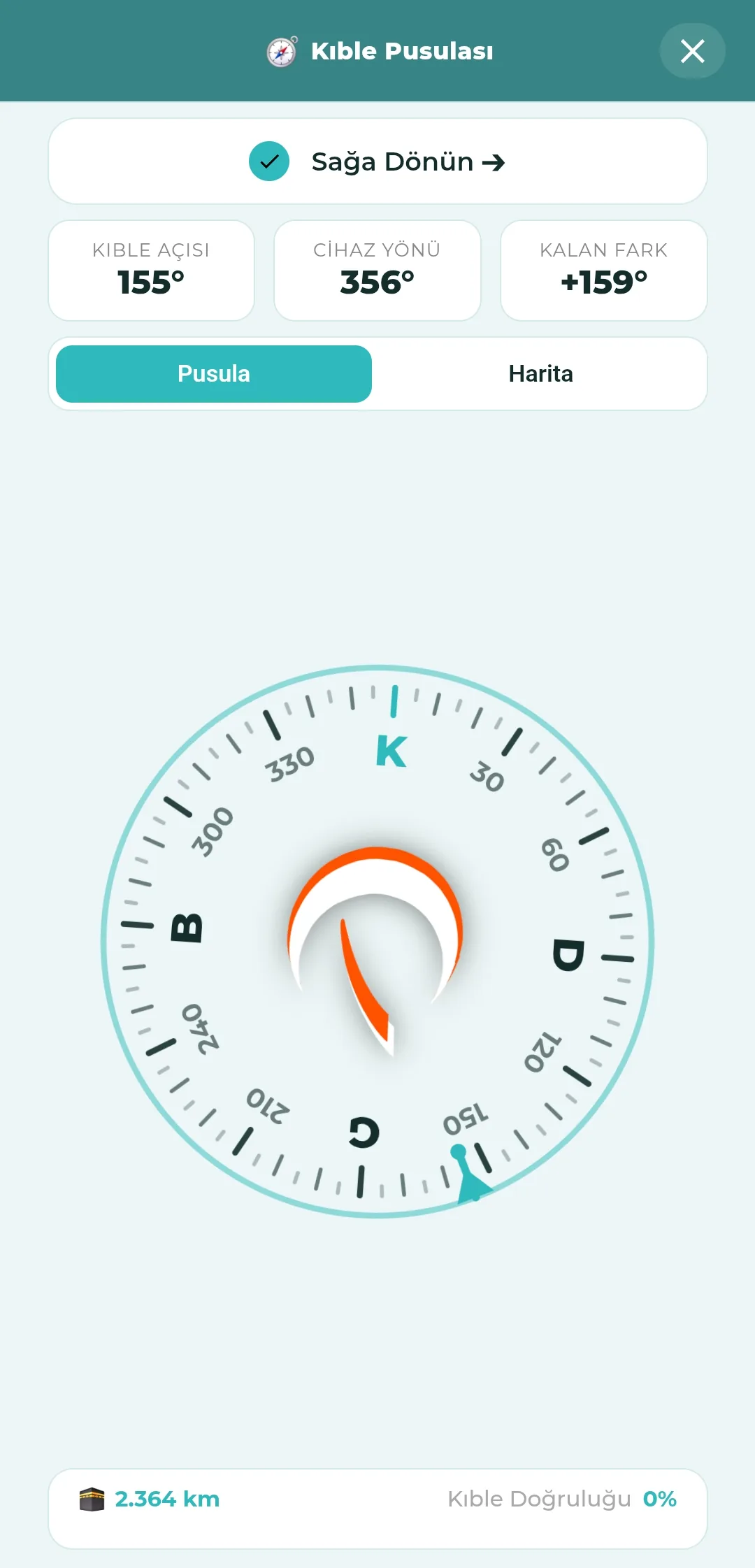
- A rotating dial, a crescent needle and the qibla marker.
- Three boxes at the top: qibla bearing, device heading and the difference remaining.
- Guidance reading "Turn right / Turn left / You may pray in this direction".
- Below, the distance to the Kaaba (km) and the qibla accuracy percentage.
- The direction of Masjid al-Aqsa is shown separately.
Accuracy and warnings
- When magnetic interference is detected, instructions to calibrate by drawing a figure 8 in the air with the device.
- An introductory layer explaining calibration the first time the compass is opened.
- If the compass does not respond at all, a warning about magnetic cases and attachments.
- A "Hold your device parallel to the ground" warning.
Satellite map mode
Where magnetic interference cannot be resolved, taking your bearing from the map is more reliable.
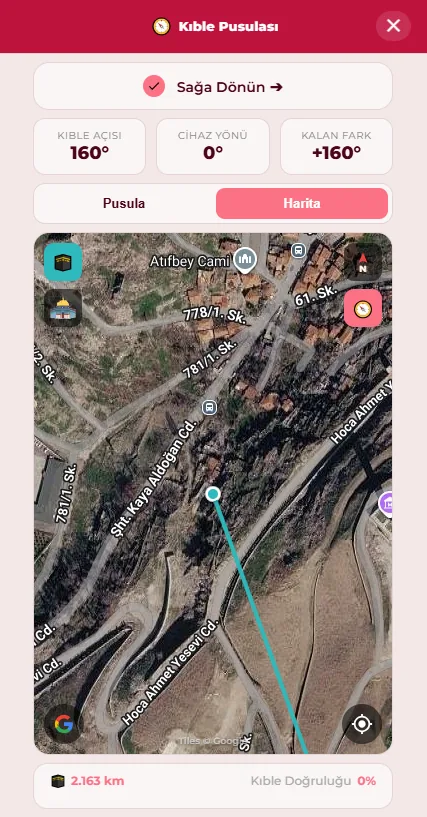
- Switch with the "Map" tab at the top; a line is drawn from your position to the Kaaba over satellite imagery.
- The two buttons at the top left turn the Kaaba and Masjid al-Aqsa lines on and off separately.
- At the top right you choose between a north-locked map and one that rotates with the compass.
- The button at the bottom right brings the map back to your location.
- The most practical approach is to align yourself with a reference the line points along — a street, a building, a neighbouring mosque.
- The map needs an internet connection; a warning is shown when there is none.
Chapter 05
Qur'an Reader
Five reading modes, two mushaf scripts, downloadable translations and commentaries, nine reciters and verse sharing. All of it works offline.
Reading modes
- Mushaf — page by page, exactly as in a printed mushaf.
- Continuous — flowing text.
- Verse by verse — a card-based focus reader.
- Translation + Arabic — side by side.
- Translation only.
- The three icons on the bottom bar switch modes; the "Qur'an / Translation" toggle moves between the Arabic and the translation.
Every reading place remembers its own mode
Your intention changes with the occasion: you may want to follow a khatm from the mushaf page but read the Qur'an with a translation alongside. Nefha does not squeeze this into a single preference — each reading place remembers its own reading mode.
- Qur'an tab: the Juz, Surahs and Pages lists each keep their own mode, so a juz can open on the mushaf page while a surah opens with the translation alongside.
- The group khatm keeps its own mode.
- Every personal khatm keeps its own mode separately — if you have more than one khatm, each is listed with its own name and icon.
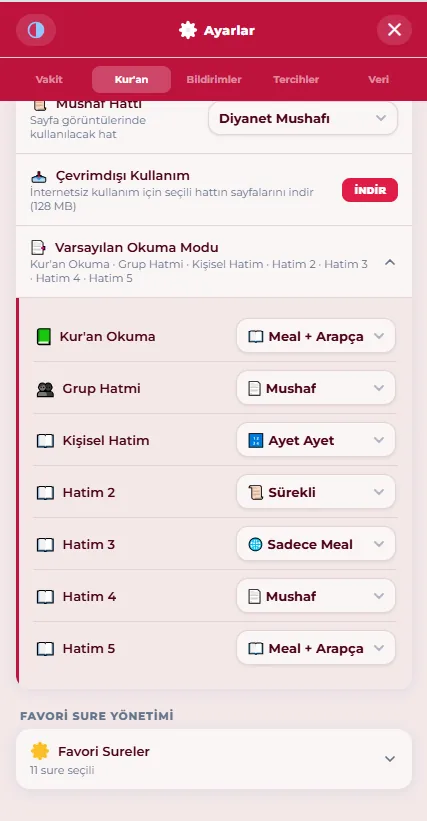
- When you open Settings → Qur'an → Default Reading Mode, these places are listed one under the other; the list beside each row sets the mode for that place.
- For example: set the khatm to "Mushaf" and Qur'an reading to "Translation + Arabic", and each opens in its own mode; neither changes the other.
- When you tap a day on the khatm widget, that khatm also opens in its own mode and the "read" mark goes into the right record.
Mushaf
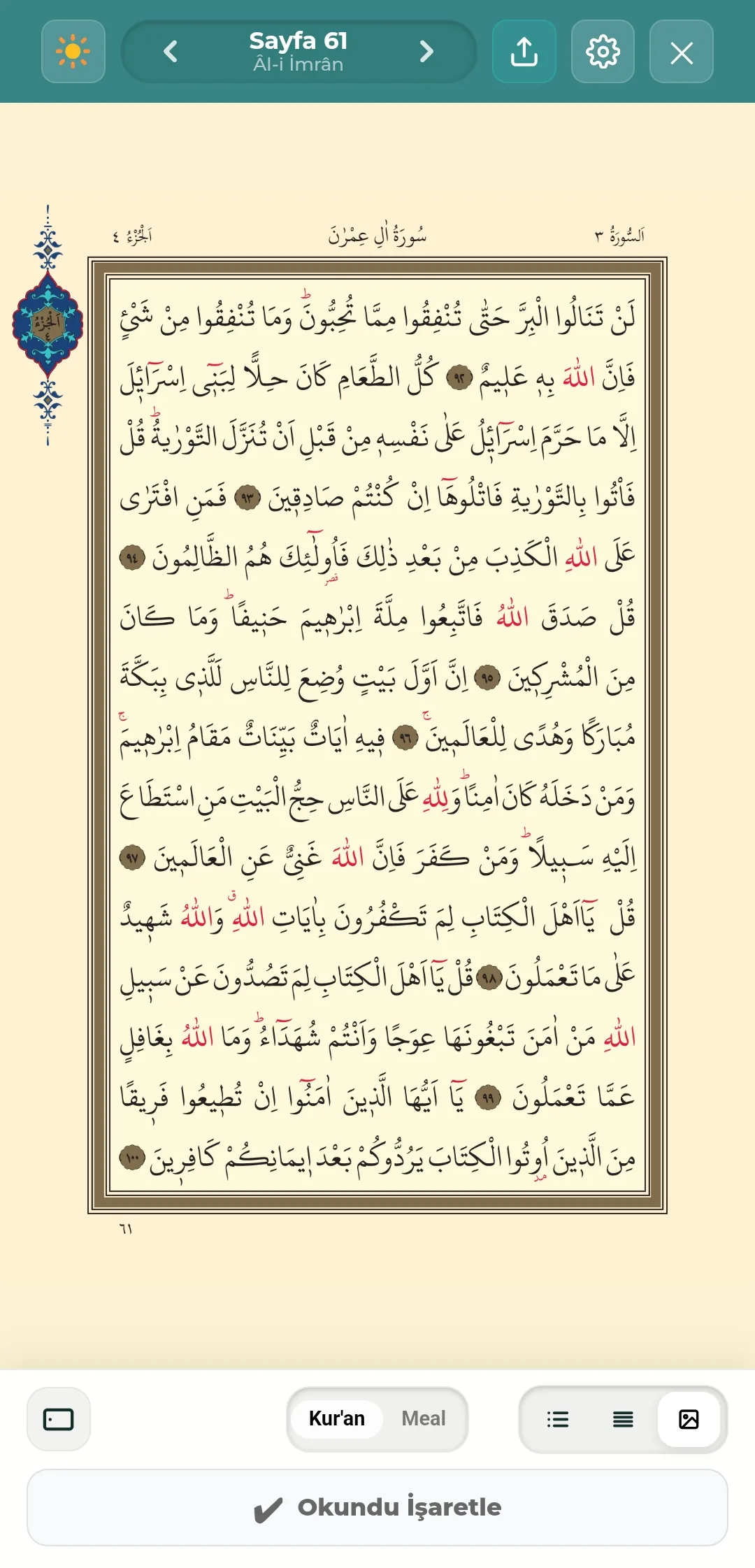
- Abay Quran Text (Diyanet, Istanbul — 2026.3), 604 pages; the page layout and verse numbers match the printed mushaf.
- Two typefaces
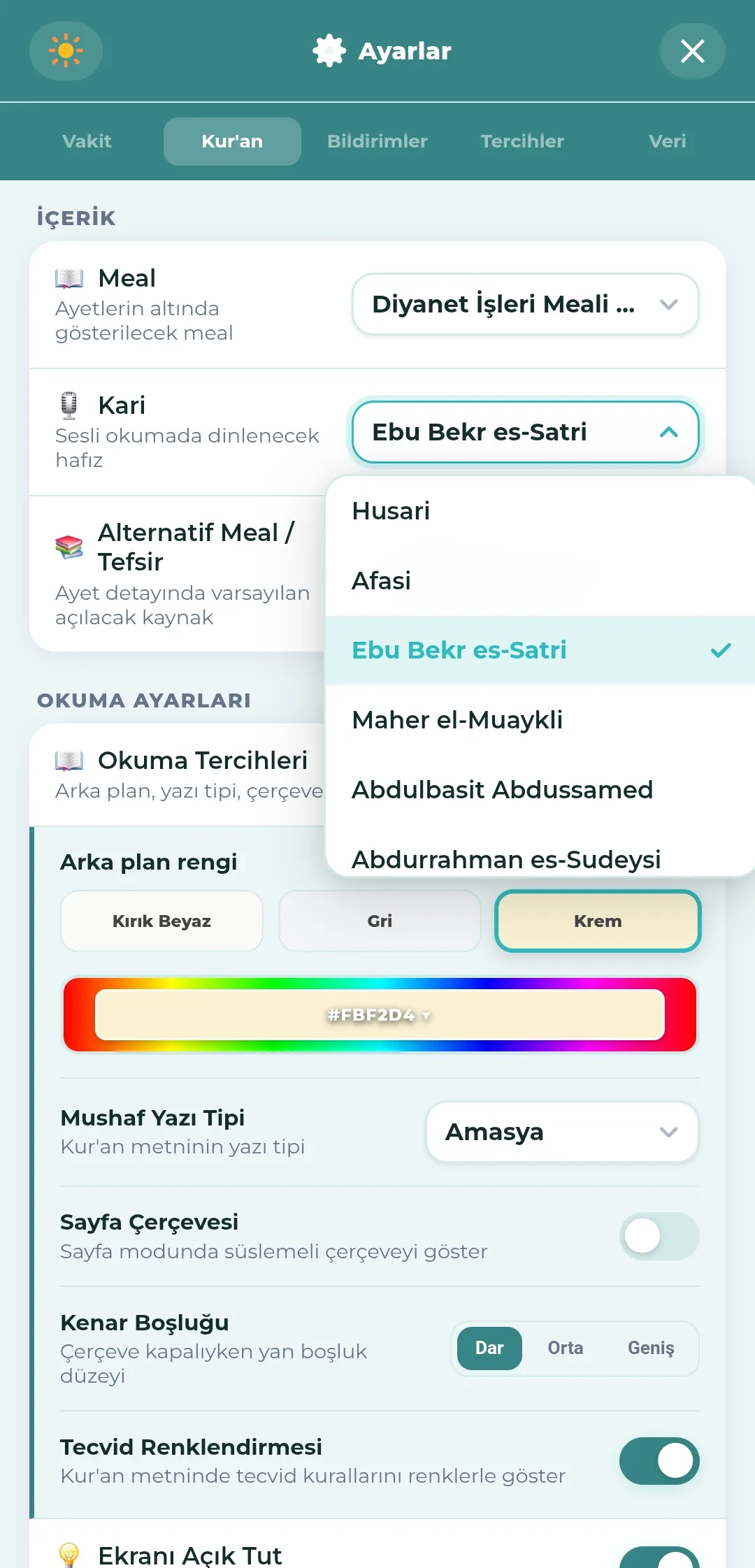
- Amasya — the default.
- Abay Naskh — experimental; offered together with an on-screen feedback button.
- Original mushaf images mode — the scanned pages of the printed mushaf appear on screen.
- You choose between two scripts: Settings → Qur'an → Mushaf Script
- Diyanet Mushaf — the default.
- Hüsrev script (Hayrat) — the tawafuq mushaf written in the calligraphy of Ahmed Hüsrev Altınbaşak and published by Hayrat Neşriyat.
- Changing the script does not delete downloaded pages; each script keeps its own pages separately, and downloading one does not affect the other.
- Pages can be downloaded and read offline: Diyanet about 128 MB, the Hüsrev script about 84 MB. They can also be read without downloading, in which case pages arrive over the internet as you open them.
- The decorative page frame can be switched on and off.
- Margins: narrow, medium, wide.
- Reading page background: off-white, grey, cream — or your own shade from the colour strip.
- The Arabic text size and the translation text size are set separately.
- Prostration verse icon, surah transition headings and the display of the basmala. Verses of prostration are marked with ۩; when you mark a page containing one as read, you may be asked about the prostration of recitation (see Prayer and Fasting Tracking).
- Tajweed colouring — marked as experimental on iOS, where it is off by default.
- Keep the screen on: the screen does not dim by itself while you are reading or listening.
Translation and commentary
- Translations included with the app
- Diyanet İşleri translation (old and new)
- Elmalılı Hamdi Yazır
- Diyanet Vakfı translation
- Ömer Nasuhi Bilmen, Muhammed Esed, Abdulbaki Gölpınarlı, Hayrat Neşriyat
- Mawdudi (Tafhim), Sayyid Qutb (Fî Zılâl)
- Sahih International (English)
- Commentaries included with the app
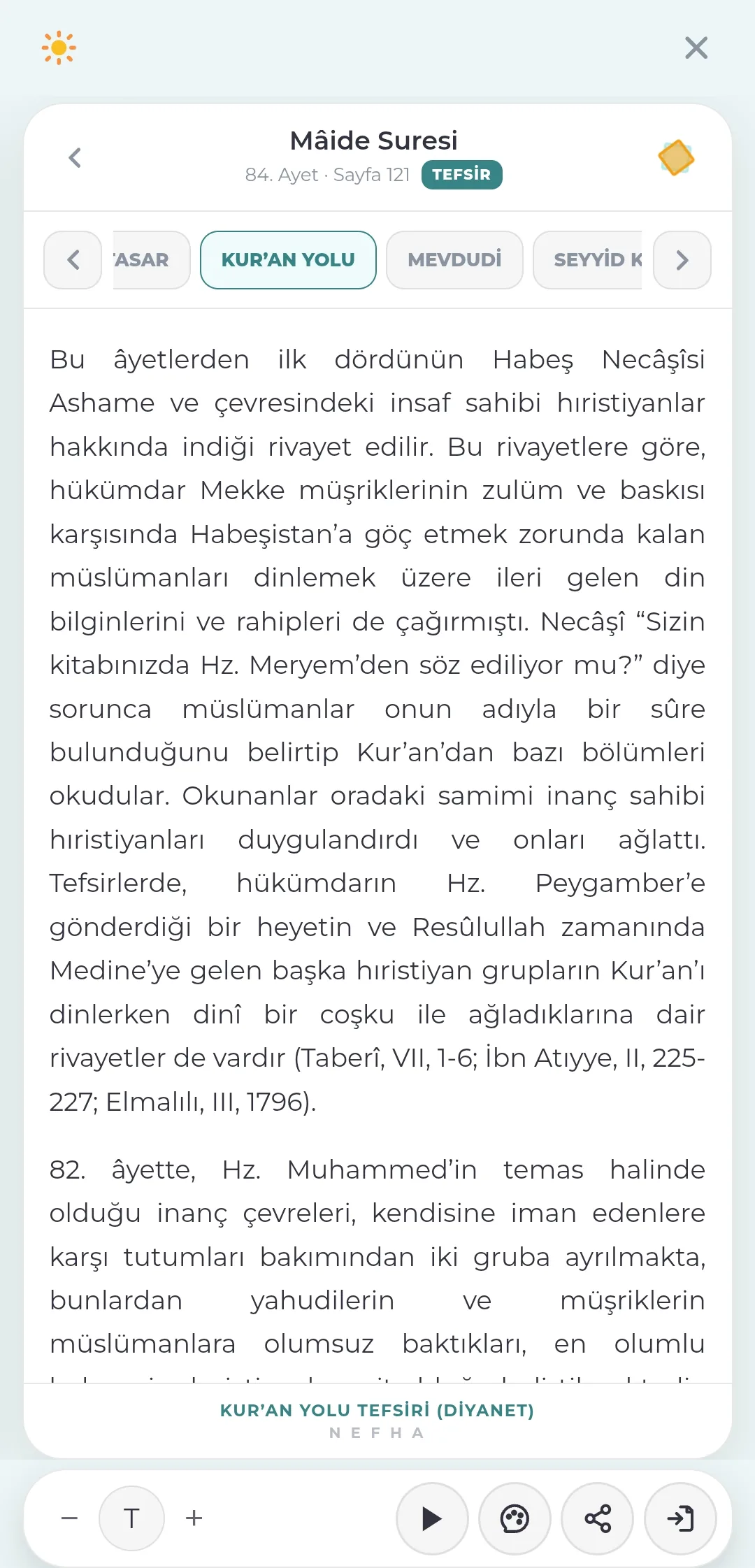
- Mukhtasar Tafsir, Ibn Kathir, Kur'an Yolu
- English, by download: Ma'ariful Quran, Ibn Kathir
- Translations are chosen from the translation strip, commentaries from the commentary card in the verse detail.
- English commentaries are downloaded and removed separately; the download size is shown beforehand.
- You choose which commentary opens by default in the verse detail; in the reader you move between the others from the strip at the top.
- The translation view can be continuous or item by item.
- Verses translated together are indicated with a faded number.
Recitation
- Nine reciters
- Al-Husary (default), Al-Afasy, Abu Bakr al-Shatri, Maher al-Muaiqly, Abdul Basit Abdus Samad, Abdurrahman al-Sudais, Muhammad Siddiq al-Minshawi, Yasser al-Dosari, Saad al-Ghamdi.
- Verse-by-verse listening, moving on to the next verse automatically.
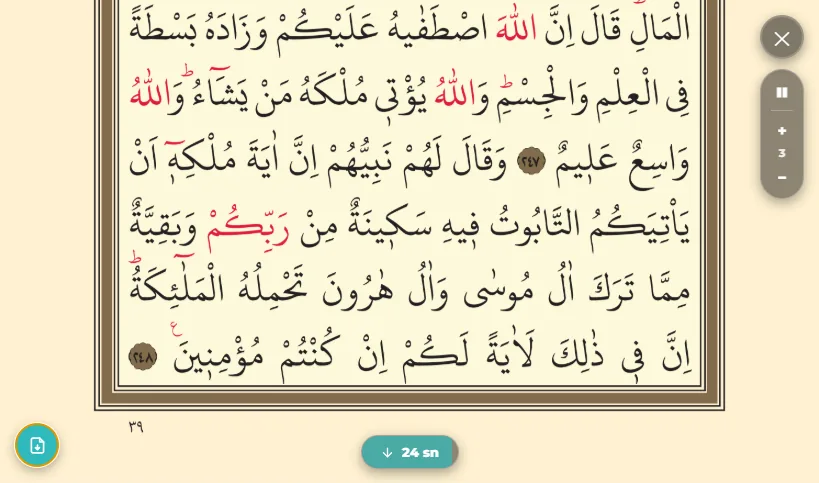
- The player bar above the reader: start/pause, next verse, repeat, speed and reciter selection.
- A mini player in the app header — reachable from every screen.
- On Android, a notification card: pause, resume and verse navigation from the lock screen.
Automatic scrolling
- In the text modes, following along in sync with the recitation (on by default).
- On the horizontal original mushaf, manual speed control: slower, start/pause, faster, and a speed indicator.
- Automatic page turning can be switched on and off; before the turn a countdown and a "go now" option are offered.
- A page is never turned without your knowing.
Surah information
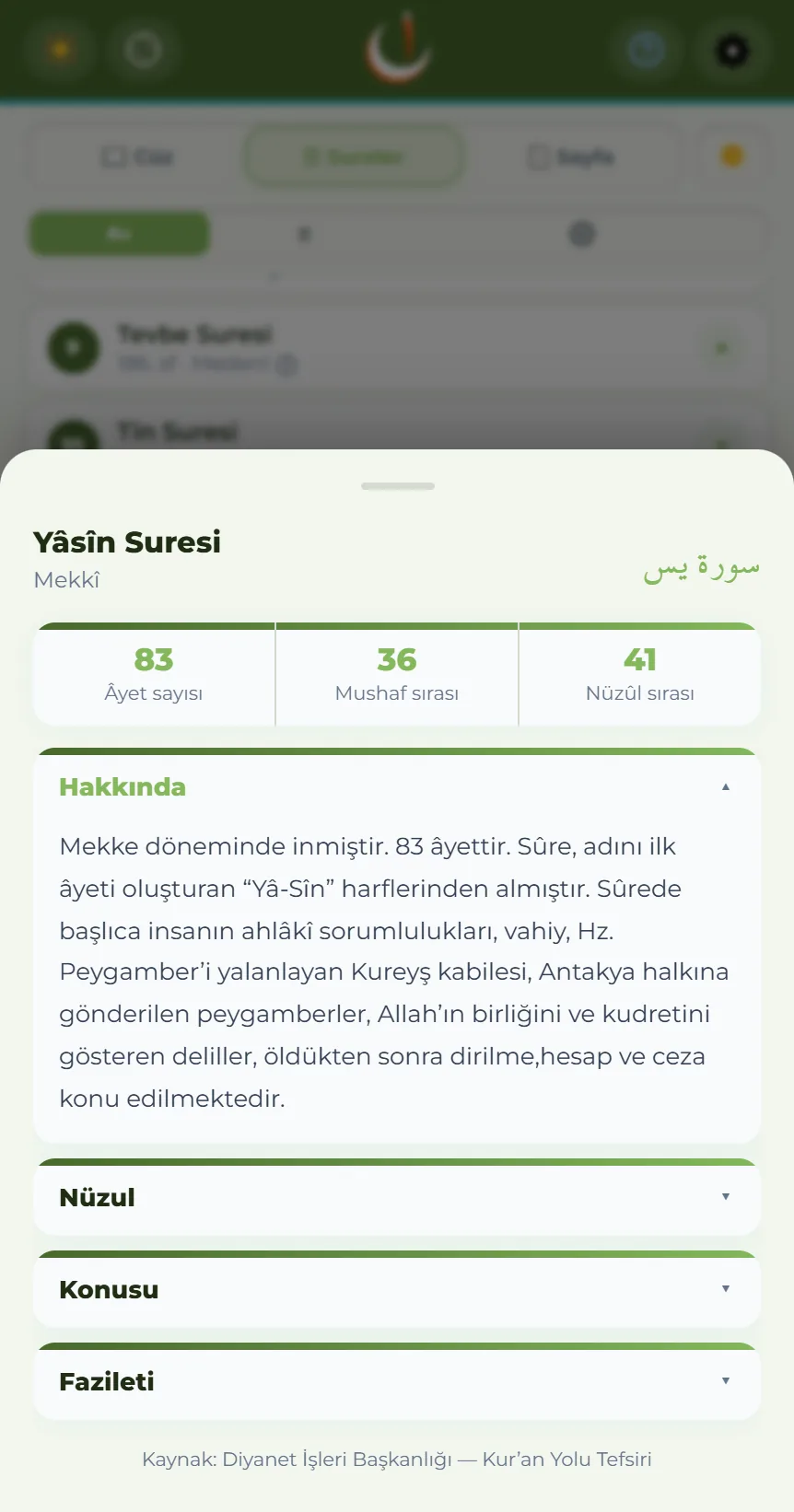
The details and the introduction of the surah you are reading open when you tap the surah name itself.
- Tap the surah heading on the mushaf page, or the surah name in the translation view; a sheet opens from below.
- At the top: the number of verses in the surah, its place in the mushaf and its place in the order of revelation.
- Below that, the introduction to the surah is read section by section
- Where it was revealed, where its name comes from, what it deals with, and the merit related about it.
- The sections fold; the first one is open, and the heading of the section you tap moves to the top of the panel.
- The source is written at the foot of the sheet: Tafhim al-Qur'an — Sayyid Abul A'la Maududi.
- The same sheet also opens by tapping the "Makki / Madani" label in the Surahs list.
Verse actions
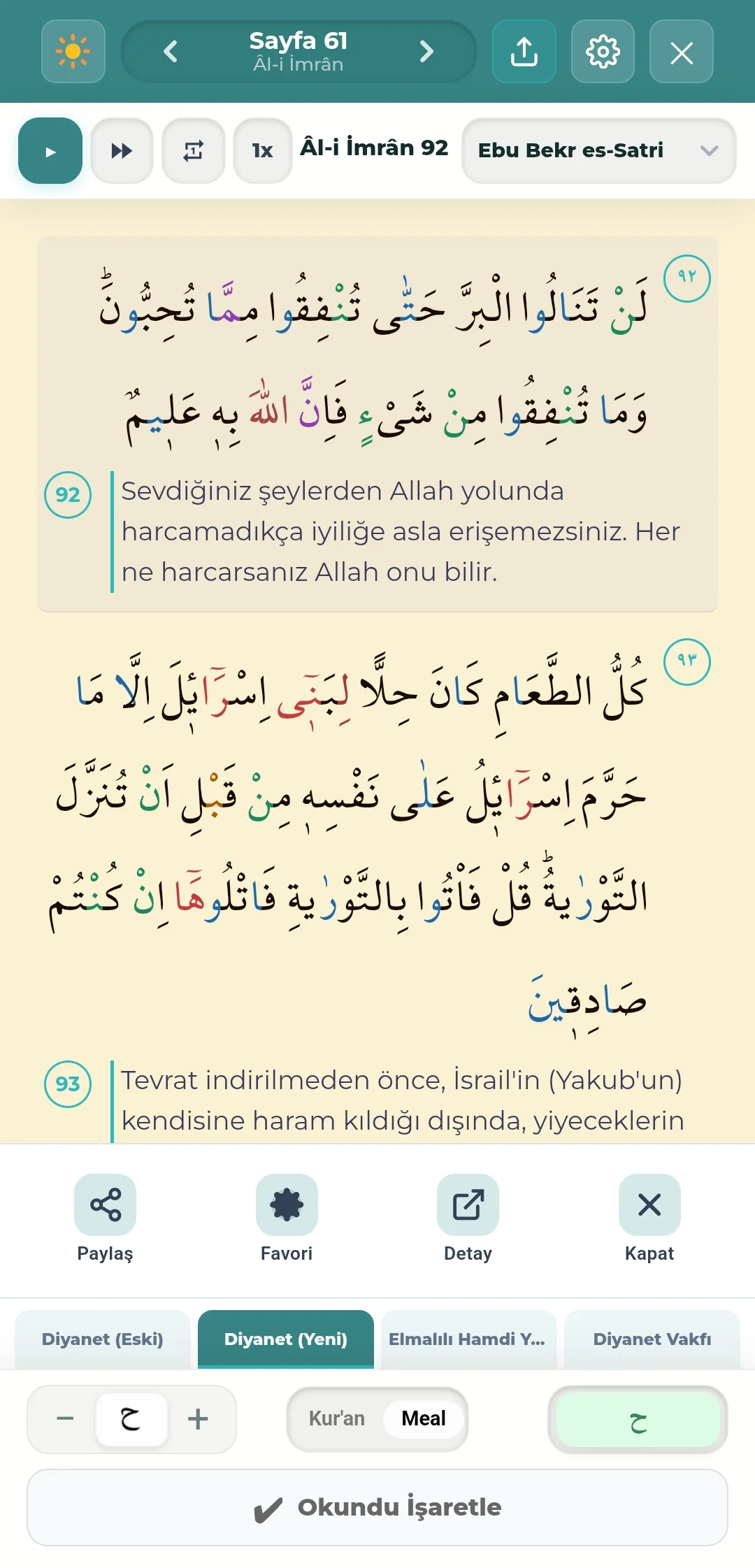
- Pressing and holding a verse opens the action bar from below: Share, Favourite, Detail, Close.
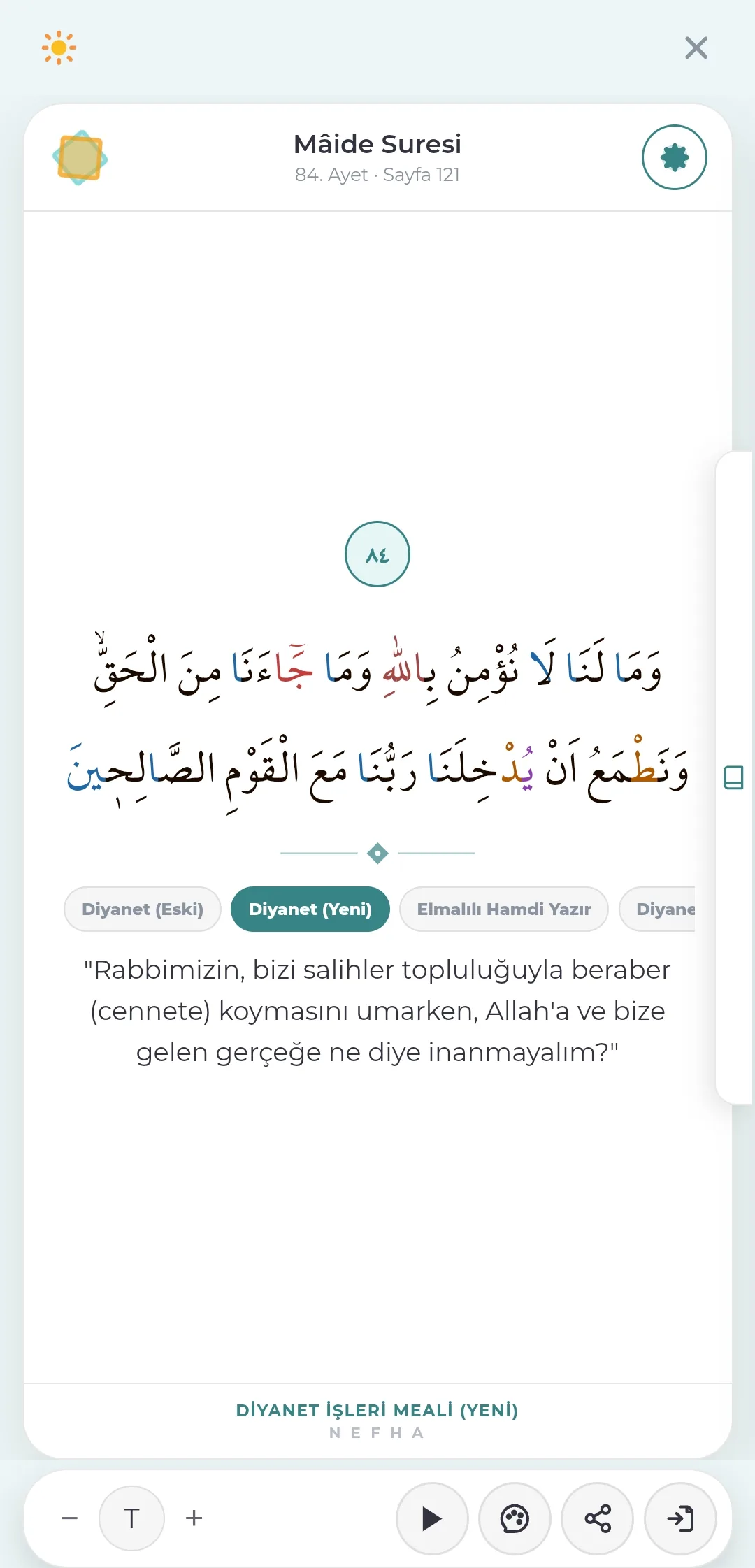
- Verse detail card
- The Arabic text of the verse and the chosen translation on a single card, in a layout that does not distract.
- Move between translation and commentary sources from the strip at the top.
- Bottom bar: text size, listen, talk to AI, share, and "see on the page".
Talking to AI
The icon in the verse detail copies a prepared instruction to the clipboard so that you can discuss the verse with your own AI, and opens the service you chose.
- Supported services: Claude, ChatGPT, Gemini, Perplexity. Your choice is remembered.
- If the service can accept prepared text, the instruction arrives in the prompt box already filled in; if it cannot, the text is copied to your clipboard and you only need to paste it.
- Nefha sends no data
- Only the reference of the verse is carried (surah name, surah number and verse number).
- The commentary text, the Arabic text and the translation are not sent — you are already reading them in the app.
- Where the text goes is your decision.
- The instruction aims to have the verse opened up with its sources, to show where commentaries differ, and to end by putting questions to you.
The full text of the instruction carried from the verse detail
The fields in braces are filled in with the reference of the verse you selected.
Surah: {surah} ({surah no}) · Verse: {verse no}

----------

Open up the verse above with me in conversation. Your aim is not to deliver a long lecture; it is to establish the verse's meaning from sound sources while helping me discover how it speaks to my own life and take stock of myself.

Do NOT begin your answer with the Arabic text. Start with an English heading line (e.g. "Verse — al-Baqarah 208"), put a reliable English translation beneath it, then the Arabic text of the verse on its own line under the translation. Pull the Arabic and the translation from quran.com or acikkuran.com if you can. Put a one-line source note under the Arabic text: if you actually opened the page, give its link; if you did not, write "source: from my own knowledge, unverified" — when in doubt, pick the second. I can ask you to verify it later. Every remaining paragraph should start with an English word. Then, in order:

1) Explain in plain language what the verse says; briefly touch on the Arabic root meanings of its key words, how it connects to the verses around it, and the sound occasion of revelation if known. Keep what the verse plainly states separate from what the commentators infer.
2) Compare how the classical and contemporary commentaries (al-Tabari, Ibn Kathir, al-Qurtubi, Elmalili, Kur'an Yolu, Mawdudi, Sayyid Qutb, Ma'ariful Quran) approach it: where they differ, show exactly where the difference lies and who says what; do not present one view as the only correct one. Never attribute an opinion to a commentator unless you are sure of it.
3) Show how the verse speaks to today, and make this part strong: in which contemporary issue does this meaning meet us? Give concrete examples from areas such as technology, artificial intelligence, social media, working life, information overload, loneliness, family, city life; state plainly that the example is not the verse itself but how that meaning shows itself today.
4) Under the heading "3 takeaways from this verse", write the three core messages as short bullets; keep each to one or two sentences and make them touch life directly.
5) At the end, with a brief handover such as "Now let us leave a little to you", ask me 3 questions that make me think about this verse in my own life; do not keep them shallow — let them make me face myself honestly. Then wait for my answer; do not launch into another explanation before I reply.

Limits:
• Do not bend the verse to fit the age: the verse is fixed, the example is how that meaning shows itself today. Avoid forced "scientific miracle" claims such as "this verse actually foretells this technology".
• Stay within the Sunni tafsir tradition. Do not present historicist, orientalist or "Quran only" readings as tafsir; if you must mention one, say plainly that it falls outside the tradition.
• Do not treat the verse as mythology, symbol or literary fiction; speak of it as revelation.
• Do not pass on narrations of uncertain or fabricated origin. Do not present Isra'iliyyat-type reports as established fact; state what they are. Do not present a weak or anomalous opinion as the view of the majority. Convey differences between commentators and schools even-handedly.
• Do not issue legal rulings. When you offer your own assessment, say that it is not a commentator's view but a way of thinking drawn from the verse. Your aim is to deepen my understanding, not to sow doubt.

Keep your tone warm and sincere, and do not bury me in academic terminology.

Do not fill in the headings above like a mechanical template. Work out which points matter most given the shape of this particular verse, and do not pad what is not needed: skip the occasion of revelation if it is unknown, skip word analysis if it does not open the meaning, and do not line up commentators who all say the same thing. Build a flow that fits the spirit and context of the verse, as if we were genuinely in conversation.
Verse sharing
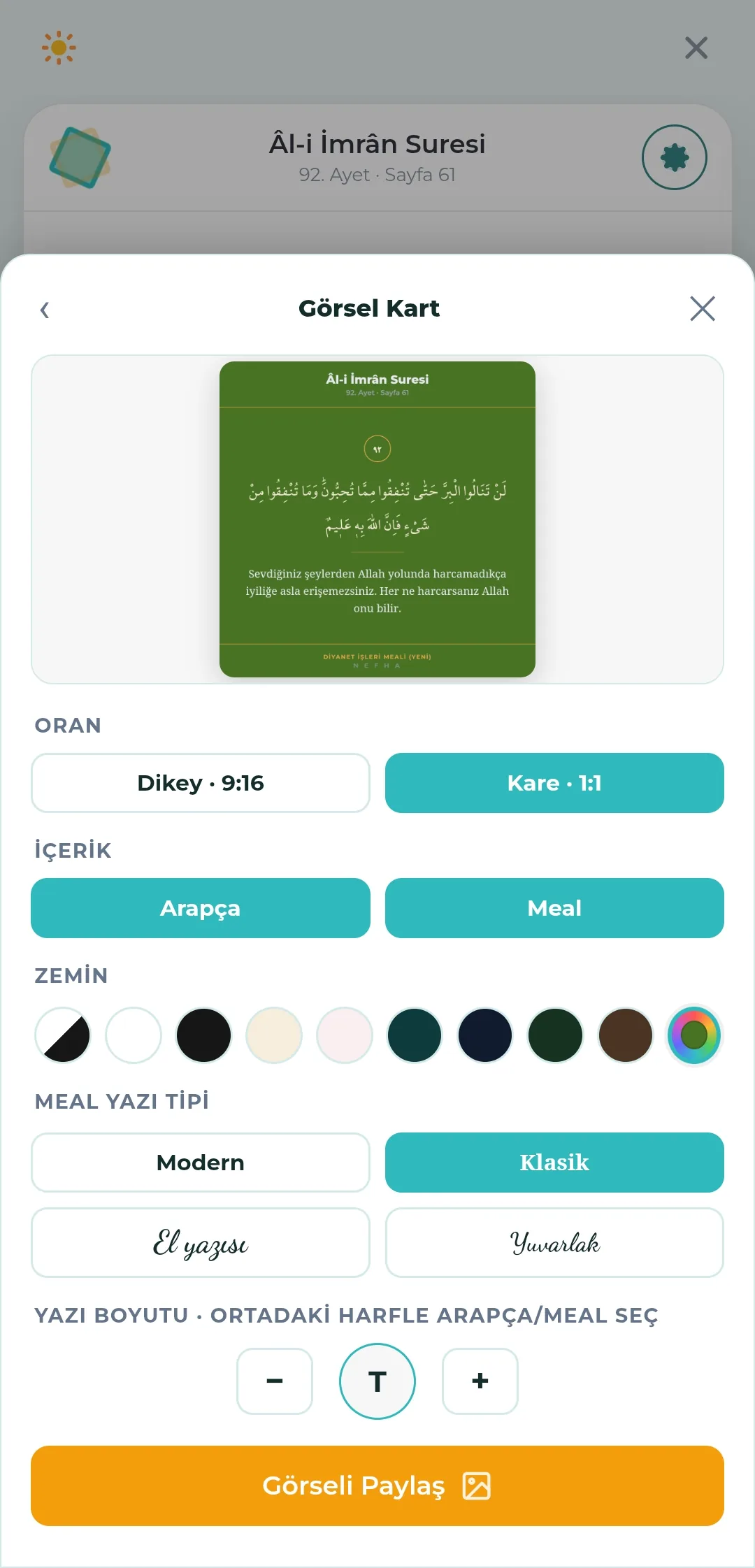
- Preparing a visual card
- Square (1:1) and vertical (9:16) formats.
- Ten background options: light, dark and Islamic tones, plus a custom colour.
- Content: Arabic, translation, or both together.
- Four translation typefaces: Modern, Classic, Handwriting, Rounded.
- Text size is adjusted step by step; the Arabic and the translation are enlarged separately.
- Islamic geometric pattern backgrounds.
- The card is built off-screen, filled edge to edge; it is shared without empty space and at print quality.
- The translation source and the Nefha signature appear at the foot of the card.
- From the translation view, "See on the page" jumps to the verse's place in the mushaf.
- Verses containing "nefha/nefh" carry a special badge explaining the app's name.
Khatm tracking while you read
You do not need to go to the Worship Tracking tab to record progress; the reading screen itself is connected to khatm tracking.
- The "Mark as read" button at the foot of the page records the open page straight into khatm tracking; the progress, calendar and streak in the Worship Tracking tab update at the same moment.
- The marked page is written to the active khatm — when a group khatm and a personal khatm are open at once, the record goes to the selected one.
- "Start a khatm from this page" sets up a new khatm from where you are reading.
- The page, verse and juz you left off at are stored; the app takes you back exactly where you stopped.
- In the juz and surah lists, the parts you have read appear as completed (see Section 6).
Khatm supplication
- The three-page khatm supplication at the end of the mushaf (606–608) opens from inside the reader.
Chapter 06
Qur'an Navigation and Favourites
Juz, surah and page lists; favourite surahs, named verse lists, and listening to a list from beginning to end.
Lists
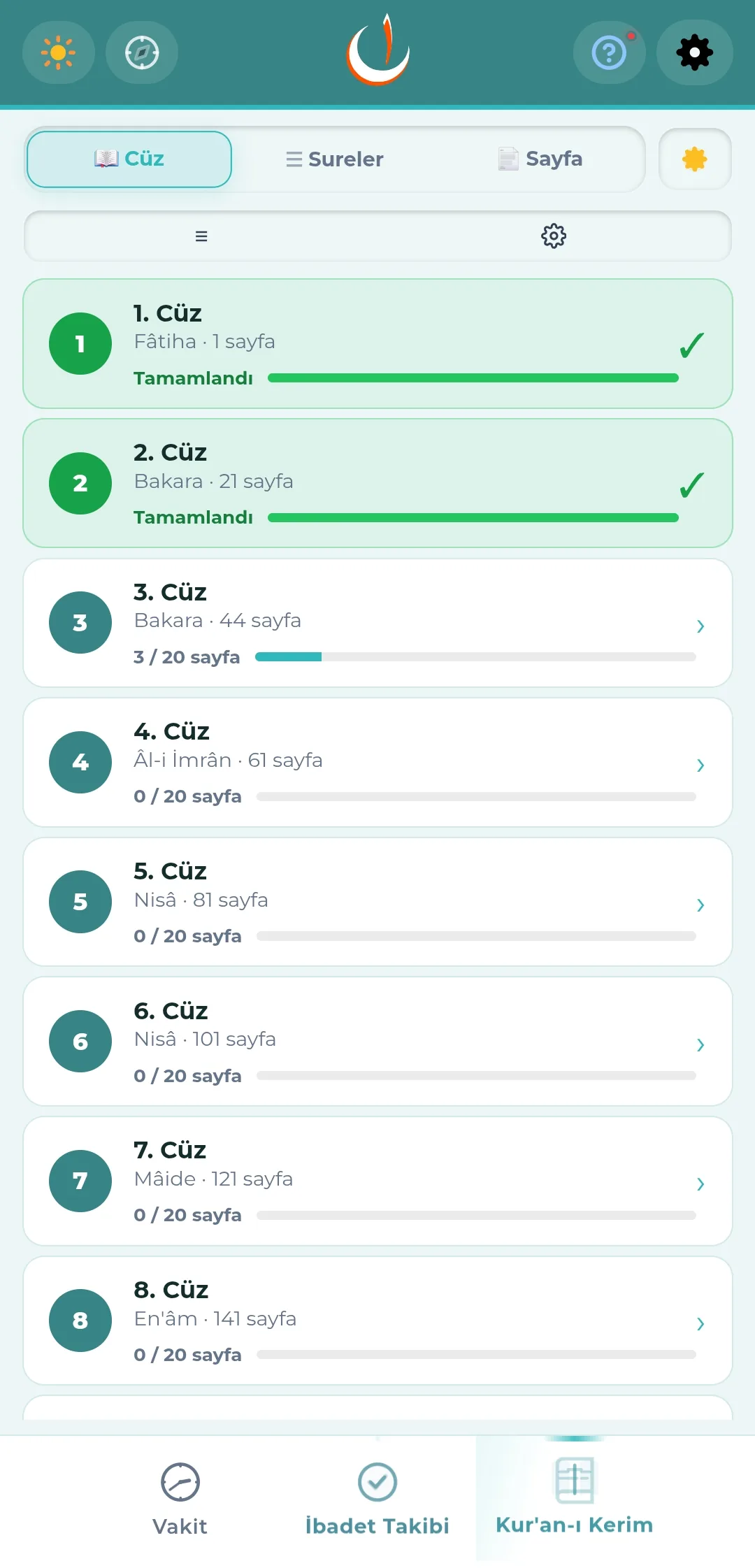
- Three tabs: Juz, Surahs, Page. Each can be hidden in Settings.
- The juz list shows the pages read and a progress bar for each juz; completed ones receive a green tick.
- Pressing and holding a juz goes straight to its beginning.
- Surah ordering
- Qur'anic order
- Alphabetical order
- Order of revelation — with a revelation number badge (an approximate, surah-level order based on the reports)
- Meccan / Medinan label and the number of verses.
- Swiping a row left in the surah list reveals buttons to add it to favourites (favourite surahs are marked with a star beside their name) and to reset its reading marks.
- The listen button on a surah row plays the surah from beginning to end; the listening screen opens and a plain recitation starts, with no repeats or pauses.
- A 604-page page list.
Reading counter
The small pill at the end of juz and surah rows tells you how many times that part has been read. It stands apart from progress; progress is shown by the row's own green fill.
- The counter respects order: a page, surah or juz only goes up by 1 when its verses are read through in order from beginning to end. Browsing about does not count that unit as completed.
- The Qur'an and the translation are counted separately — the upper half of the pill is the Qur'an (gold), the lower half the translation (teal). If only one has been read, the pill appears with a single half.
- The ↺ Read again button below the reader completes the surah or juz and returns to its beginning, raising the counter by one. The last page of the finished unit is included in the count.
- The counter never goes down by itself; it is only reset when you clear your reading history in Settings.
- The pill is not shown in grid view; the cell was too narrow for the number to be legible.
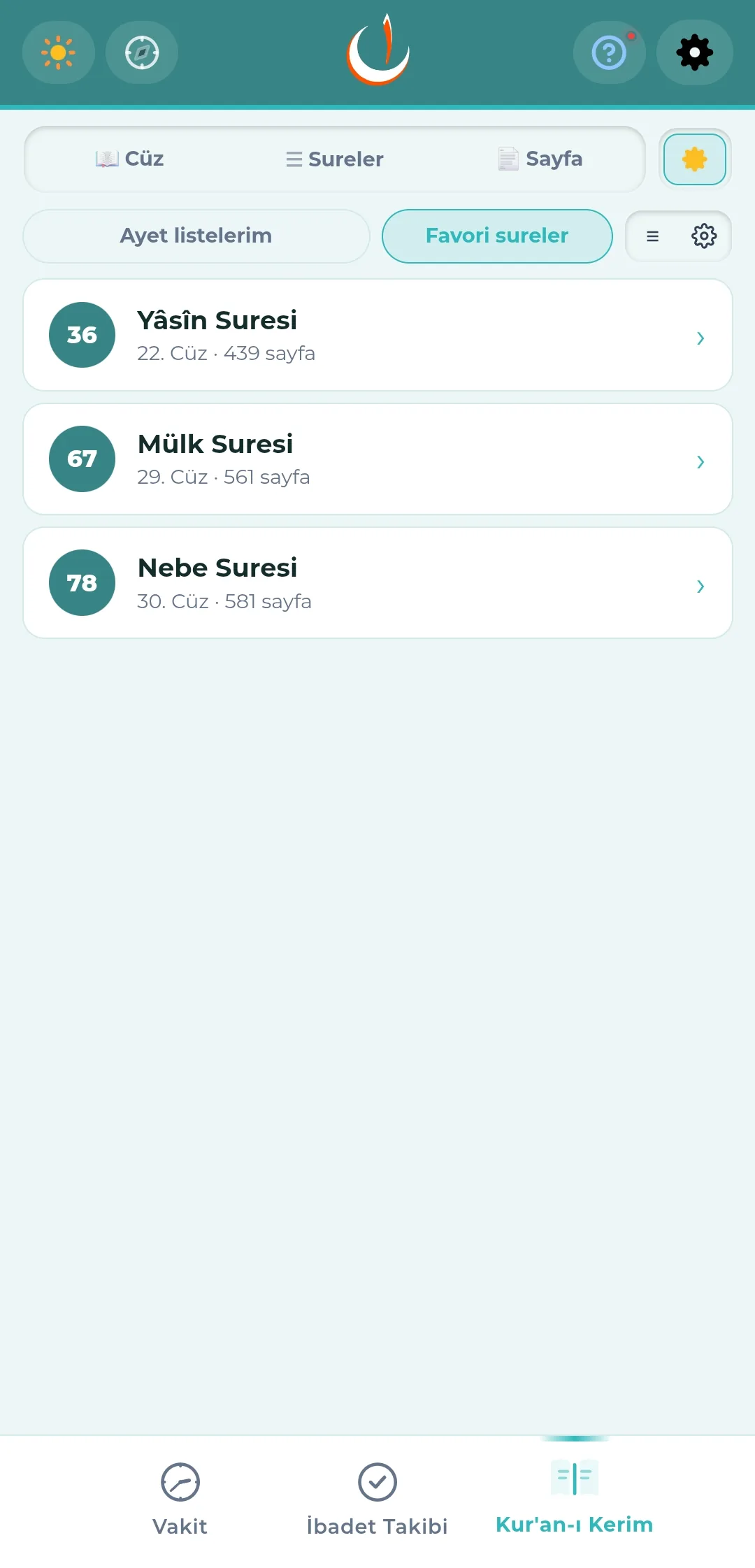
Favourite surahs
- The surahs you read often are gathered in a separate tab, with the surah number, its juz and its starting page.
- Grid or list view can be chosen; each tab remembers its own preference.
- One tap goes to the beginning of the surah.
- "+ Add surah" at the foot of the list adds a new surah by search; tapping a surah already on the list removes it from favourites. A surah can also be favourited by swiping its row left in the surah list.
- In list view, swiping a row left reveals buttons to remove it and to move it up; this is how the order is set.
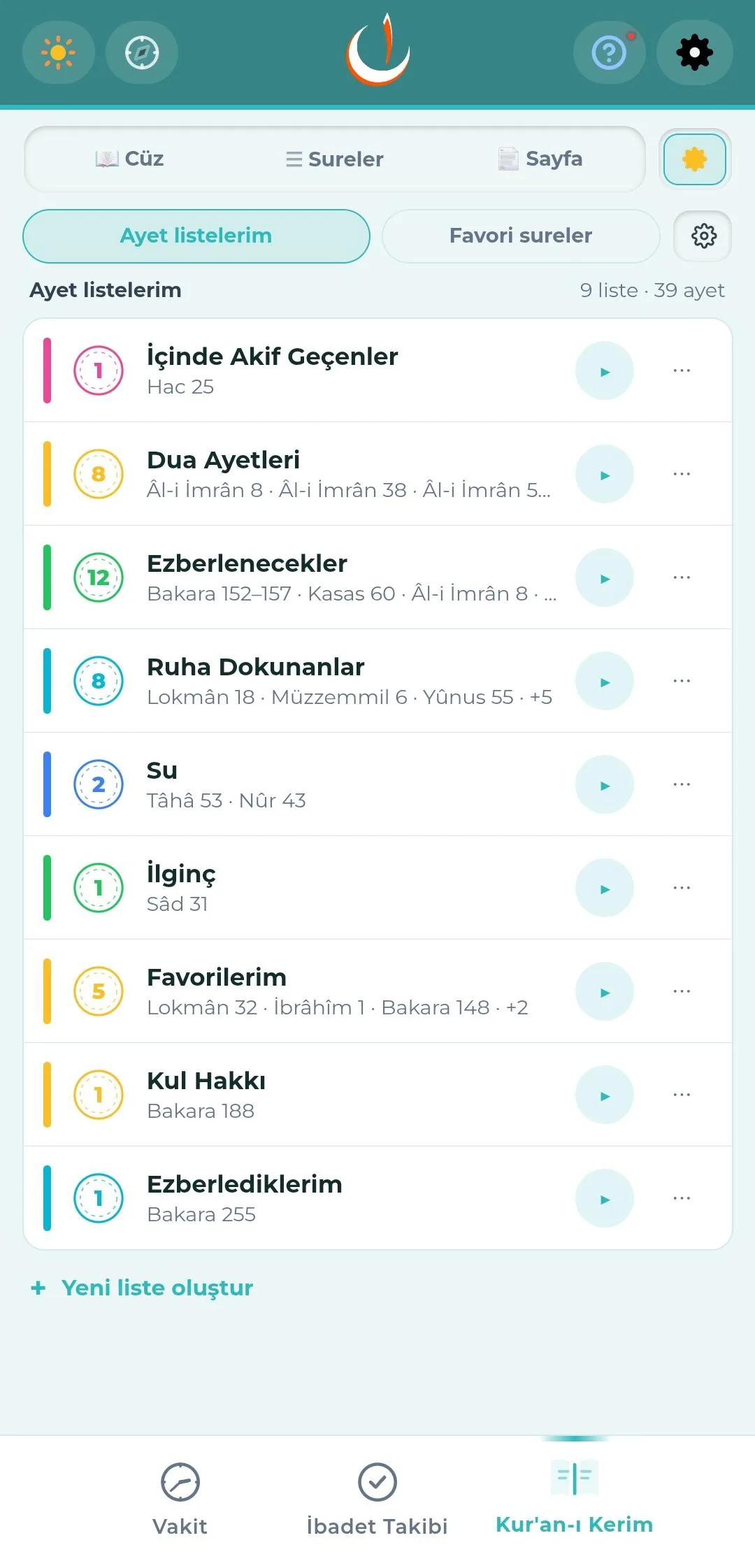
Favourite verse lists
- As many named lists as you like; they can be renamed and deleted.
- Each list has its own colour and verse counter; the total number of lists and verses is shown at the top.
- A single verse or a range of verses (surah + first/last verse) can be added.
- Ranges stay on one row ("al-Baqarah 152–157"); tapping opens the verses inside.
- Every favourite verse belongs to at least one list; there is no loose pool of favourites.
- Arranging within a list
- Sorting: order added, most recently added, mushaf order, by name, order of revelation.
- Grouping: none, by surah, by period (Meccan / Medinan).
- On the reading screen, favourite verses are marked with a highlighter block fill and a star beneath the badge; the mark takes the colour of the list.
- The play button beside a list plays it from beginning to end.
Listening mode
- A favourite list, or all favourites, can be listened to one after another.
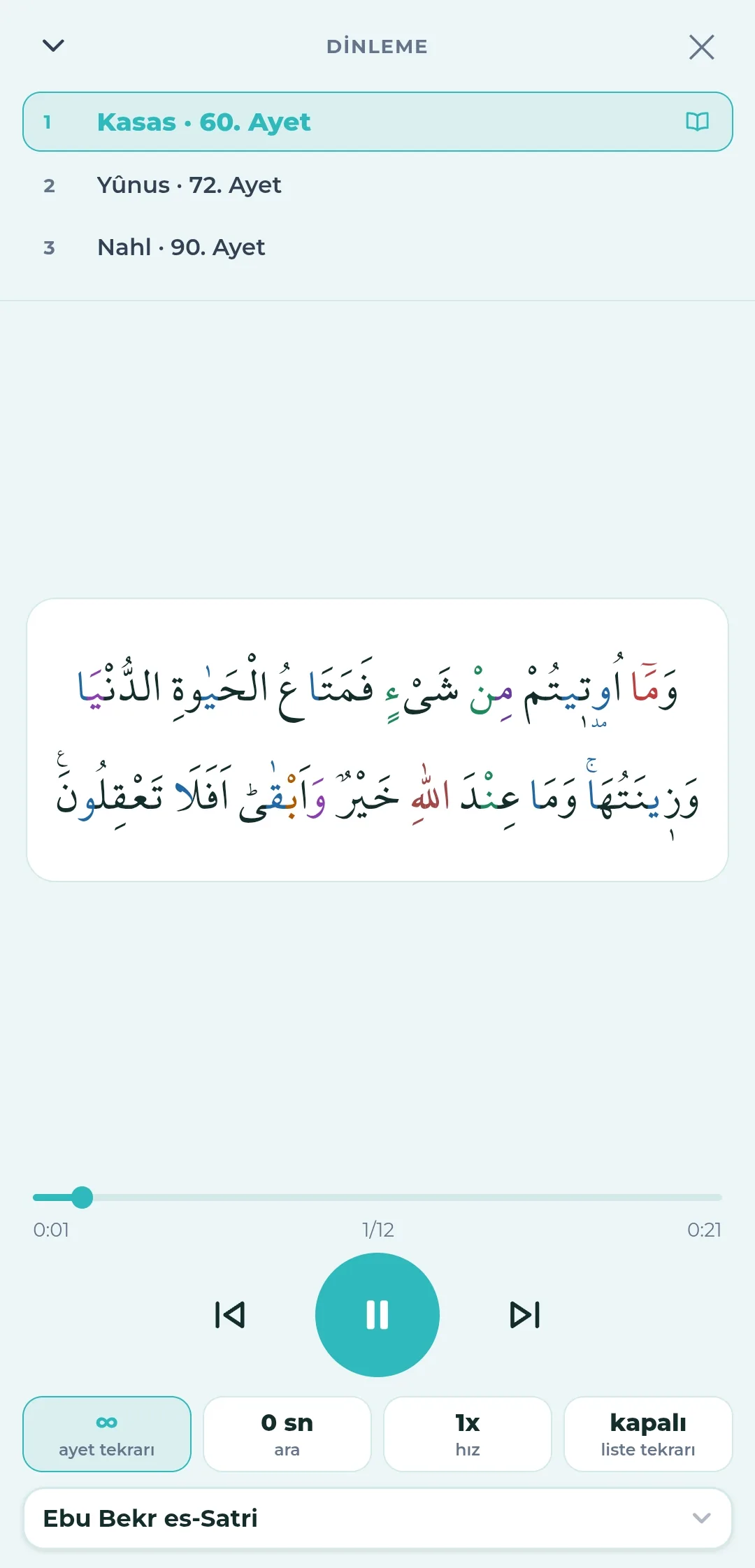
- A full-screen listening view: the queue at the top, the Arabic text of the verse being recited in the middle.
- Controls at the bottom
- Verse repeat — a set number of times, or unlimited.
- Pause — the waiting time between verses.
- Speed — the pace of the recitation.
- List repeat — returning to the start when the list ends.
- The progress bar, the verse counter (1/12) and the reciter selection are on the same screen.
- The book icon beside the verse being recited takes you to its place in the mushaf.
- When the screen is minimised, a "listening" strip remains at the bottom.
- It is bridged with the Android home screen widget.
Chapter 07
Khatm Tracking
Two separate paths: a khatm read together with a group, and a personal khatm that moves at your own pace. Both live under the Worship Tracking tab.
Group khatm
- Several groups at once; each group has a name and an emoji icon, and you can switch between them quickly.
- Rotating khatm
- One juz falls to the group each day; the juz is divided into blocks according to the number of people.
- Group size options: 2, 4, 5, 10, 20 people.
- Each day the same block of that day's juz is read; the group completes a khatm in 30 days.
- At the end of the month the blocks rotate automatically; over a year each person also completes a khatm on their own.
- Fixed pages (daily wird)
- The same block is read every day throughout the month; the repetition makes memorising easier.
- At the end of the month the block moves forward by the number of pages.
- Days read turn green on the calendar; the page position does not wrap around.
- Setup screen: group name, number of people or page slice, which juz, starting page, daily page count.
- The (?) mark in the setup explains the difference between the khatm types.
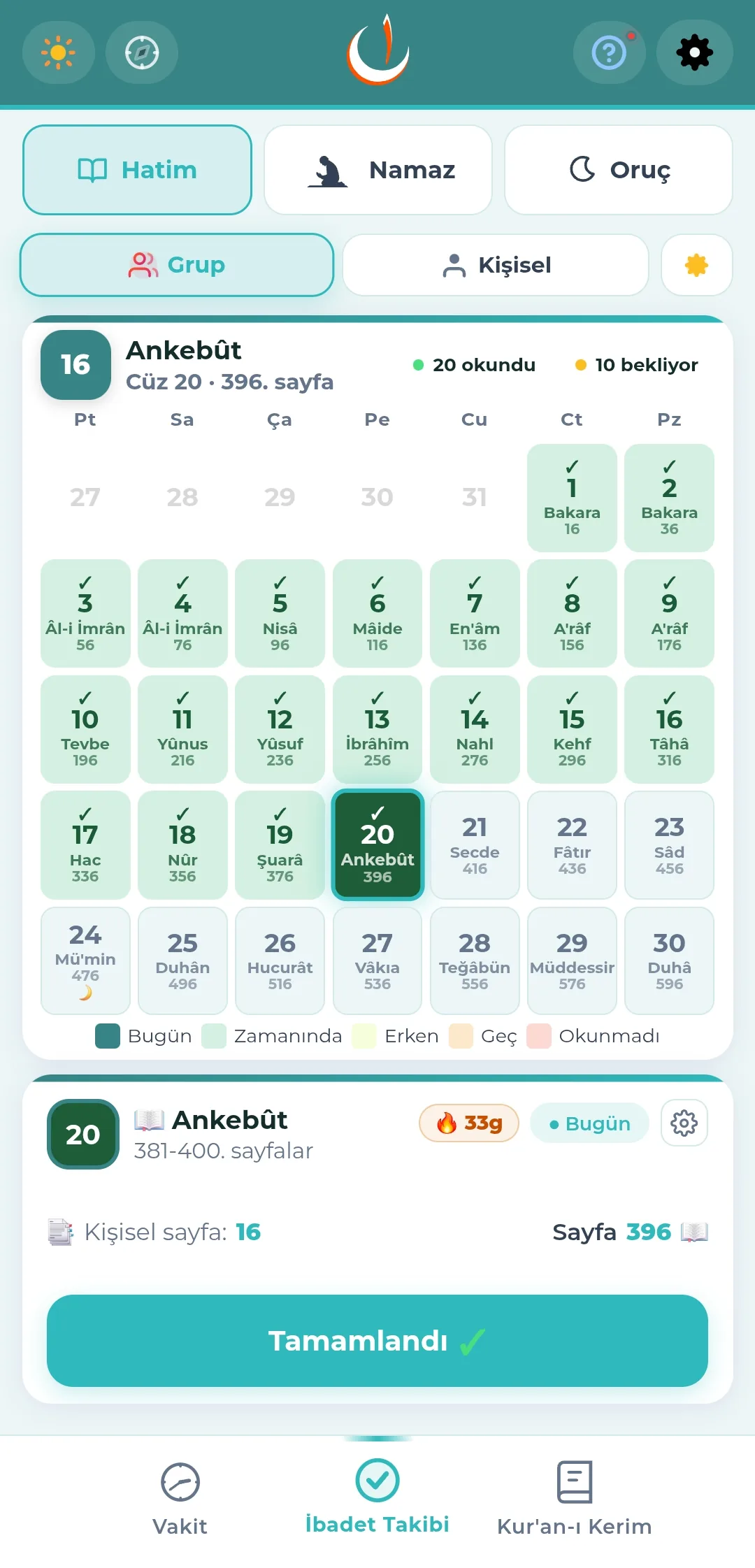
- A 30-cell calendar grid
- Each cell gives the day's juz, its surah and its starting page.
- Colours: today (dark), read on time (green), read early (light), read late (orange), not read (red).
- A "days read / days waiting" counter at the top.
- The day's card carries a "Completed" button, a streak badge and a personal page indicator.
- A "New month, new khatm" information banner when the month changes.
Personal khatm
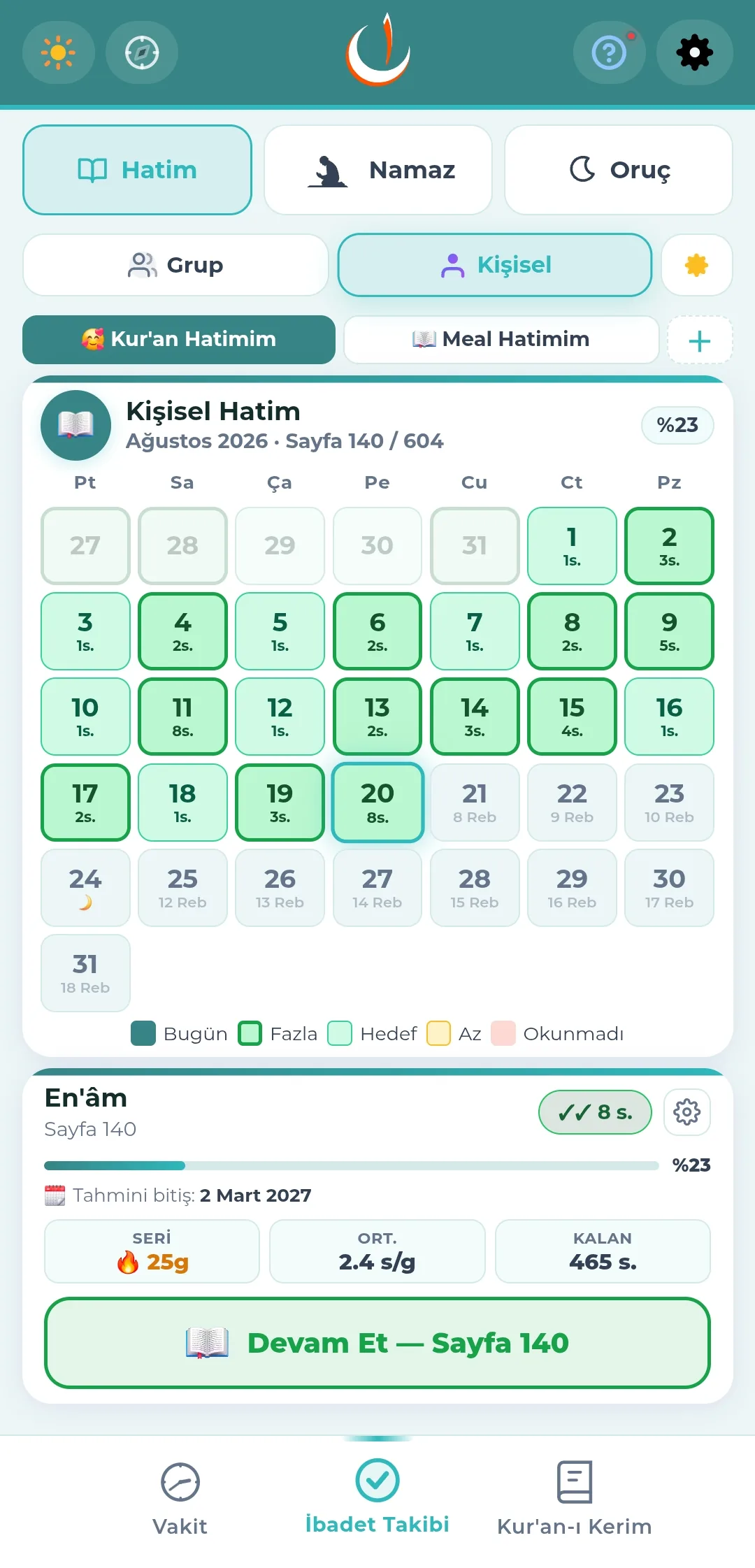
- Several named personal khatms can run at once; a Qur'an khatm and a translation khatm, for example, are tracked separately.
- You set the starting page and the daily page target.
- The tracking mode can be monthly or daily.
- The monthly calendar shows how much was read each day
- Colours: today (dark), above target (dark green border), on target (green), below target (yellow), not read (red).
- The card below gives the estimated finish date, the progress percentage, the streak, the daily average and the pages remaining.
- The "Continue" button opens the page you left off at.
- The target can be raised or lowered at any time; the plan is recalculated at once.
- When the khatm is finished, a congratulations screen and a "Start a new khatm" option.
Common to both
- The monthly reading history can be viewed full screen in calendar form.
- The reading history can also be reset.
- A congratulations window opens when a khatm is completed.
Chapter 08
Prayer and Fasting Tracking
Marking the prayers you have performed, clearing your qada debt, and tracking nafl and Ramadan fasts. Obligatory prayers count as performed once their time ends; you only mark what you missed.
Prayer tracking
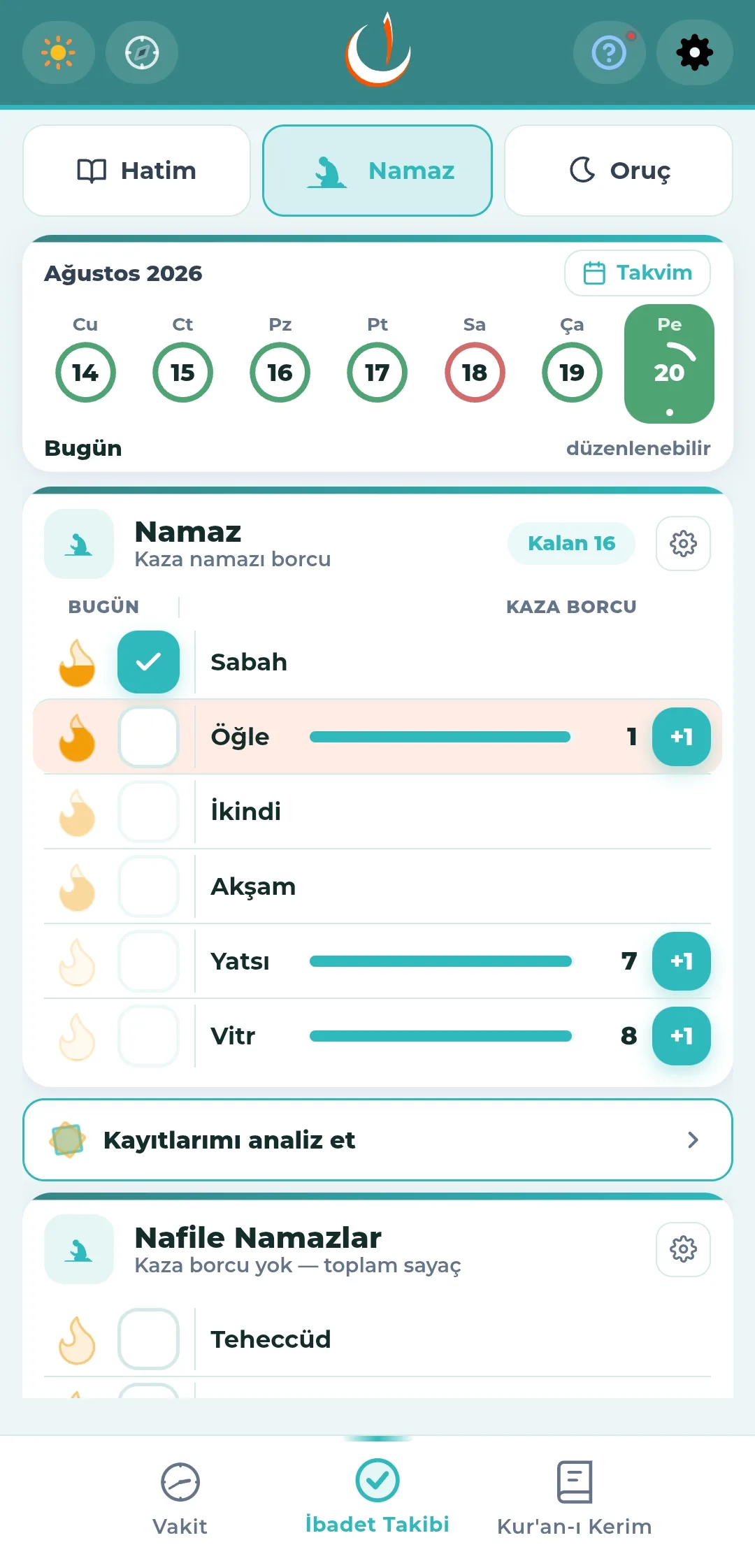
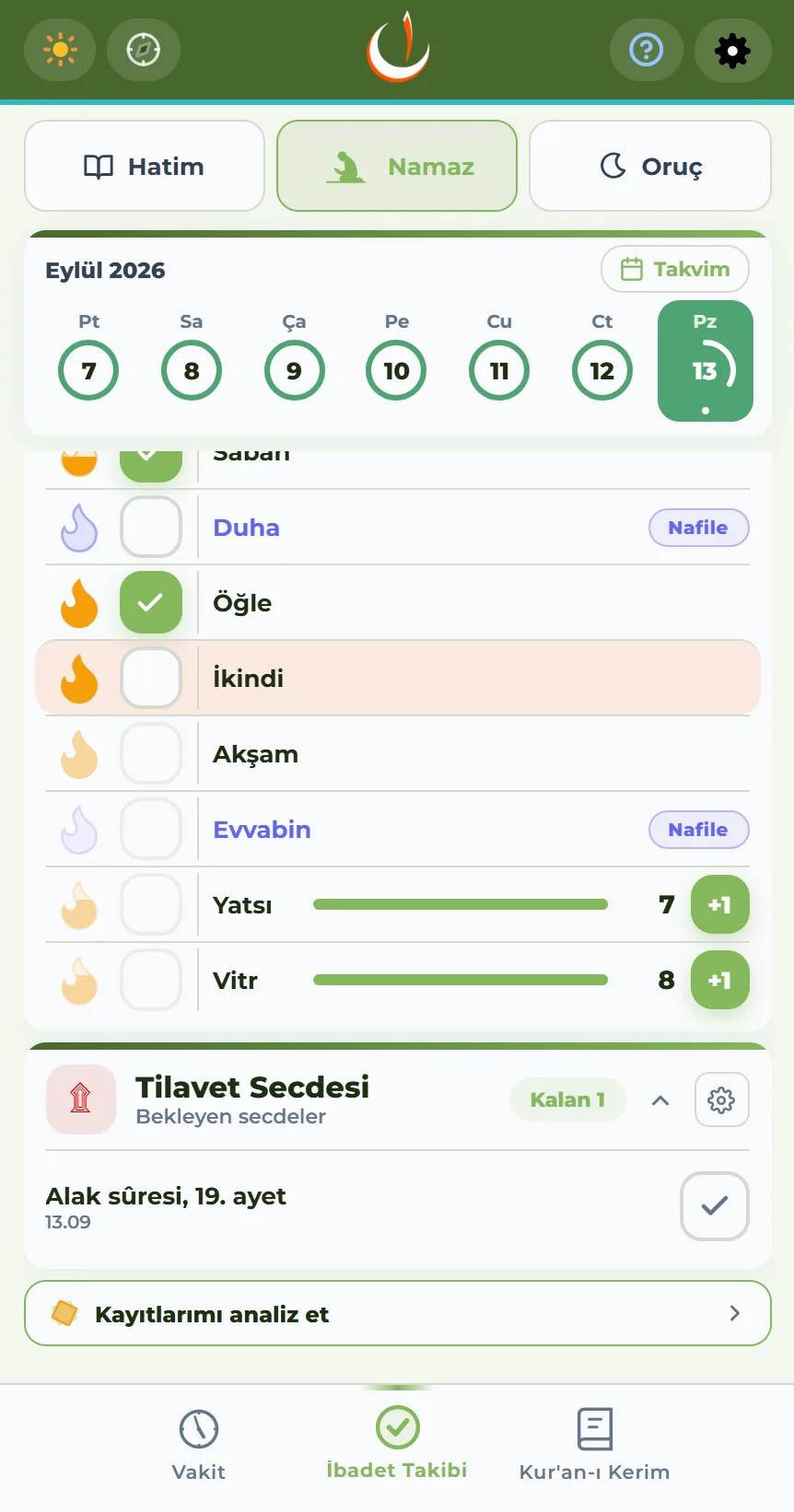
- The day rings of the past week at the top, with a full-screen monthly calendar button beside them.
- The day rings summarise with colour: all performed (green), a day with something missing (red), today (filled).
- Obligatory prayers are counted as "performed" automatically once their time ends.
- Marking a missed time adds it to the qada debt; a confirmation window appears and the mark can be undone.
- The marking window covers today and the two days before it; older days are locked (the "editable" label shows this).
- The flame icon beside each prayer shows the streak for that prayer.
- Voluntary prayers sit on a separate card: Tahajjud, Duha, Awwabin, Witr — no qada debt is kept, only a running total.
Qada record
- Qada debt per prayer; the remaining debt for each prayer and the total "Left" figure appear at the head of the card.
- The "+1" button reduces the debt by one when you perform that prayer's qada; a mistaken tap can be undone.
- Debt from past periods can be entered by hand for each prayer.
- Bulk calculation
- You enter years and months, and the debt per prayer is calculated and filled in.
- Menstruation days (days/month) can optionally be deducted from the calculation.
- After a bulk calculation, each prayer can still be corrected by hand.
- Qada log: which prayer's qada was performed, and at what time of day, is recorded.
Analyse my records
The "Analyse my records" row just beneath the prayer card turns your tracking records into readable text.
- You choose the period: the last 90 days, the last year, or your whole history.
- The text is copied to the clipboard or shared as a file; you hand it to your own AI.
- A ready-made coaching instruction is added: which prayers are becoming qada, how fast the debt is clearing, what could be suggested.
- The limits of the data are written into the text (the marking window, small samples, changes of location, the witr model).
- Prayers performed on time are not questioned; the text focuses on qada.
- Nefha sends no data — where the record goes is your decision.
Prostration of recitation
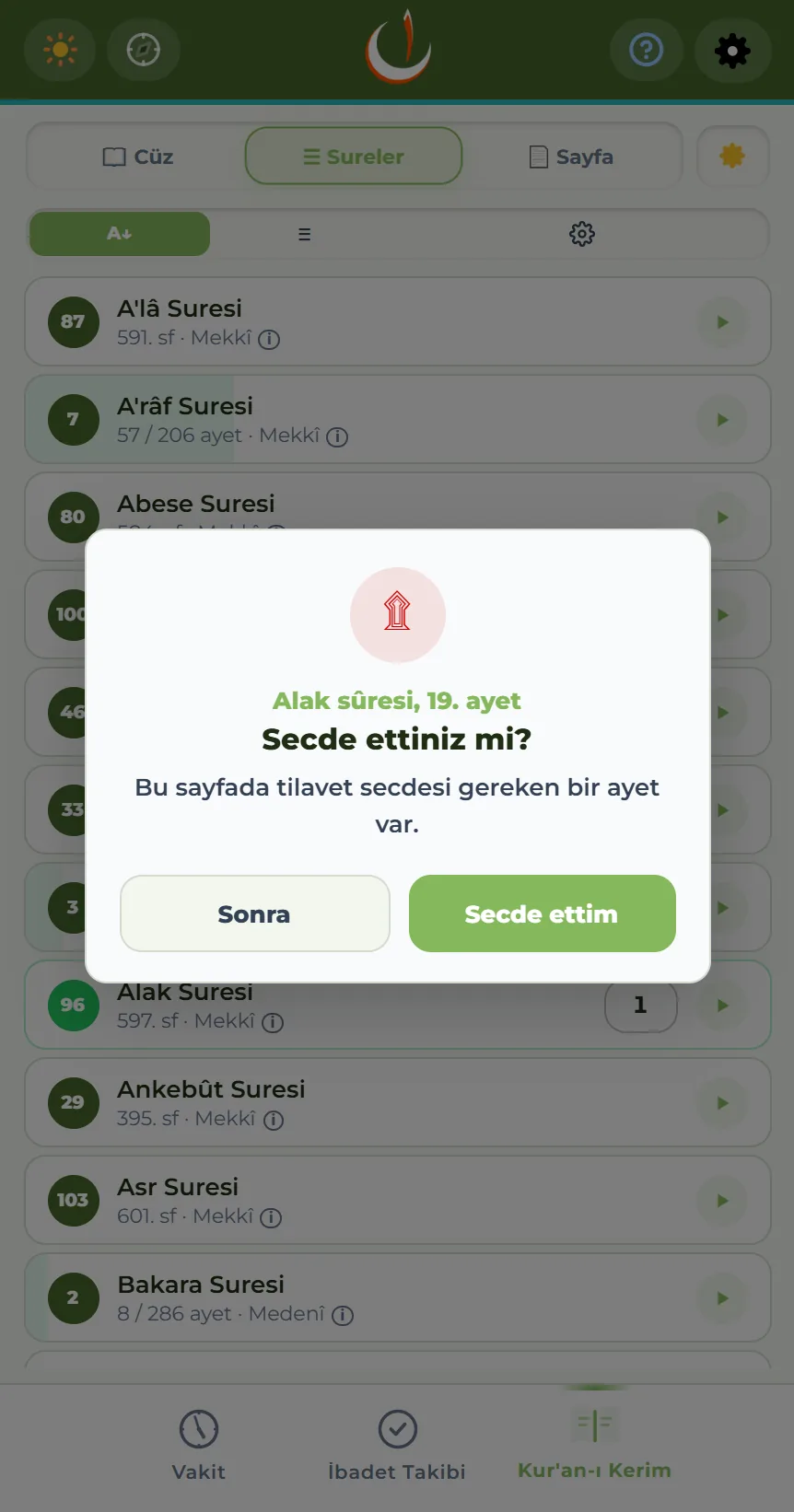
When you mark a page containing a verse of prostration as read, you are asked whether you prostrated — you are not interrupted while reading; the question comes once you say you have finished the page.
- The first time, you are asked once whether you would like this tracked; if you decline, it does not come up again.
- If you say "I prostrated" it is recorded; if you say "Later" it joins the pending ones.
- Pending prostrations wait on a card in the prayer view and are cleared from there as you prostrate.
- Each reading counts separately: read the same verse again and you are asked again.
- Switched on from Settings → Prayer Tracking → Prostration of Recitation. It is independent of prayer and fasting tracking; when it alone is switched on, the prayer view shows just this card.
Nafl fasting tracking
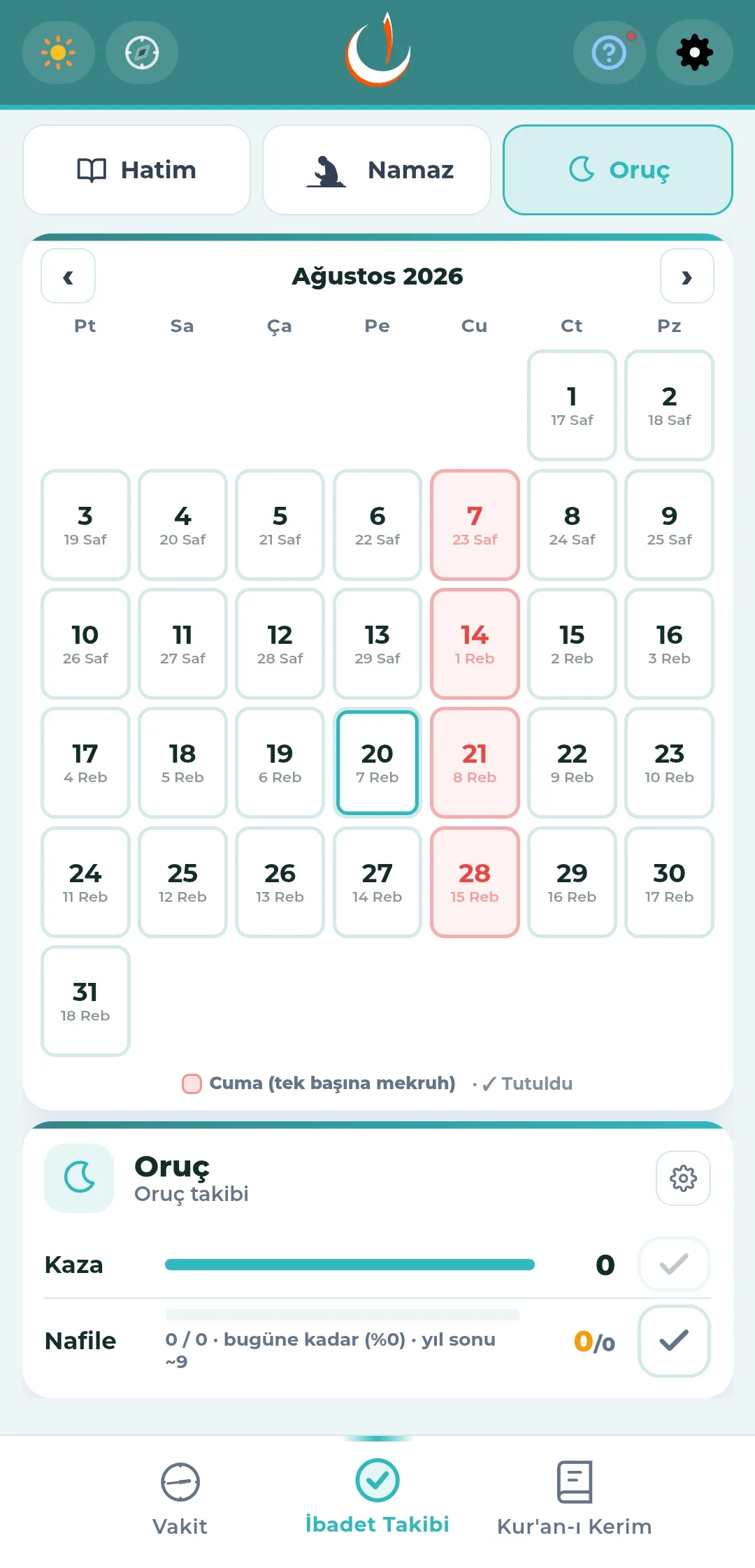
- Opened from the "Fasting" tab at the top; the monthly calendar also shows the Hijri equivalent of each day.
- Several patterns can be followed at once
- Mondays and Thursdays
- Ayyam al-Bid — the 13th, 14th and 15th of each lunar month
- Shawwal fasts — 6 days after Ramadan
- Ashura — Muharram 9, 10, 11
- The fast of David — every other day
- The first 9 days of Dhul-Hijjah, and the day of Arafah
- Planned days and days fasted are marked differently on the calendar.
- Days not to be fasted are also shown
- Eid days — no fasting.
- Ramadan — nafl does not apply.
- Friday — disliked on its own (red on the calendar).
- The card below holds the qada and nafl fasting counters, with an estimated total for the year.
- "Nafl fasting day today" and "Nafl fasting day tomorrow" indicators.
- Past days can be corrected later.
Ramadan fasting and kaffara
- The section appears automatically during Ramadan; every day counts as "fasted" by default.
- A day not fasted is marked in one of two ways
- I broke it — without excuse; kaffara is required.
- I could not fast — with an excuse (illness, travel, menstruation and so on); qada is required.
- Kaffara tracking
- A chain of 60 consecutive days with a progress indicator.
- On menstruation days the chain pauses; it is not reset.
- If a fast is missed for any other reason, the chain starts again.
- Past Ramadan days can be corrected later.
Fasting reminders
Fasting notifications are not in the Settings → Notifications list; they are managed from the settings button at the top right of the fasting card.
- Nafl fasting notification — a "fasting tomorrow" reminder the evening before.
- A "renew your intention" notification at Fajr during Ramadan.
- An "iftar time" notification at Maghrib during Ramadan.
- Each is switched on and off separately; their times follow the prayer times.
Chapter 09
Notifications
Prayer notifications are customised one by one. Alongside them there are reading reminders, automatic silent mode and notifications for special days.
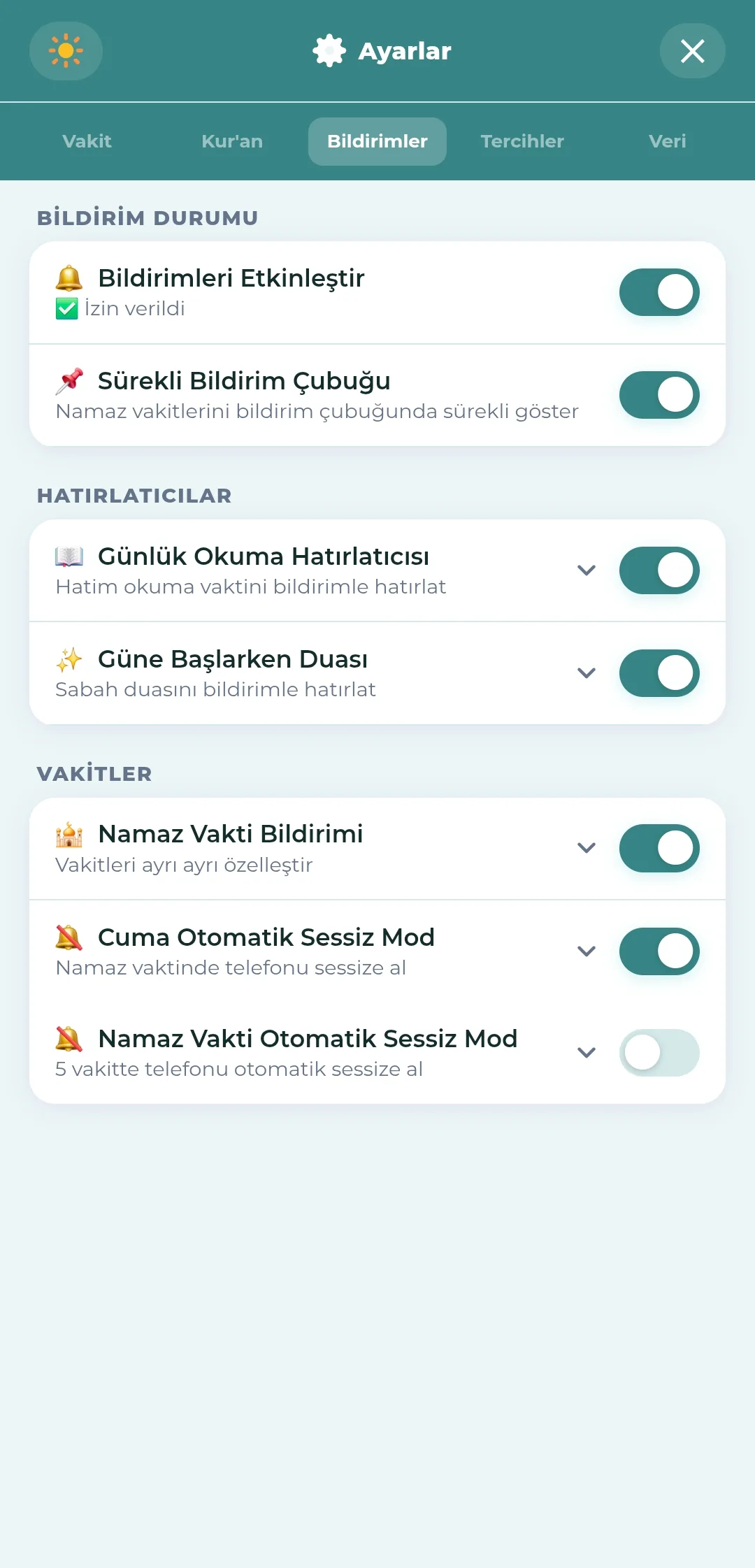
Notification status
- The master switch turns all notifications on and off; the permission status is written beneath it (granted, denied, pending).
- When permission is granted, the persistent notification bar and the supplication reminder are switched on together with it; you can turn off whichever you do not want.
Notification sound
- Nefha notifications arrive with their own tone, so they can be told apart.
- Settings → Notifications → Change sound opens the device notification settings; from there you tap the notification type (for example "Prayer Times") and pick one of the phone's ringtones from the Sound row.
- The sound of each notification type can be chosen separately.
- Available on Android; on iOS the notification sound comes with the app and there is no picker.
Persistent notification bar
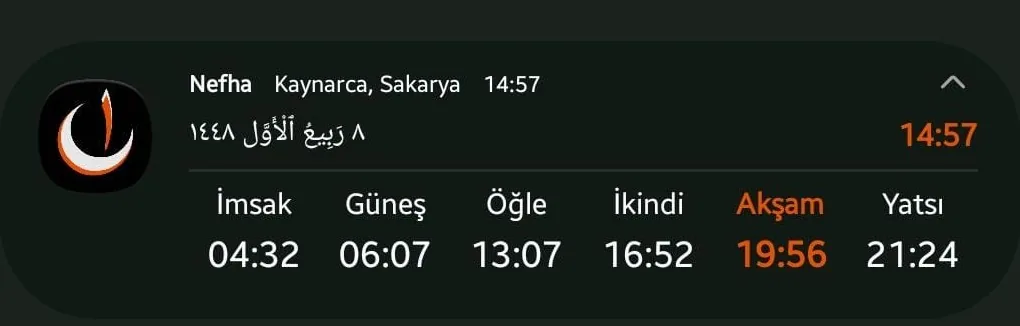
Prayer times can be seen from the notification panel without opening the app. It is a permanent notification that cannot be swiped away; it is switched on and off from Settings → Notifications → Persistent Notification Bar.
- Collapsed (a single line)
- The name of the next prayer and the time remaining — a countdown ticking second by second.
- The Hijri date of the day beside it.
- Expanded
- Location and Hijri date at the top, countdown on the right.
- The six times side by side beneath: Fajr, Sunrise, Dhuhr, Asr, Maghrib, Isha.
- The next prayer is shown in a highlighted colour.
- If the kerahat countdown is on, the countdown turns red once the kerahat period after Asr begins — a warning for the prayer that must be performed before sunset.
- Tapping the notification opens the app.
- The countdown runs on Android's own timer, and the times are calculated in advance for that day. So although the bar is always visible, no location or prayer time query runs in the background.
- For the bar to stay up all day, it is advisable to remove the battery restriction in the device settings ("Unrestricted"); the settings screen reminds you of this itself.
- Available on Android; it does not appear on iOS, which does not support persistent notifications.
Prayer time notifications
- When the "Prayer Time Notification" row is switched on, each prayer is customised separately.
- A notification at the time, and a notification before the time (with the minutes set by you).
- A "the time is ending" warning.
- A notification at sunrise.
- Eid prayer notification — 45 minutes beforehand.
- Tashriq takbir reminder — on the days of Eid al-Adha, the chosen number of minutes before each prayer; the Isha takbir comes after Isha.
Reading and supplication reminders
- Daily reading reminder
- You choose the reminder time.
- You choose separately which parts it reminds you about: Group Khatm, Personal Khatm, Qur'an reading.
- Morning supplication reminder — a time between 00:00 and 12:00 is chosen; tapping the notification opens the supplication.
- Nefha-i Kelam reminder — you choose the time; tapping the notification opens that day's divine name and verse.
Fasting reminders
Fasting notifications also follow the prayer times; they are managed not from this list but from the settings button at the top right of the Worship Tracking → Fasting card.
- Nafl fasting reminder — a "fasting tomorrow" notification the evening before.
- A "renew your intention" notification at Fajr during Ramadan.
- An "iftar time" notification at Maghrib during Ramadan.
- Each is switched on and off separately; their times are calculated from that day's prayer times.
Automatic silent mode
- Friday automatic silent mode
- How many minutes before the prayer the phone is silenced, and how many minutes after it is unmuted, are set separately.
- "Do Not Disturb" access is required; if the permission is missing you are guided to it.
- The scheduled silencing and unmuting times are shown on screen.
- Prayer time automatic silent mode (the five daily prayers)
- A separate before/after duration for each prayer.
- For Dhuhr on a Friday, the Friday setting takes precedence.
- An information notification when the phone is silenced and when the sound comes back.
Permissions and uninterrupted running
- Battery optimisation guidance — choosing "Unrestricted" in the device settings is recommended; "I have already done this" hides the warning.
- If the "Alarms and reminders" permission is off, a warning and a button to grant it.
Chapter 10
Widgets, Watch and Complications
Nefha also works on the phone home screen, on a smartwatch and on the lock screen, without the app being opened.
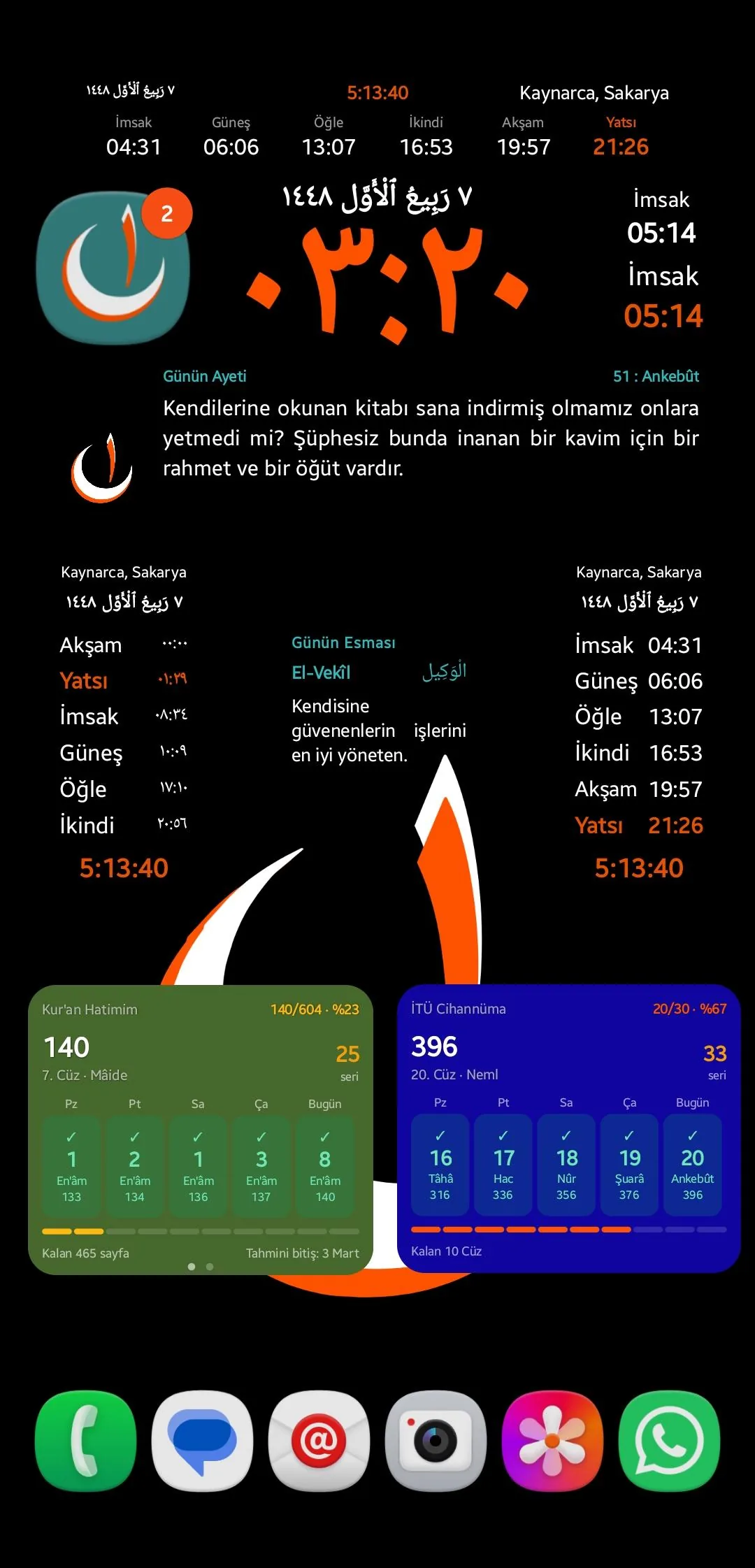
Android home screen widgets
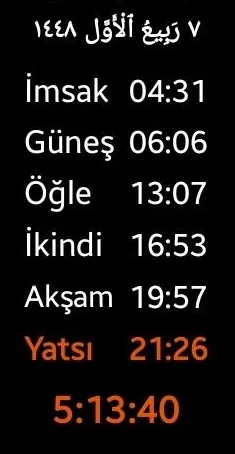
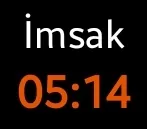
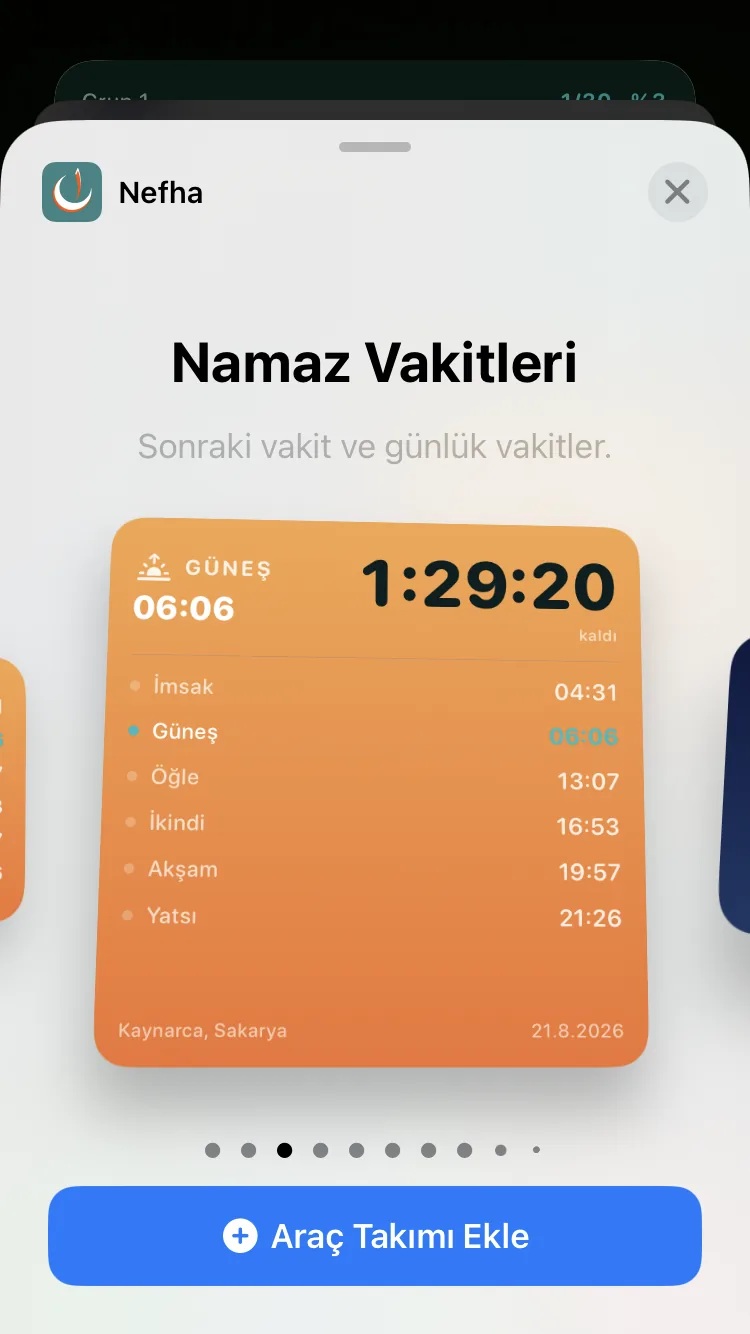
- Prayer times widget
- Compact times widget
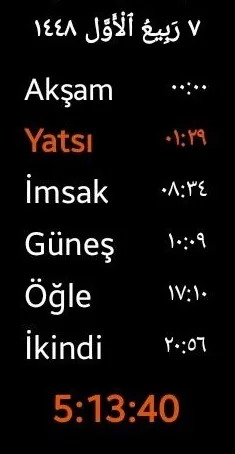
- Adhani times widget
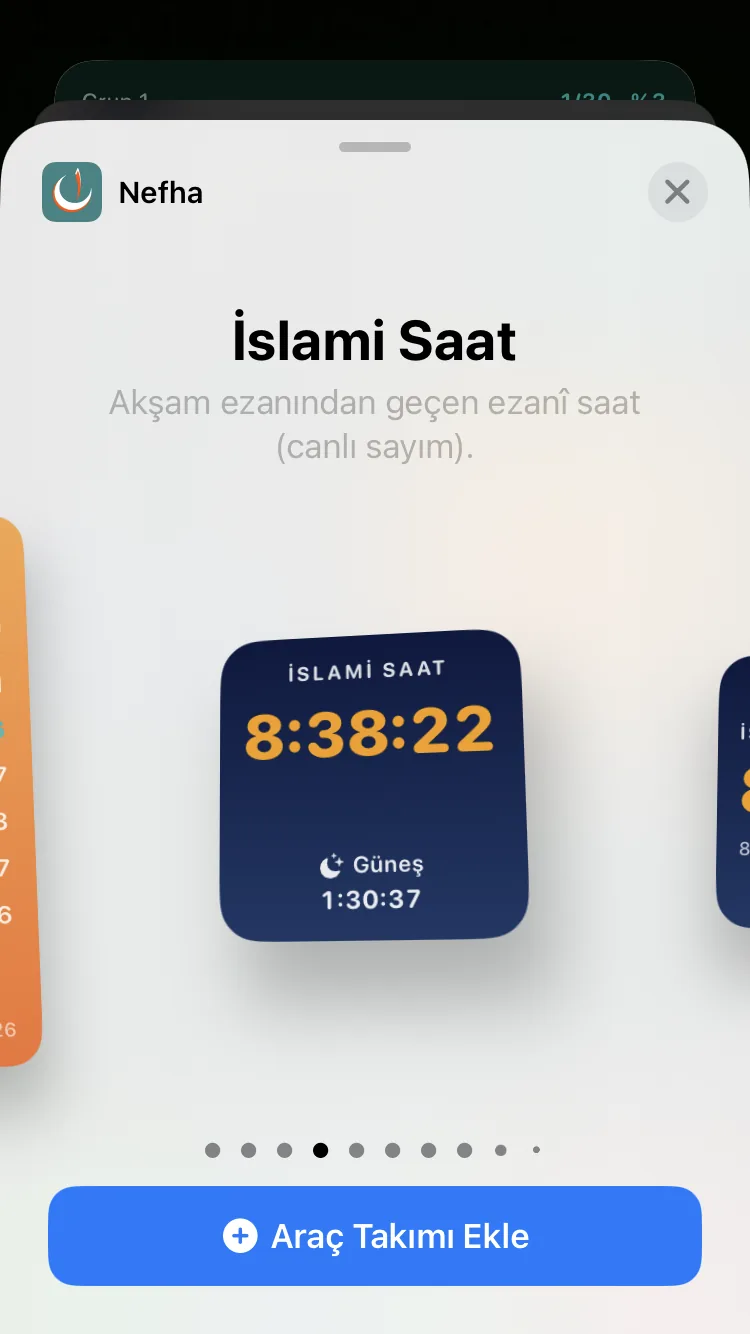
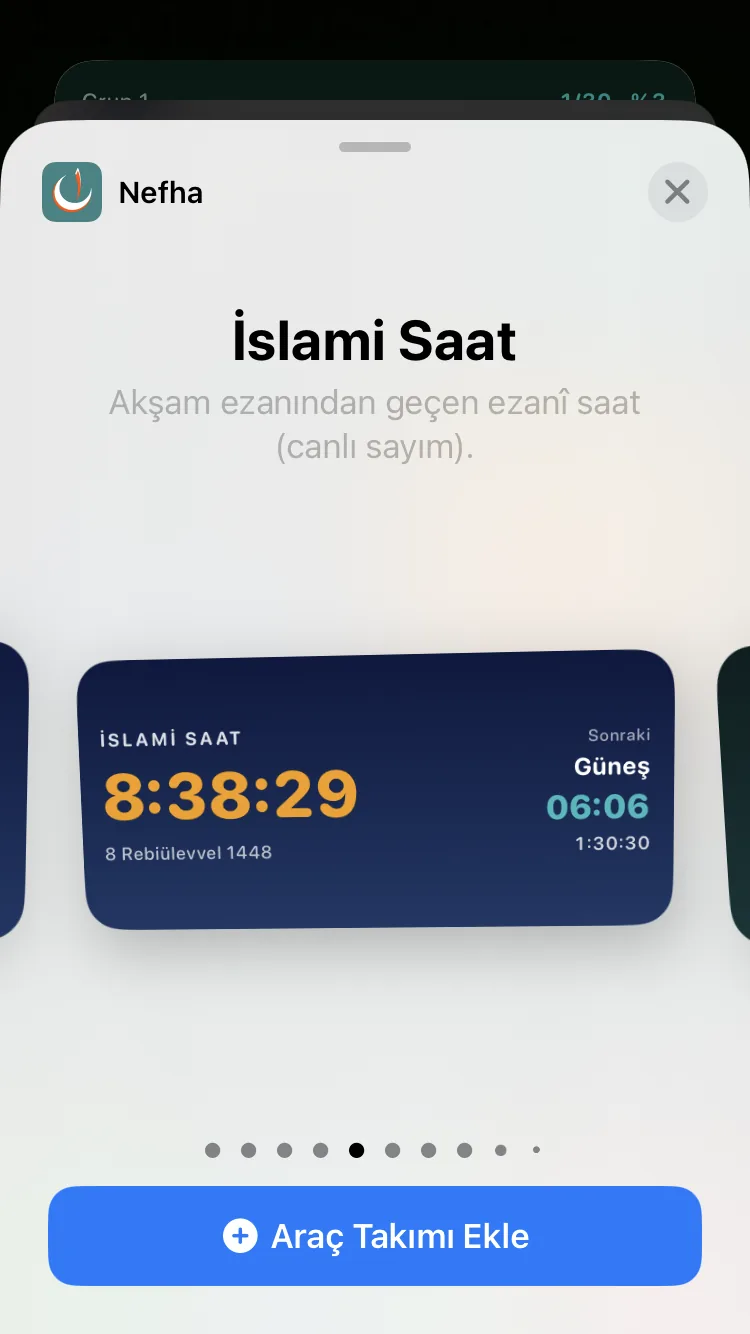
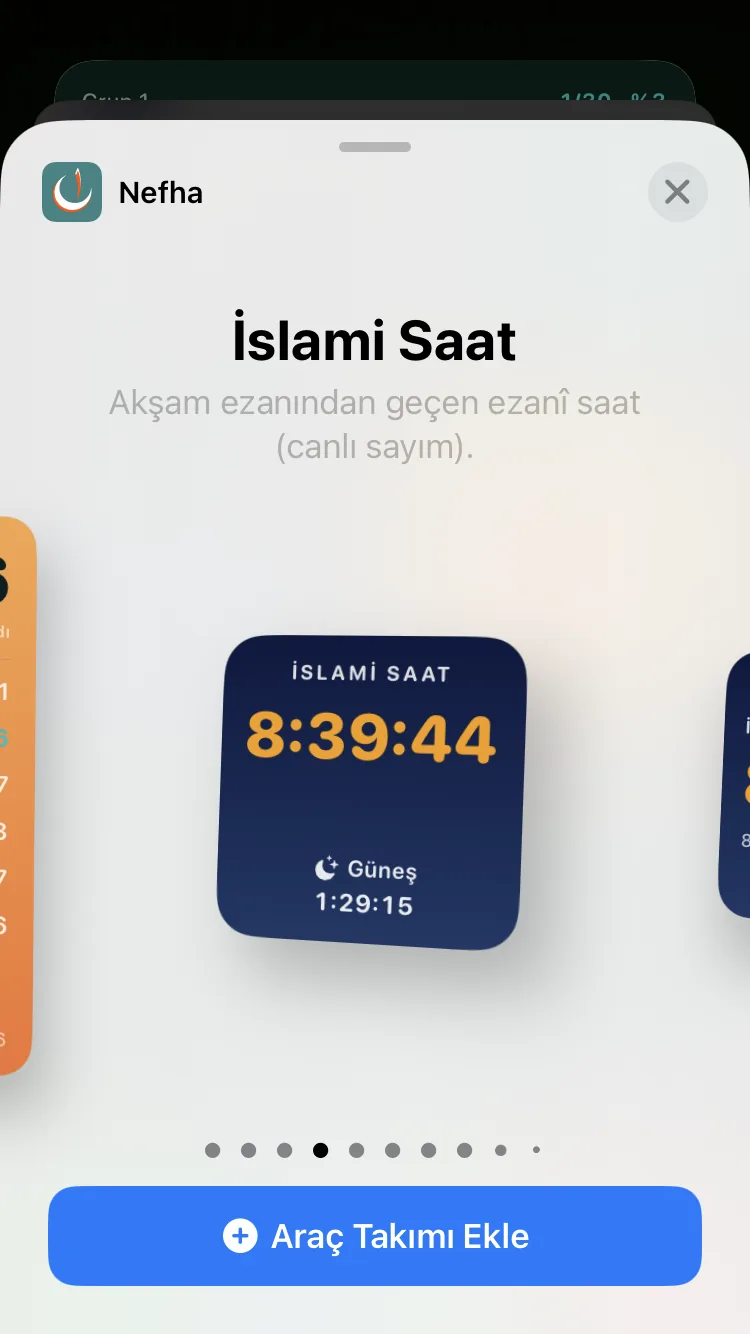
- Islamic clock widget
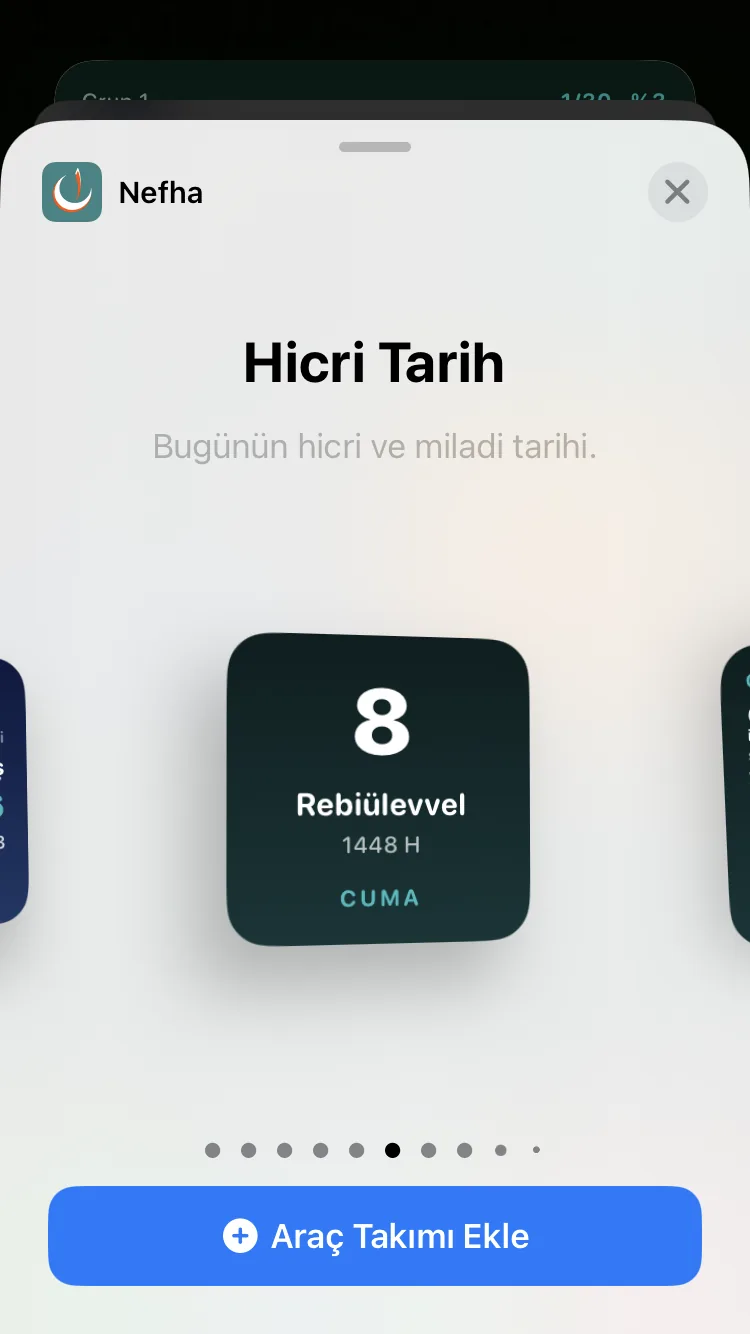
- Hijri date widget
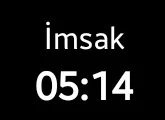
- Countdown widget
- Normal, white and always-on display (AOD) versions.
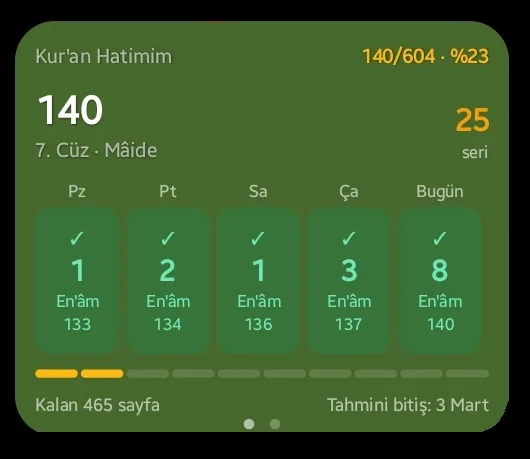
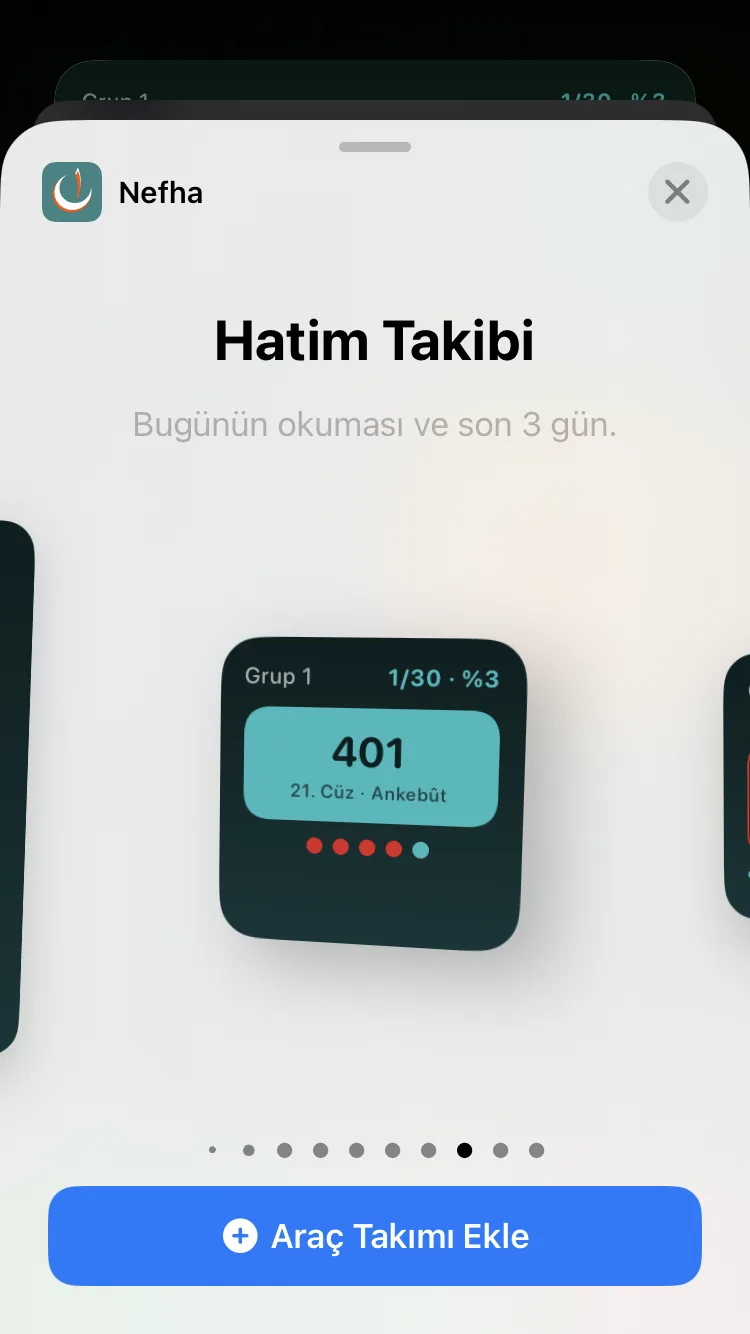
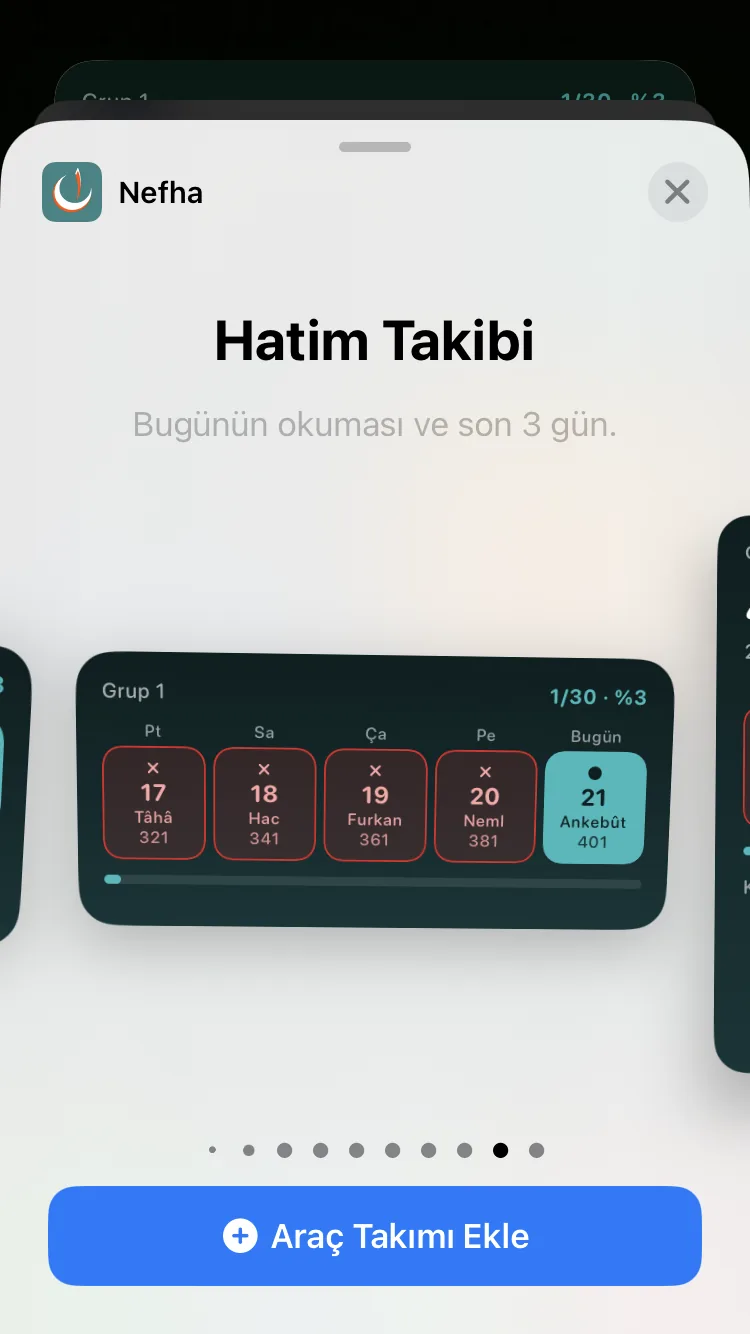
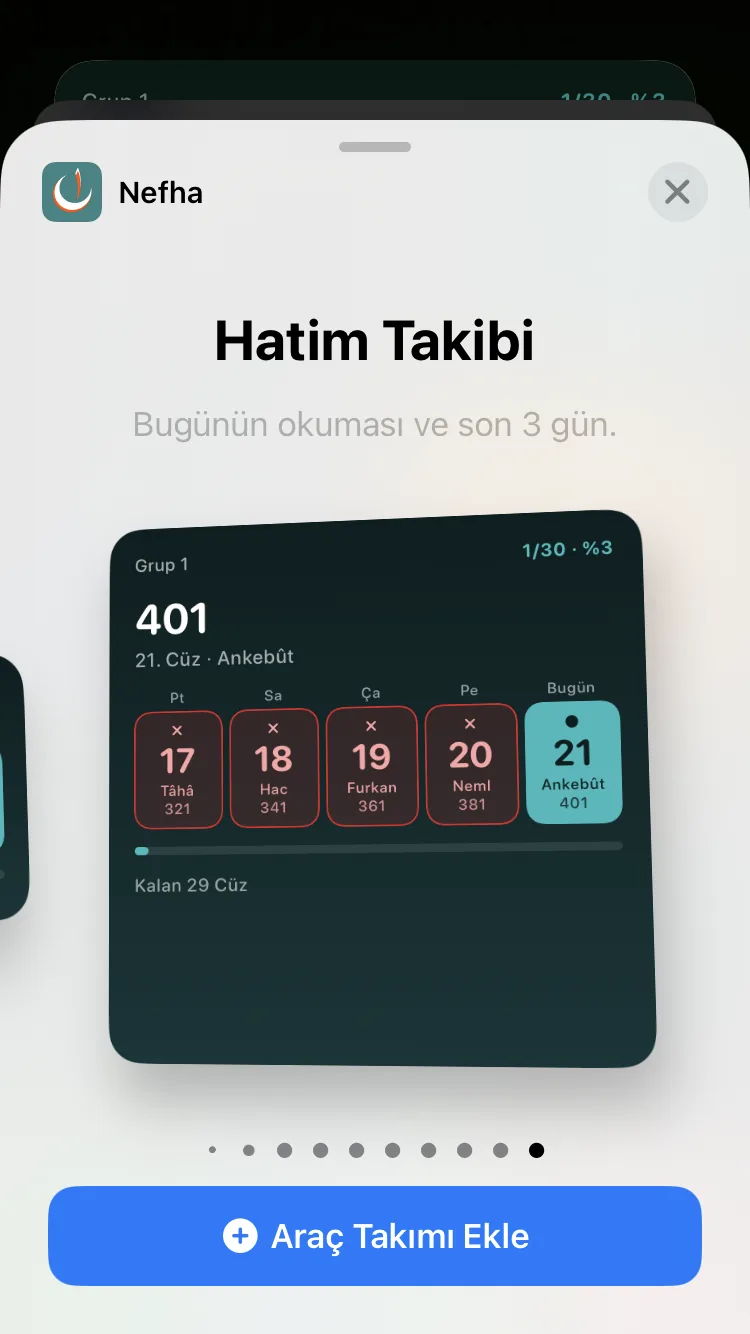
- Khatm tracking widget
- A strip of cells for today and the recent days, filled with the status colours.
- The group khatm or a personal khatm is chosen as its source.
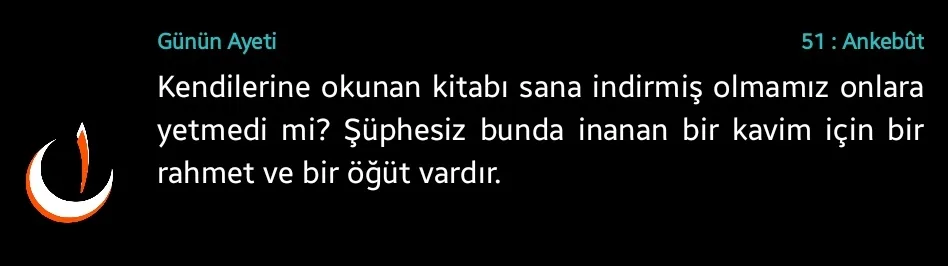
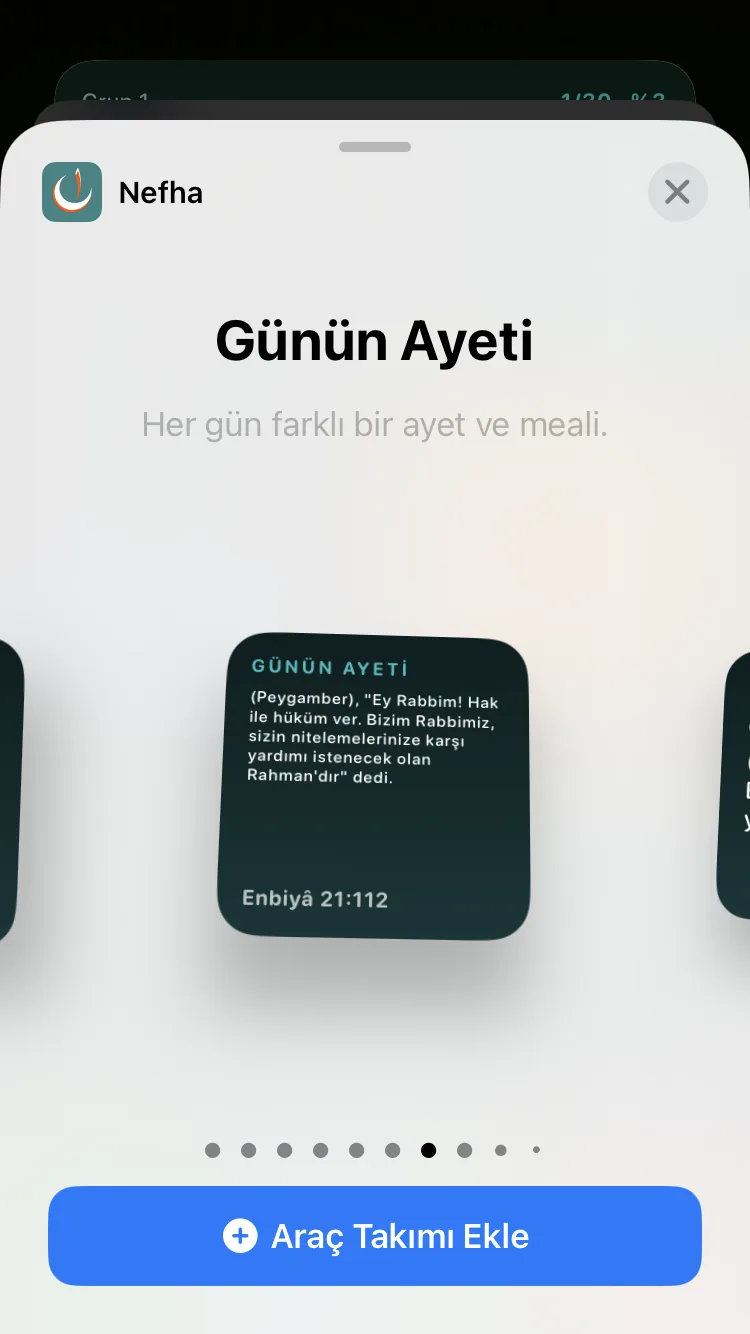
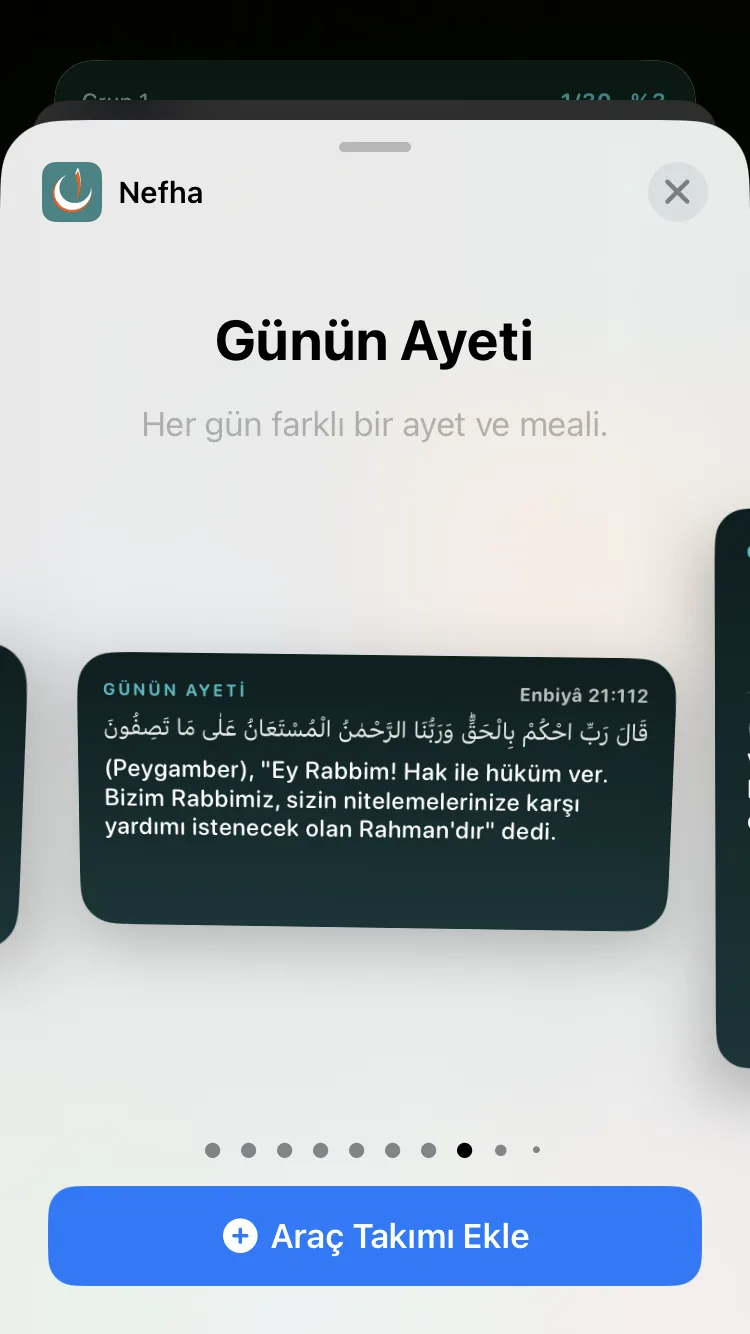
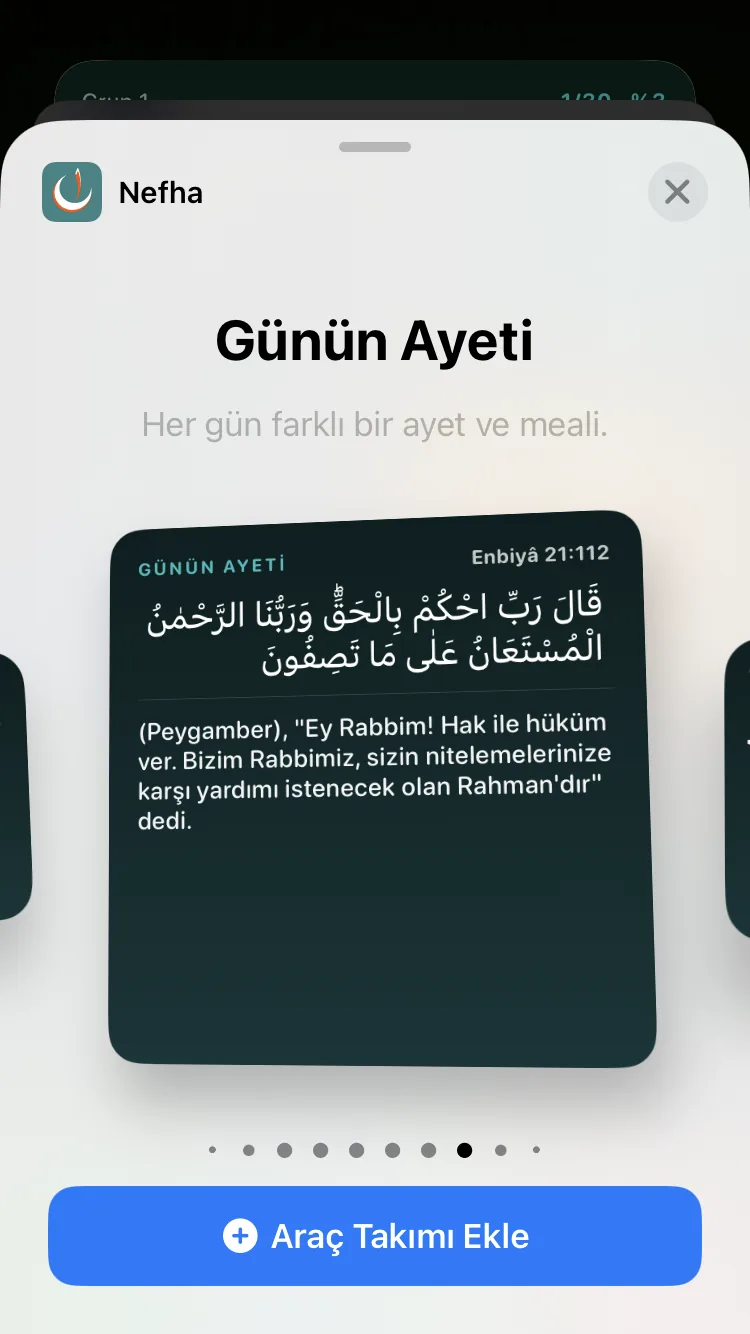
- Verse of the Day widget
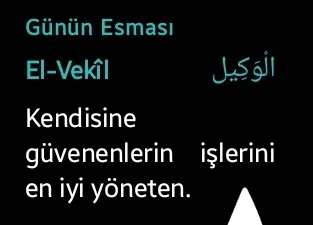
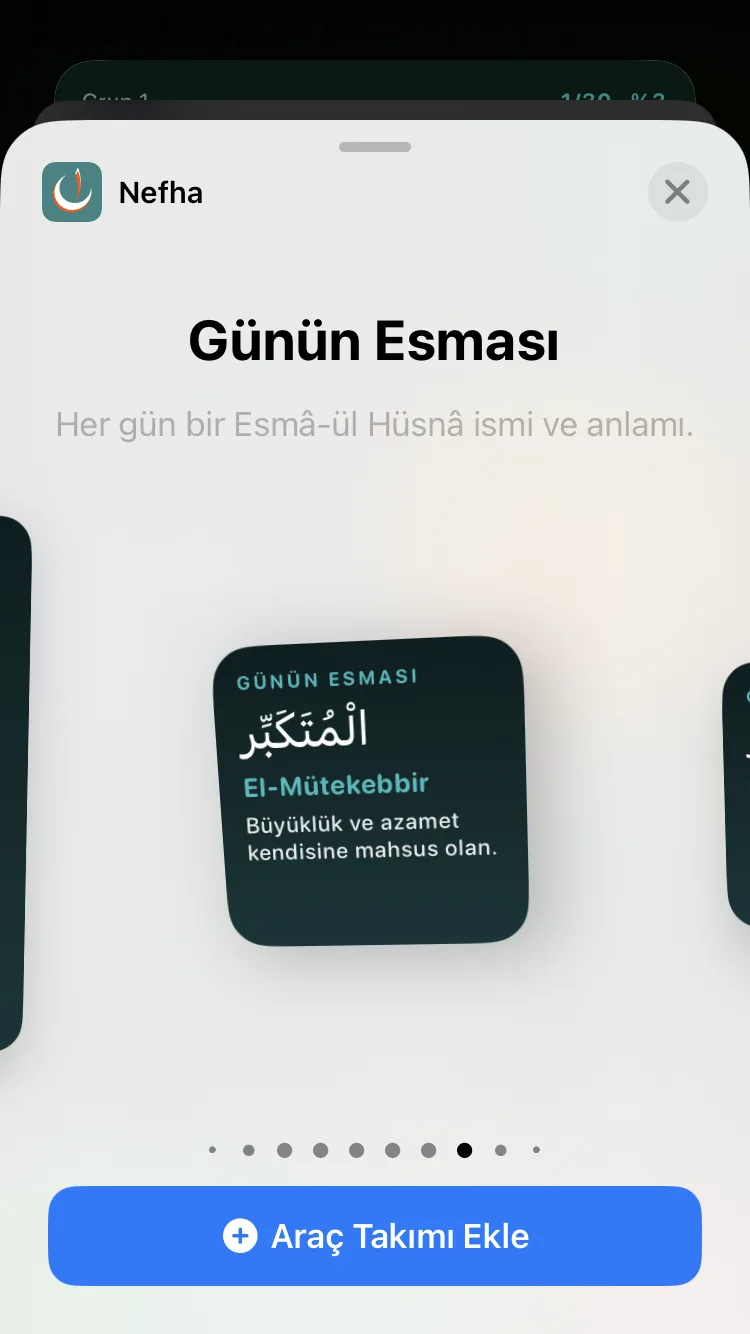
- Name of the Day widget
- Listening widget — controls verse listening from the home screen.
- Every widget has its own configuration screen (colour, language, source).
- Widgets refresh themselves at the turn of the day and when the device restarts.



WearOS (Android smartwatch)
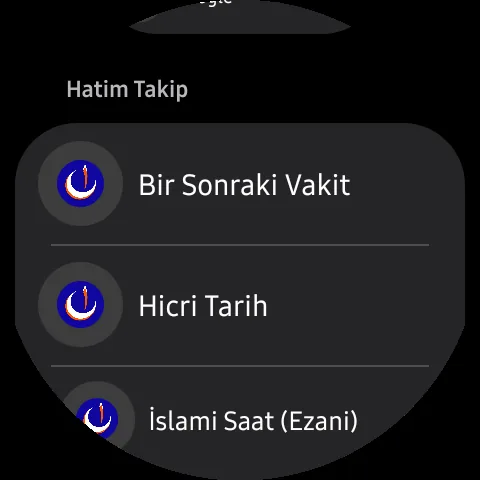
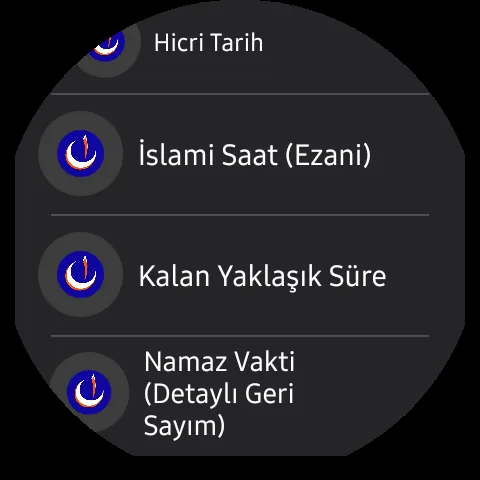
- Watch app screens: prayer times, khatm, compass.
- Tiles
- Prayer time, regular times, combined Islamic view.
- Large Islamic clock, large ordinary clock.
- Group khatm, personal khatm.
- Complications (on the watch face)
- Next prayer, prayer countdown, prayer detail.
- Hijri date, Islamic clock.
- Data is synchronised with the phone; when the phone is out of reach, the watch calculates the times offline.
- Prayer times reach the watch even when the phone is off — a 45-day table is kept ready on the phone.
- Khatm progress, group information, the Hijri date and location, however, are only prepared while the app is open. To keep the khatm tile on the watch current, you need to open Nefha on the phone now and then.
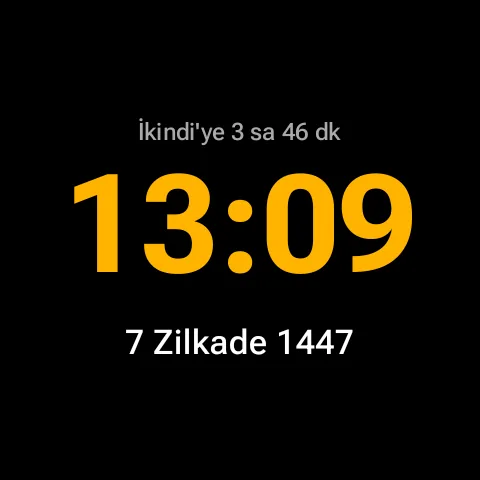
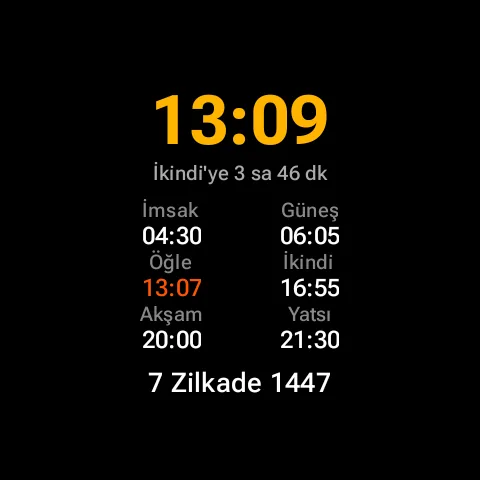
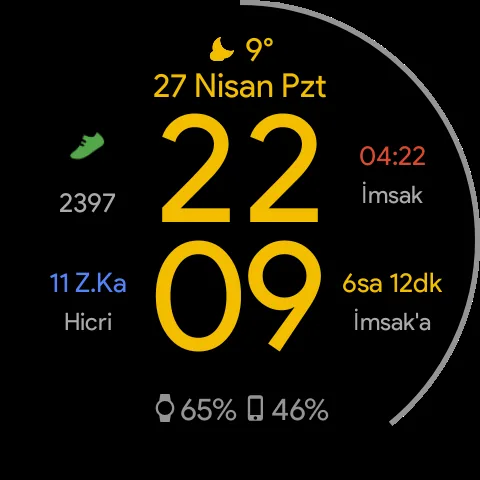
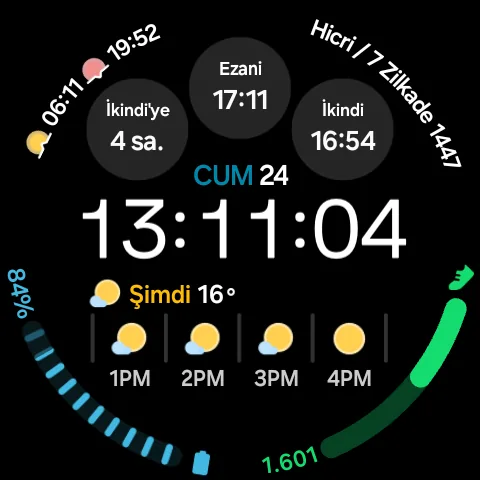
The colour of the city name on the watch
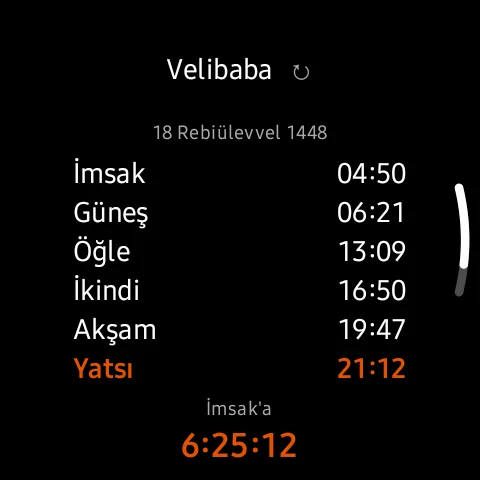
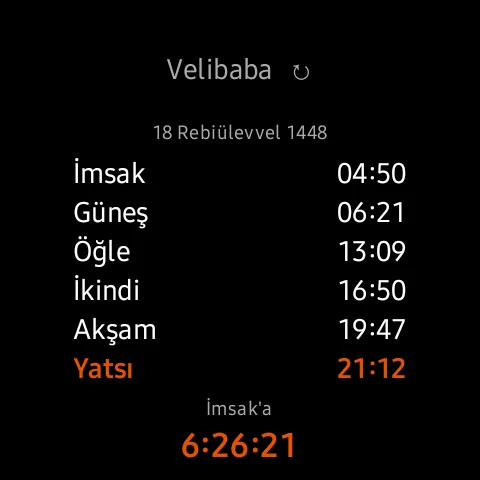
The city name on the watch tells you where the times you are looking at come from.
- White — the Diyanet calendar; the table sent by the phone is ready on the watch.
- Grey — the phone's own calculation; no calendar was downloaded, the times were worked out for your location.
- Orange — the watch's own calculation; no table ever reached it from the phone.
- Tapping the city name asks the phone for fresh data; wait while the arrow beside it turns, and the result appears as a green tick or a red cross.
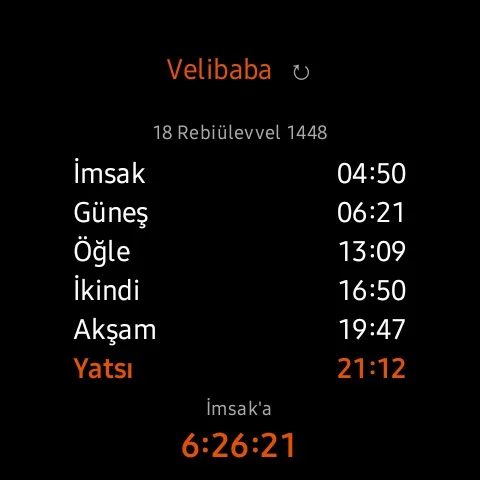
Notifications on the watch
- While the phone is nearby, its notifications are mirrored to the watch.
- When the connection to the phone is lost, the watch delivers prayer time notifications and reminders on its own.
- If the watch stays silent while away from the phone: on the watch, open Settings → Notifications, find Nefha, and turn its switch off and back on.
iOS
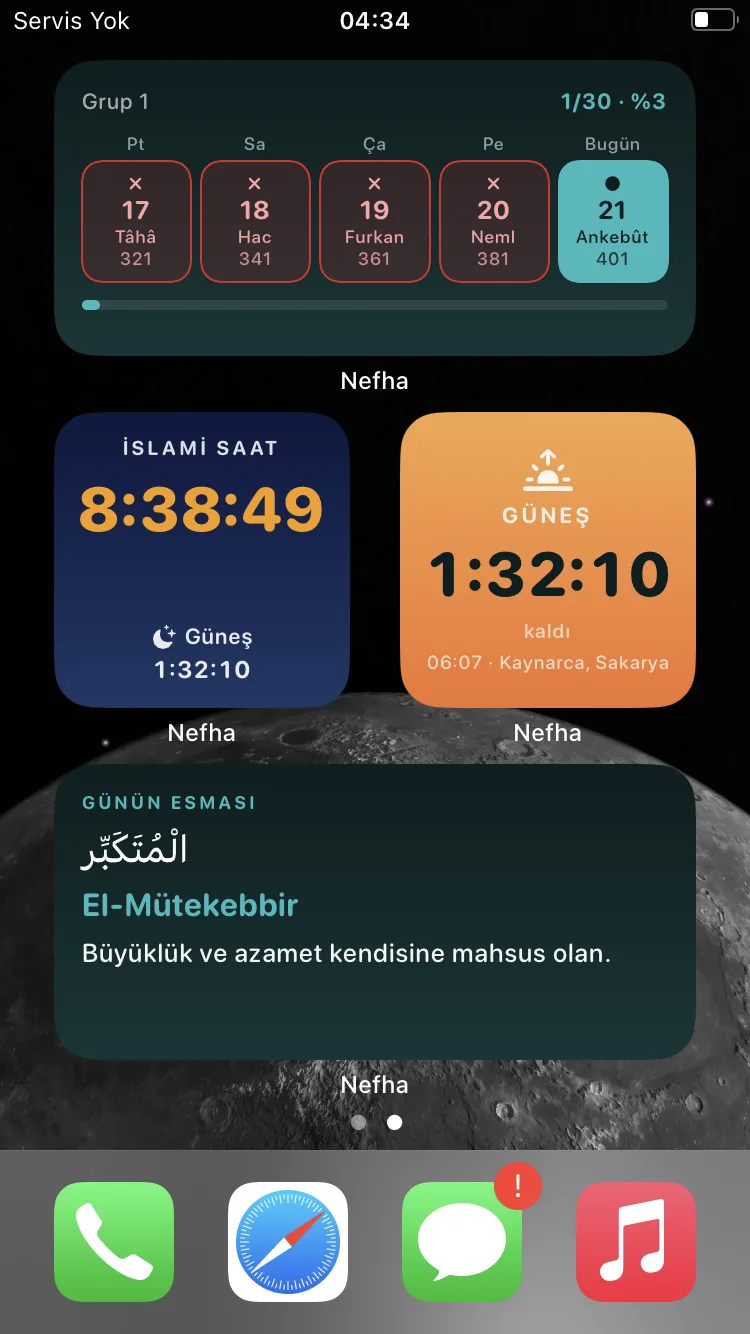
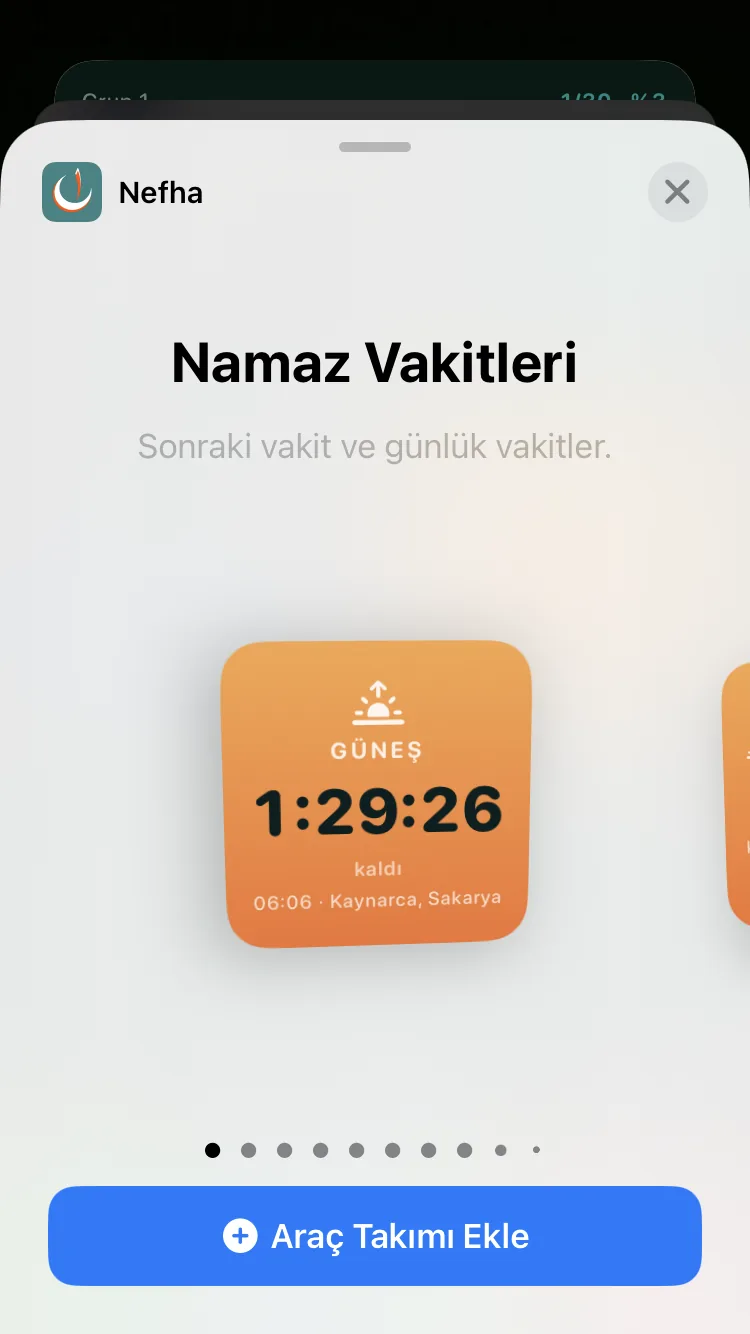
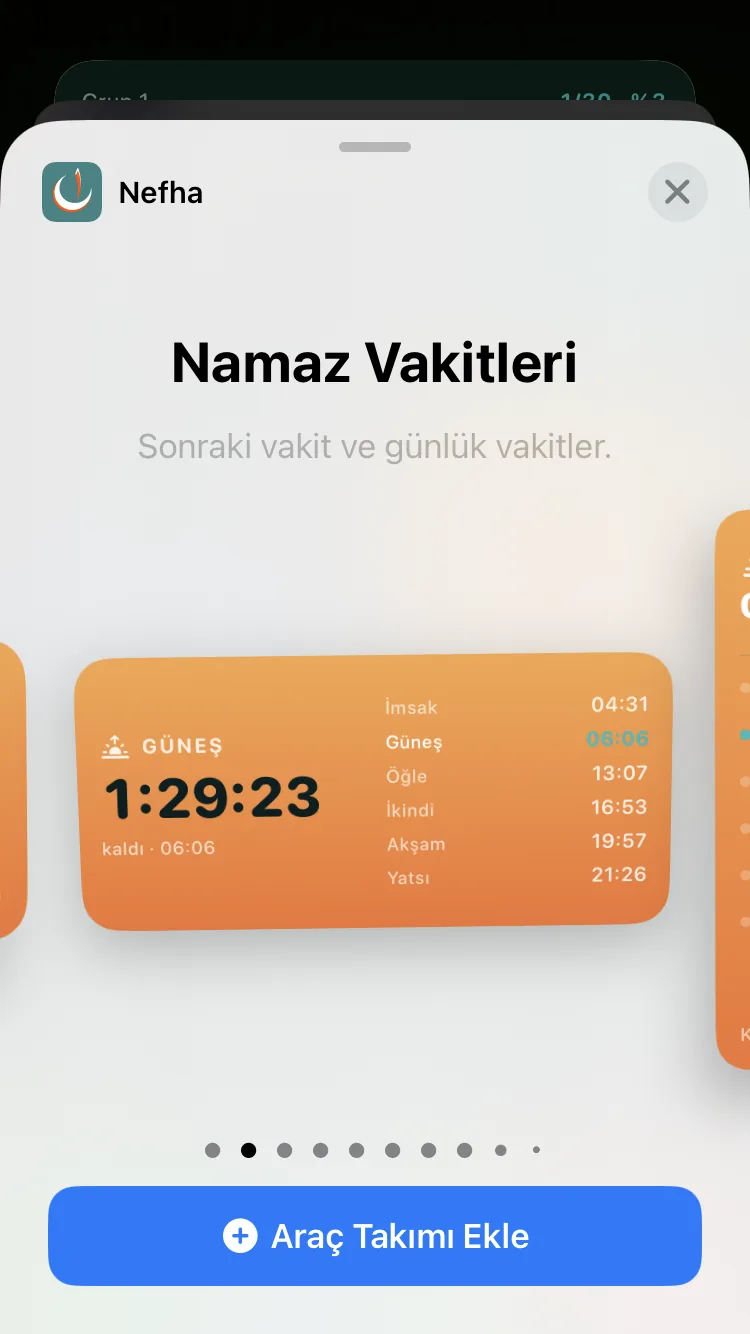
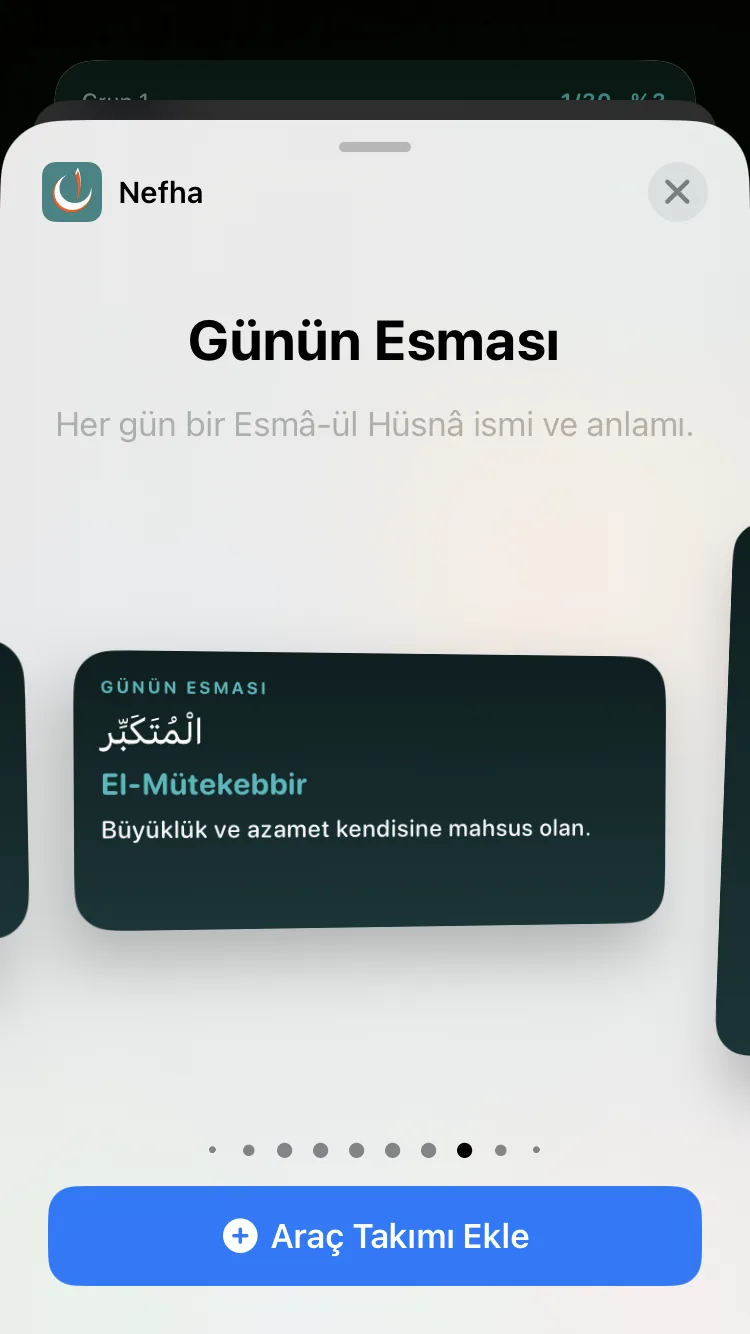
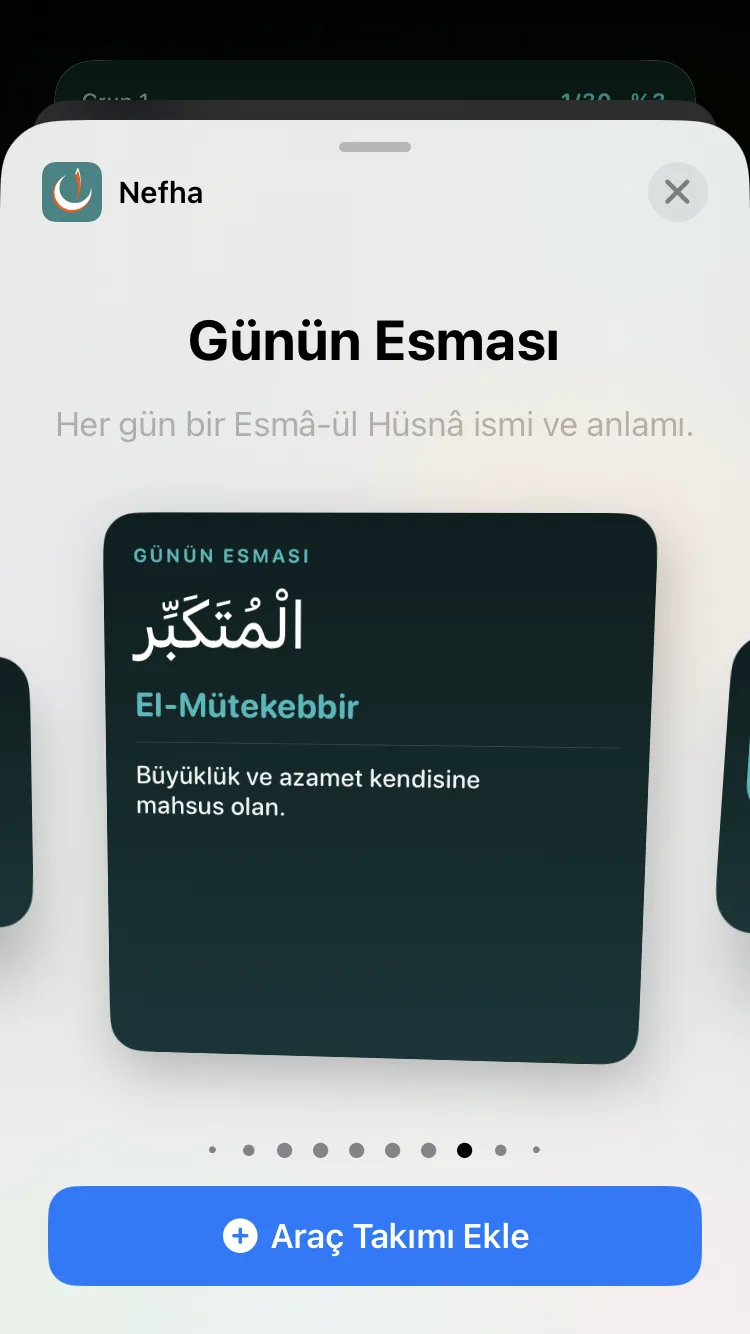
- Widgets: prayer times, Islamic clock, Hijri date, khatm tracking, Verse of the Day, Name of the Day.
- Live tracking (Live Activity / Dynamic Island)
- Automatic — starts 30 minutes before the prayer, ends when the time comes in.
- Always on — in the Dynamic Island and on the lock screen throughout the day.
- Off.
- Requires iOS 16.1 or later.
- Tapping a day on the widget opens the app on exactly that page.
Chapter 11
Appearance and Personalisation
Colour, layout and which modules appear are left entirely to you. All of it sits under Settings → Preferences.
Theme and colour
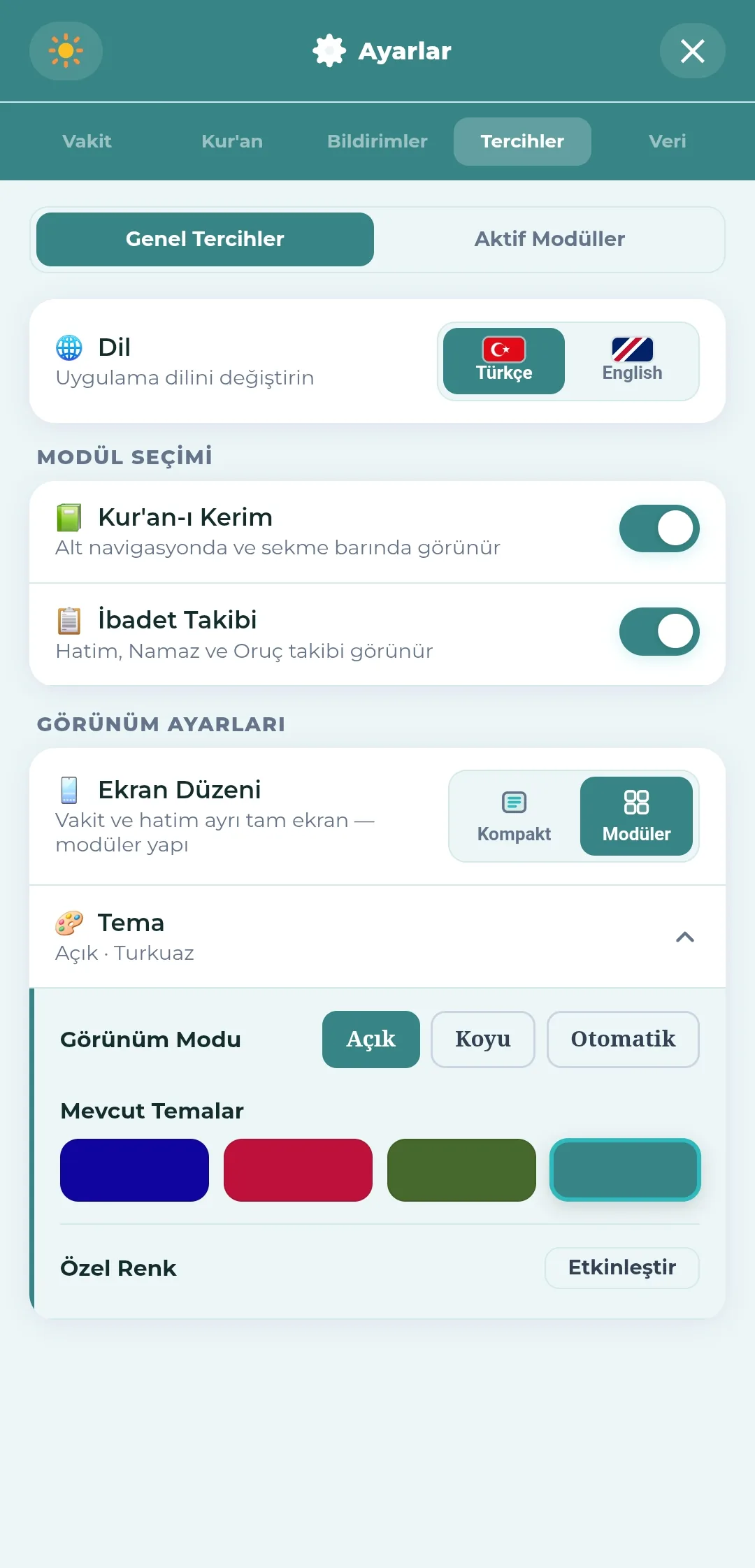
- Appearance mode: light, dark, automatic (follows the system).
- Ready-made palettes: Navy, Rose, Emerald, Turquoise.
- Custom colour: the main colour and the accent colour are chosen separately from the colour strip.
- When you change the colour, changing the app icon to match is offered as well (Android and iOS).
- The reading page background is set separately (see Section 5).
Screen layout
- Two main layouts
- Compact — prayer times and readings on a single screen.
- Modular — prayer times and khatm as separate full screens, with a tab bar at the bottom.
- Module selection: the Qur'an and Worship Tracking sections are switched on and off one by one.
- The sub-tabs are arranged separately from the "Active Modules" tab.
- The Juz / Surahs / Page tabs inside the Qur'an section can each be hidden.
- At least one tab always stays visible.
Nefha-i Kelam
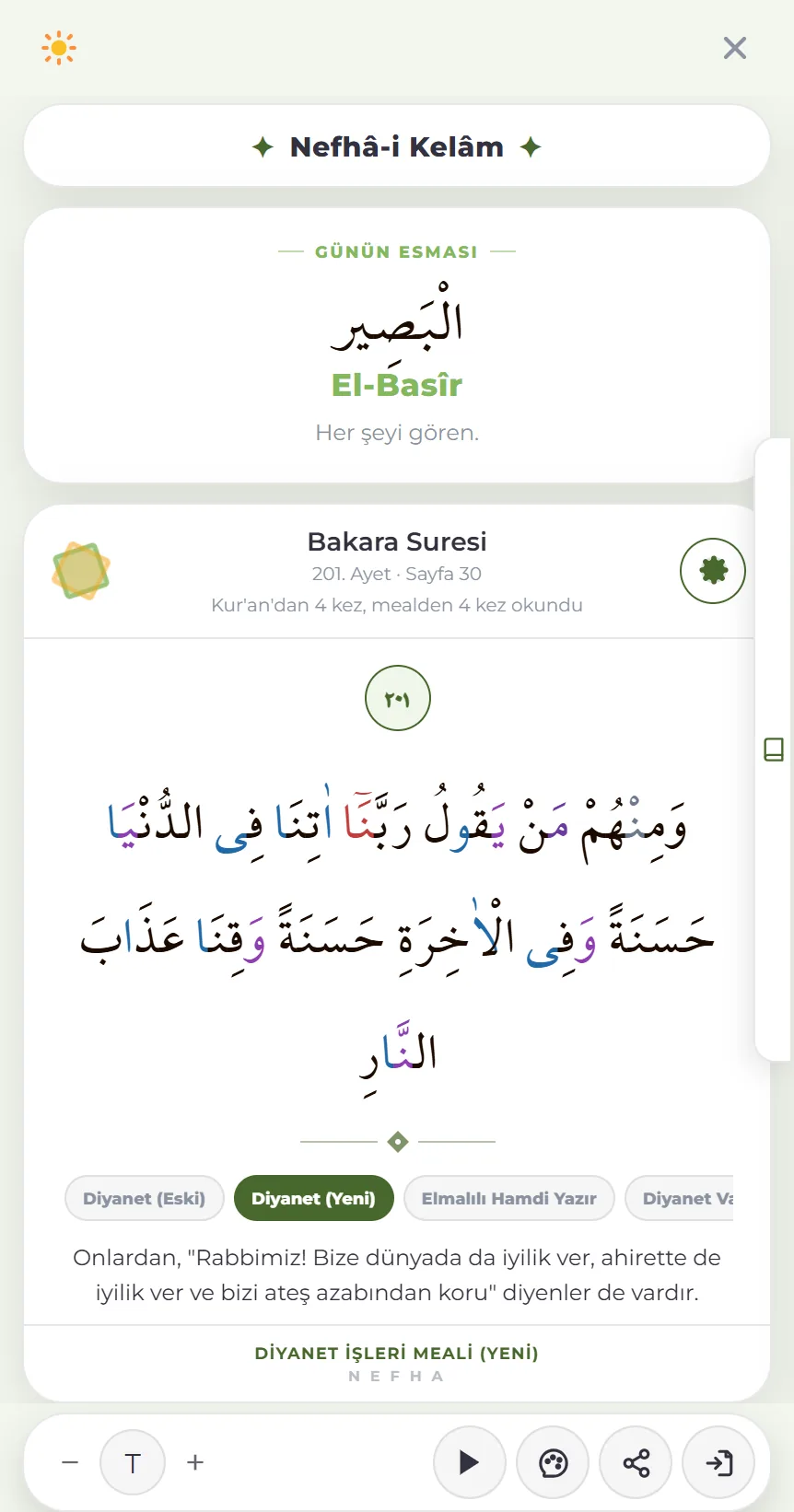
The daily breath that opens when you tap the logo on the main screen: a divine name and a verse, both renewed each day.
- The verse opens on a full-screen card, with that day's divine name and its meaning above it.
- It does not change during the day; both are renewed the next day. The names come in turn, so they do not repeat on nearby days.
- The card can be turned into an image and shared.
- Name of the Day and Verse of the Day also sit as cards on the main screen, and both have widgets.
- A daily reminder can be set from Settings → Notifications.
Other
- App language: Turkish and English (the whole interface is translated).
- Top bar: day/night button, qibla, logo, help and settings.
- Tapping the logo opens Nefha-i Kelam (above).
- On iOS, swiping from the left edge goes back.
- The Android back button closes open windows one by one.
Chapter 12
Data and Backup
All data stays on the device. The backup file is in your hands; anyone who wishes can use automatic backup over Google Drive.
Backing up to a file
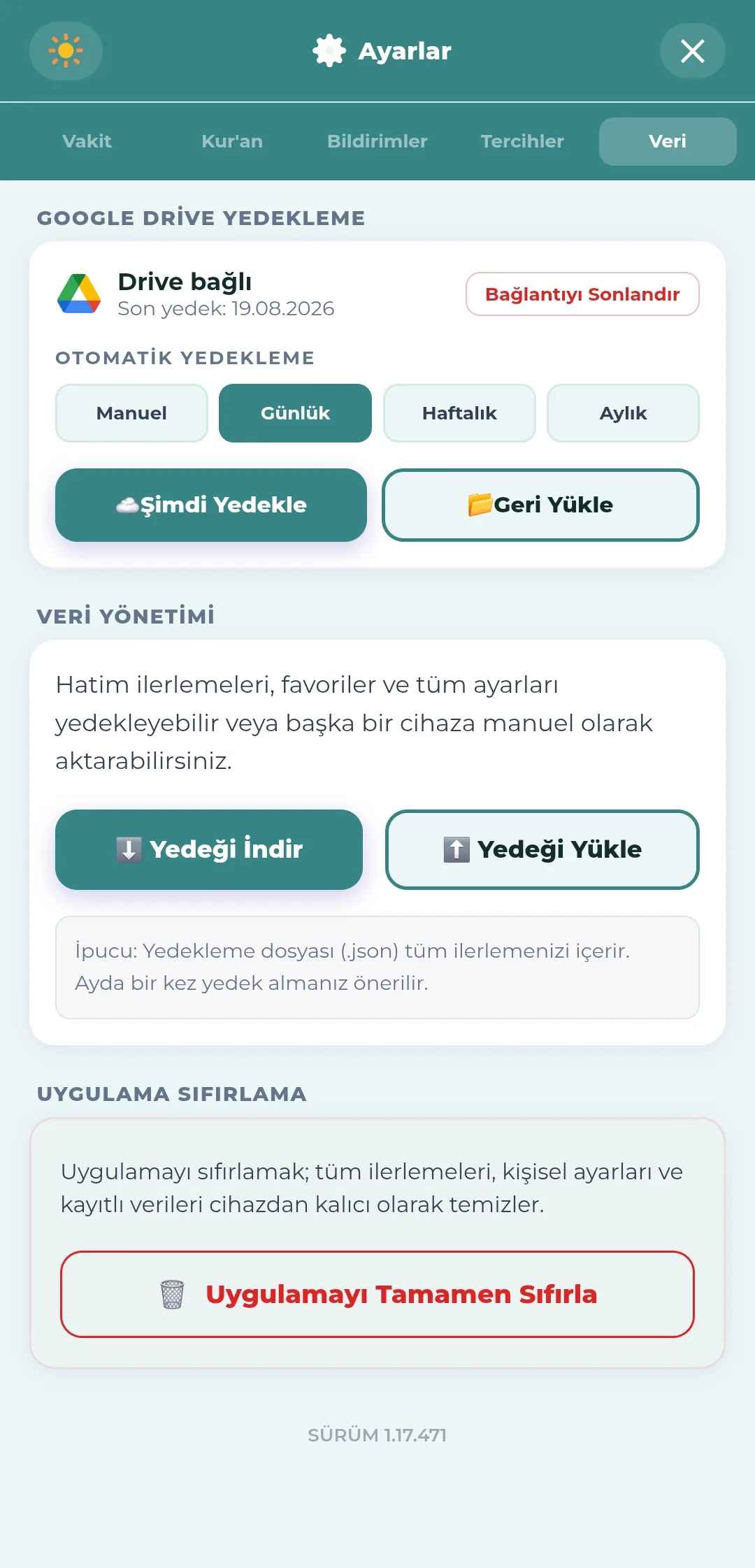
- "Download backup" creates a .json backup file in one tap; it contains khatm progress, favourites, tracking records and all settings.
- "Upload backup" restores the file on another device.
- Smart restore: when several devices are used, progress is merged rather than erased.
- Taking a backup once a month is recommended.
Google Drive backup
An optional feature unlocked with a one-off payment; free file backup remains available in every case. Automatic backup runs when the app is opened — no backup is taken on days when the app is never opened.
- Connecting a Google account and ending the connection; the date of the last backup is shown on screen.
- Automatic backup frequency: manual, daily, weekly, monthly.
- "Back up now" takes an immediate backup.
- "Restore" lists the backups on Drive and brings one back in a single tap.
- Backing up happens while the app is open; if the app is never opened when the chosen period comes round, that backup is not created.
- If the expected backup day passes without a backup being taken, a warning appears on screen and a notification is sent.
- The backups of the last 14 days are kept as they are; beyond that, one backup a month is kept as an archive.
- Backups removed from the archive are not permanently deleted; they are moved to the Drive bin.
- Backups sit in the "Nefha Backup" folder in your Google account; you are free to tidy it yourself and delete what you do not want.
- The purchase is tied to your store account: the feature comes back open if you delete and reinstall the app or move to a new device. On iPhone there is also a "Restore Purchases" button.
- Access tokens are held in the device's secure storage.
Privacy and storage
- No personal data is sent to a server; everything is stored on the device.
- IndexedDB is used for large data, so browser storage limits are not hit.
- Resetting the app completely — with a double confirmation.
- The reading history can also be reset on its own.
- The version information is shown at the very bottom of the screen.
Chapter 13
Help, Onboarding and More
Onboarding layers that guide you from the first launch onwards, help texts and source information.
First launch and onboarding
- A welcome screen.
- A step-by-step introductory tour; it can be restarted at any time from the help section.
- On the Huawei version, privacy consent is requested at first launch.
Help section
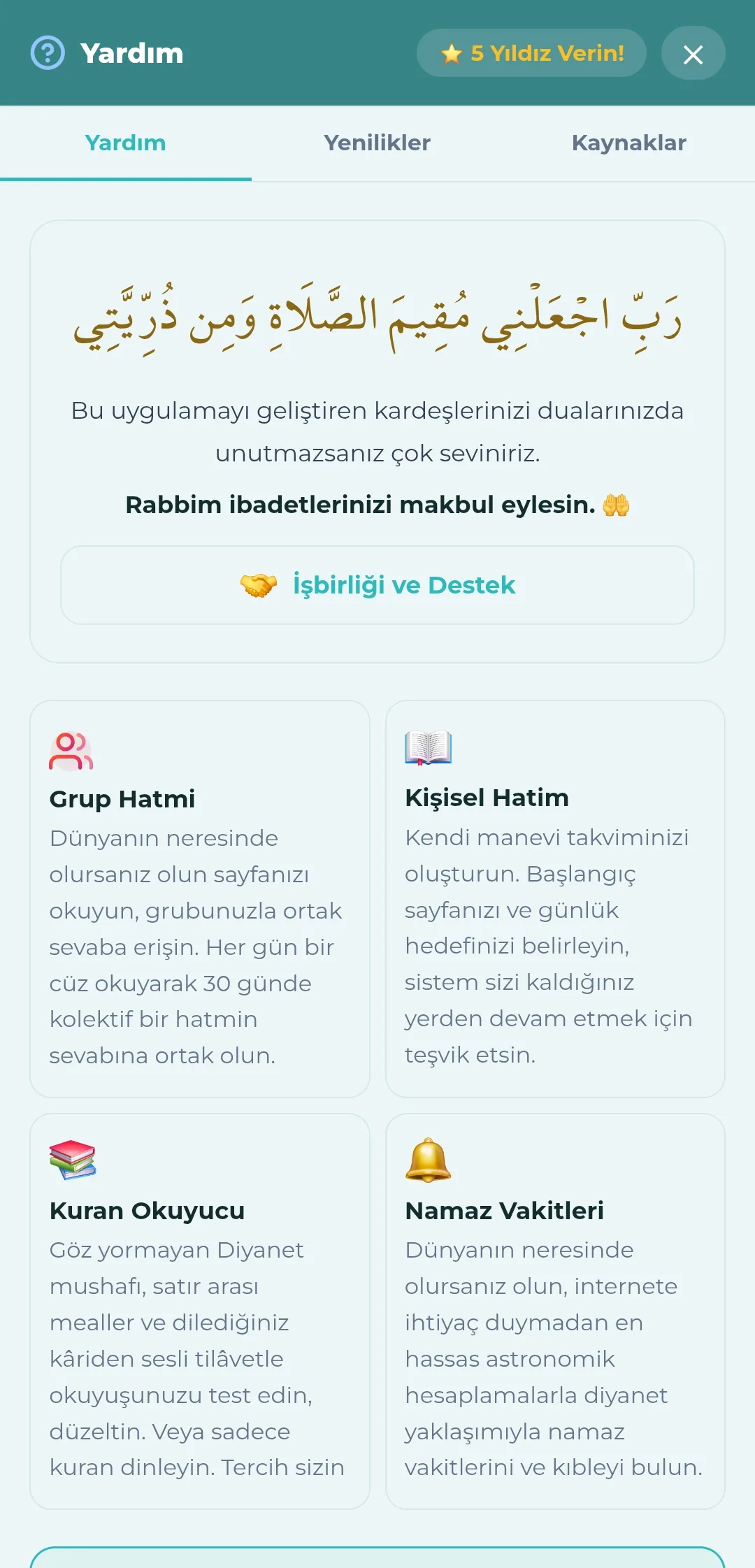
- Four introductory cards: Group Khatm, Personal Khatm, Qur'an Reader, Prayer Times.
- Frequently asked questions
- How does the group khatm work?
- Khatm types: rotating and fixed pages.
- How does a personal khatm work?
- Qur'an reader features.
- Notifications and reminders.
- What is the Adhani (Islamic) clock?
- Data safety and backup.
- Why can prayer times differ by 1–2 minutes?
- Why Nefha?
- At the top, a request for prayers for those who develop the app and a "Co-operation and Support" link.
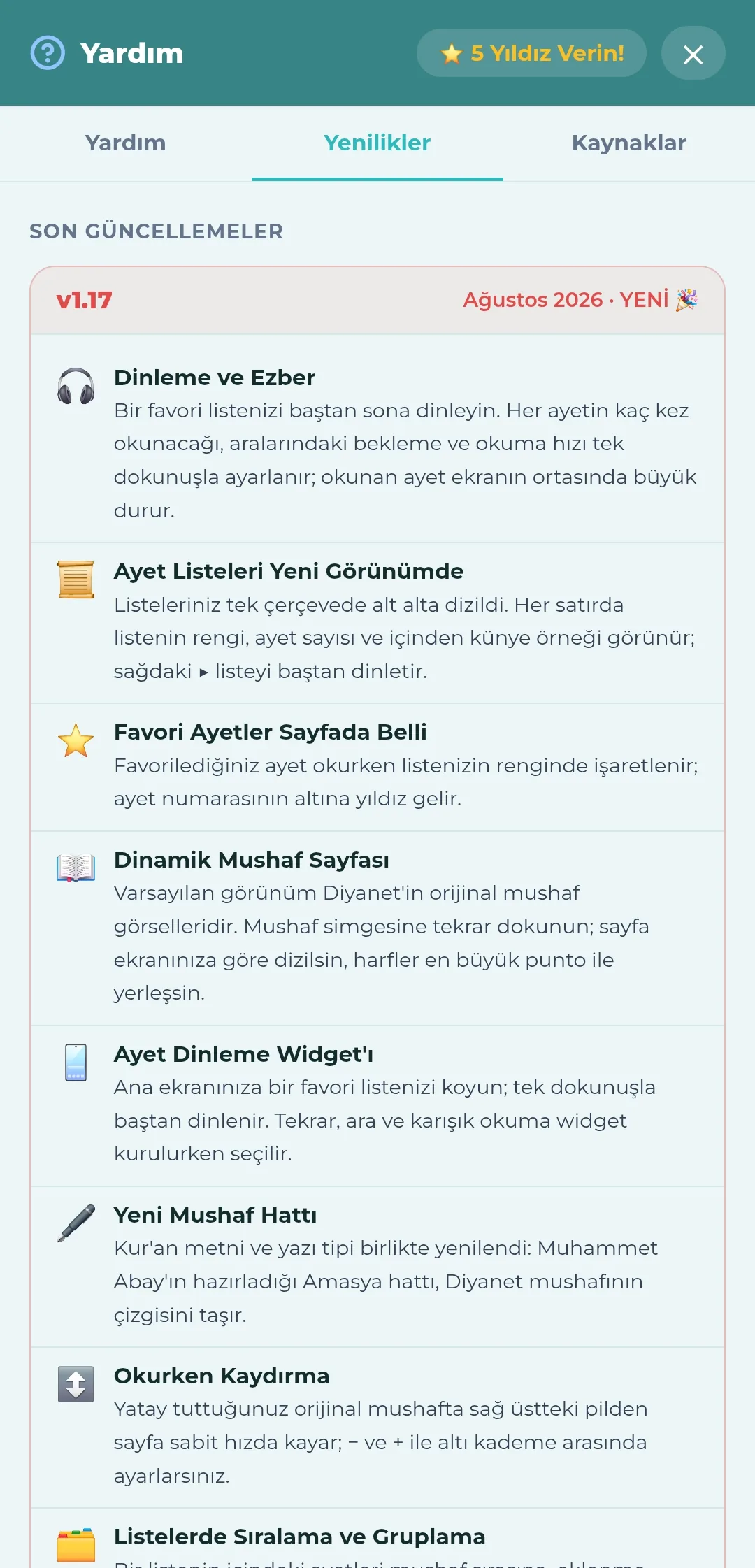
- What's New tab: the features added in each version; in a new version the same list is shown at launch.
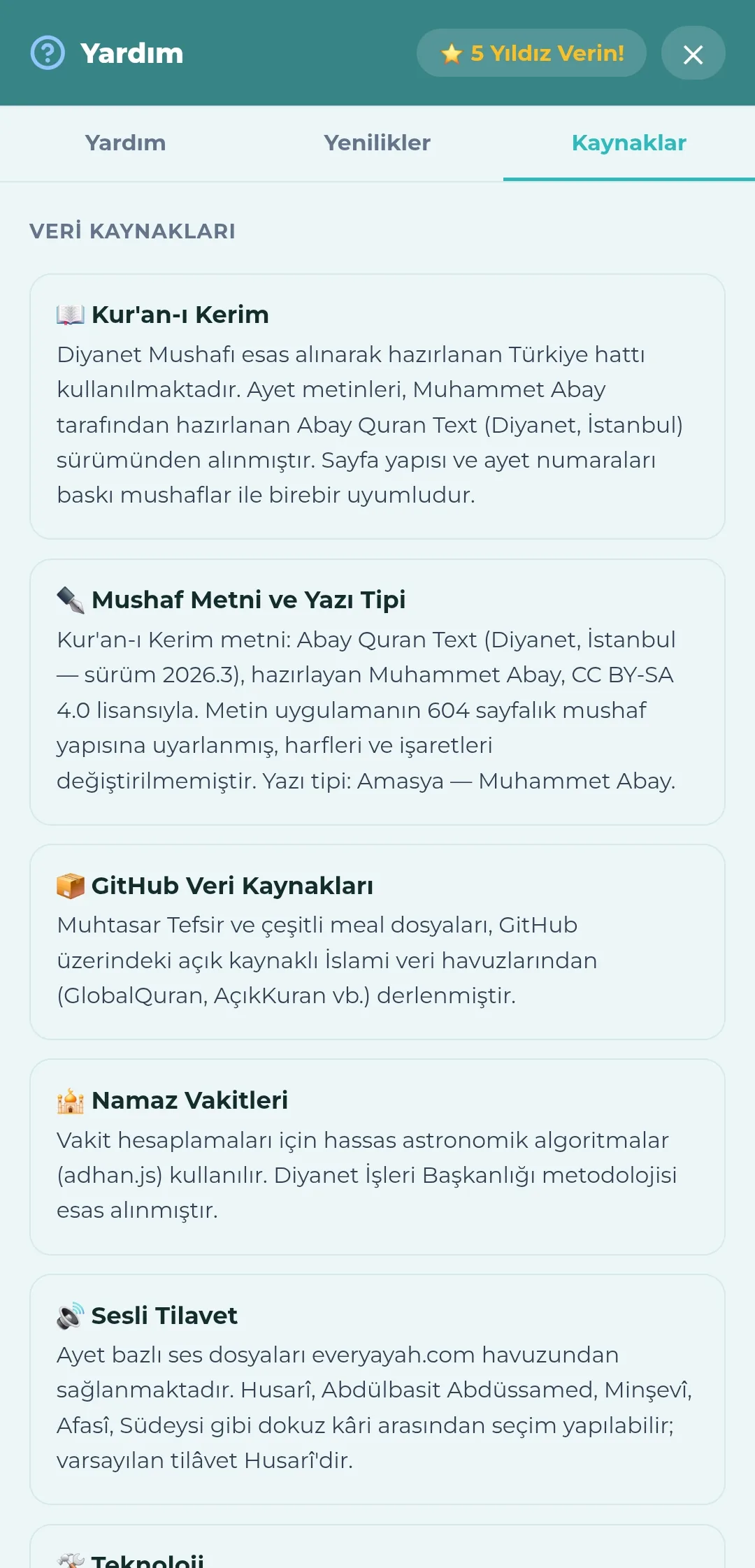
- Sources tab: the mushaf text, typeface, translations, audio source and prayer time calculation, together with licence information.
Other
- In-app rating and a link to the store.
- A contact and suggestions link.
- An "add to home screen" installation banner for those coming from a browser.
- A strip reminding browser visitors of the store version.
- There are no adverts and no subscriptions; all of the religious features are free.